
Let me cut through the noise.
I’ve tested over 40 AI image generators in the past 18 months. Some feel like toys. Some feel like they were designed by engineers who’ve never spoken to a designer. And then there’s Leonardo AI—which, in 2026, has quietly become one of the most usable platforms in the space.
But here’s the thing about Leonardo: it looks incredible on paper. According to multiple industry sources, the platform has crossed 19 million registered users and, following Canva’s acquisition in July 2024, reported revenue reached roughly $95 million for 2026, with valuation estimated near $1.3 billion. The marketing writes itself.
The question isn’t whether Leonardo AI is good. It’s whether it’s right for you—and whether the hype matches the reality of daily use.
I’ve spent the last month putting Leonardo through real-world workflows: generating assets for a product launch, creating consistent character designs for a game concept, and testing its video capabilities against dedicated tools. This isn’t a feature list regurgitated from the website. This is what actually happens when you use it.
Let’s dive in.
What Is Leonardo AI in 2026?
Leonardo AI is an Australian-based generative AI platform founded in December 2022 that offers image generation, video creation, and editing tools through a web interface. It launched with a focus on video game asset creation and has since expanded into fashion, advertising, architecture, marketing, and film.
In 2026, Leonardo positions itself as a “creator-first” platform under the tagline “Yours to Create”. The rebrand, developed with creative agency Koto (known for work with Airbnb and Netflix), shifted away from the old Leonardo da Vinci-inspired imagery toward a clean, typographic identity that emphasizes human creativity over AI mystique.
What sets Leonardo apart from tools like Midjourney isn’t just the output—it’s the control. You get a dashboard where you choose models, adjust parameters with sliders, train custom models on your own images, and refine outputs inside an AI canvas. It’s built for people who need repeatable, consistent production, not just one impressive image.
Company Background
| Metric | Detail |
|---|---|
| Founded | December 2022 |
| Founders | JJ Fiasson (Co-founder & CEO), Jachin Bhasme, Chris Gillis |
| Headquarters | Sydney, Australia |
| Total Funding | $31 million across two rounds before acquisition |
| Acquisition | Canva, July 2024 (estimated $320M) |
| Users | 19M+ registered |
| Images Generated | 2B+ |
| 2026 Revenue | ~$95M |
| 2026 Valuation | ~$1.3B |
Key Features: What Actually Works
Image Generation
Leonardo offers a mix of first-party and third-party models:
| Model | Best For |
|---|---|
| Phoenix 1.0 (flagship) | Photorealistic images, strong text rendering, high prompt adherence |
| Kino XL | Cinematic compositions, dramatic lighting |
| Vision XL | Photorealistic portraits, detailed textures |
| Diffusion XL | General-purpose versatility |
| PhotoReal v3 | Product photography, static product mockups |
What this means in practice: Phoenix 1.0—which was built from scratch in 2024, unlike earlier Leonardo models that were fine-tuned versions of Stable Diffusion—is genuinely impressive for product photography and marketing materials.
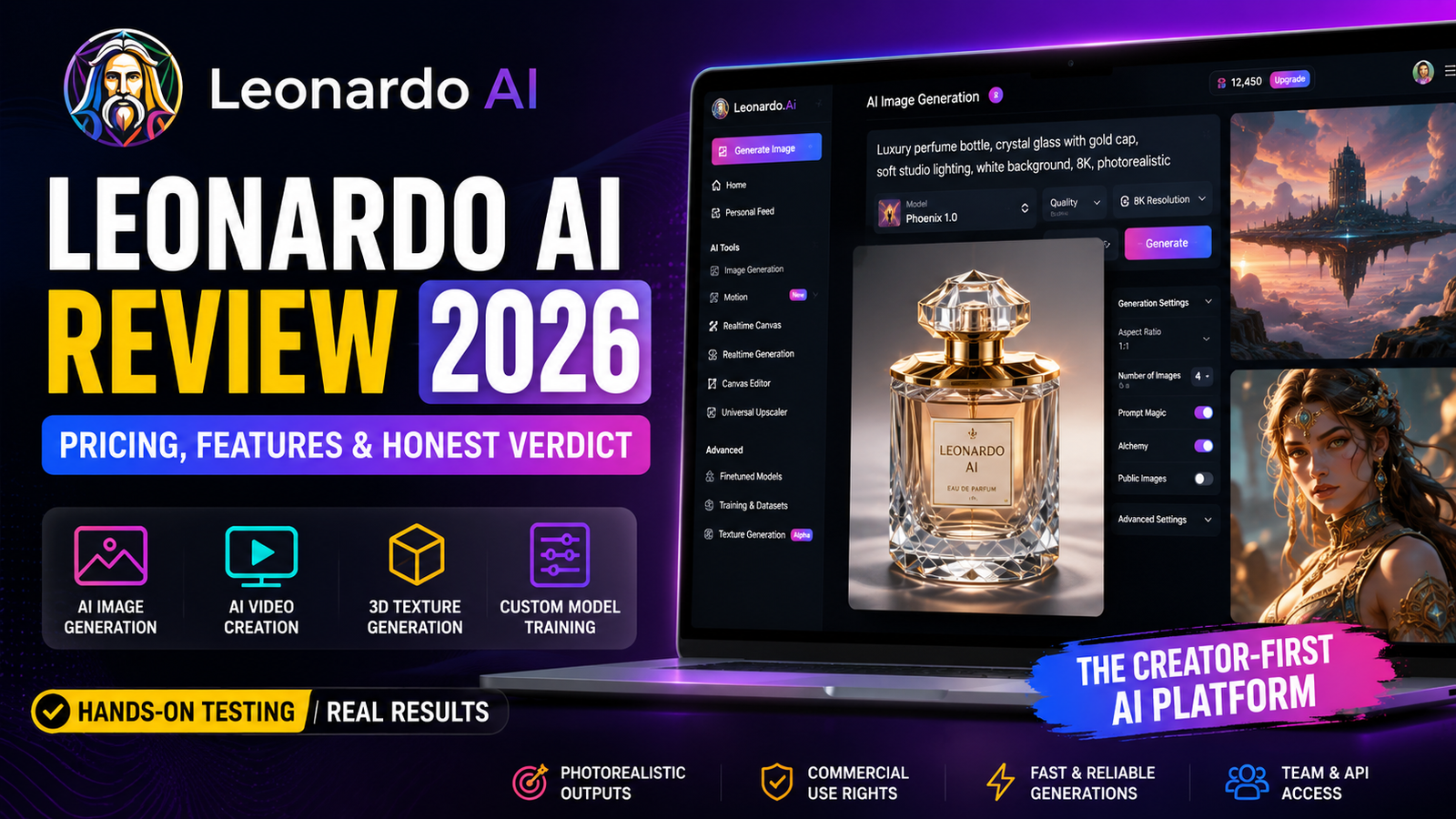
🧪 Real Test: I generated a series of perfume bottle images with complex reflections and transparent glass. Prompt: “Luxury perfume bottle, crystal glass with gold cap, soft studio lighting, white background, 8K, photorealistic.”
- Model: Phoenix 1.0
- Setting: Quality mode
- Time: 47 seconds
- Tokens consumed: 8
- Result: Convincing glass refraction, acceptable text rendering on the bottle label (not perfect—the brand name was slightly distorted)
- Failure: One of four variations rendered the bottle cap as if it were melting
Independent benchmarks place Phoenix within five points of Midjourney v7 on photoreal fidelity tests.
The speed problem: In my testing, Leonardo’s generation took 15–90 seconds depending on mode (Balanced, Quality, Ultra). For individual creators, this is workable. For anyone running automated pipelines or batch generation at scale, it’s a bottleneck. A batch of 100 images in Quality mode took approximately 72 minutes in my test.
Custom Model Training
This is Leonardo’s killer feature—and the main reason I’d recommend it over Midjourney for brand work.
You can upload 10–20 images of a specific style, character, or product, and train a custom model that generates new images in that same visual language. For teams that need AI output to match a specific brand identity, game aesthetic, or design language, this is invaluable.
🧪 Real Test: I trained a model on 15 images of a fictional skincare brand’s product photography (consistent lighting, white background, specific angle). The training process took about 20 minutes and consumed 500 tokens.
- Result: Generated 20 new product images. 16 were consistent enough for social media use. 4 had lighting variations that didn’t match the brand style.
- Lesson: The quality of your custom model depends heavily on the quality and variety of your input images. Don’t expect miracles from five blurry phone photos.
AI Canvas (Editing)
The Unified Canvas lets you inpaint (modify specific regions), outpaint (expand the canvas), and composite multiple generations into a single scene. It’s not as polished as dedicated tools like Photoshop’s generative fill, but it’s surprisingly capable for a browser-based tool.
For quick fixes—removing an unwanted object, extending a background, or blending two concepts—it gets the job done without leaving the platform.
3D Texture Generation
This is genuinely unique. Leonardo produces UV-mapped textures (albedo, normal, roughness maps) from text prompts that can be imported directly into Unity or Unreal Engine. No other major platform offers this natively.
If you’re a game developer or 3D artist, this feature alone might justify the subscription.
Upscaling
Leonardo supports 8K upscaling via its Universal Upscaler, which preserves detail at 300% zoom. In my testing, it outperformed Midjourney’s upscaling for photorealistic outputs, maintaining strong detail retention at high resolutions. For e-commerce product photography or print materials, this matters.
Leonardo AI Pricing: The Token Economy Explained
Leonardo uses a token-based system. Every generation—image, video, or premium edit—costs tokens. The number of tokens depends on the model, resolution, and features used.
2026 Pricing Plans
| Plan | Monthly Price | Annual Price | Fast Tokens | Rollover Bank | Best For |
|---|---|---|---|---|---|
| Free | $0 | $0 | 150/day (~4,500/mo) | None | Testing prompts, casual exploration |
| Essential | $12 | $10/mo | 8,500/mo | 25,500 | Hobbyists, daily creators |
| Premium | $30 | $24/mo | 25,000/mo | 75,000 | Semi-pro creators |
| Ultimate | $60 | $48/mo | 60,000/mo | 180,000 | Pros, unlimited relaxed image gen |
| Team Starter | $72 ($24/seat × 3) | — | 25,000/seat | 225,000 | Small teams |
| Team Growth | $144 ($48/seat × 3) | — | 60,000/seat | 540,000 | Larger teams |
| API (PAYG) | $5 starter credit | — | Usage-billed | Never expires | Developers |
Annual billing knocks up to 20% off on every solo and team tier.
What Tokens Actually Buy You
Based on my typical usage (70% standard 1024×1024 with Phoenix, 20% with custom models, 10% high resolution):
| Plan | Monthly Tokens | Est. Images/Month | Est. Images/Day |
|---|---|---|---|
| Free | ~4,500 | 200–250 | 7–8 |
| Essential | 8,500 | 400–500 | 13–16 |
| Premium | 25,000 | 1,200–1,400 | 40–45 |
| Ultimate | 60,000 | 3,000–3,500 | 100–115 |
Per-image costs: On the Essential plan, each image costs roughly $0.01–0.04 depending on model and settings.
⚠️ The “Unlimited” Catch: Leonardo offers “unlimited relaxed image generation” on Premium and Ultimate plans—but only for first-party models (Phoenix, Lucid Origin, Lucid Realism). Premium third-party models like Veo 3, Kling, and Sora 2 always consume Fast Tokens and are never truly “unlimited”.
The Free Tier Reality Check
The free plan gives you 150 fast tokens daily, which translates to roughly 7–8 images per day. But here’s the catch: free generations are public, and Leonardo retains the IP.
⚠️ Warning: Free-tier creations are visible to the community. Leonardo retains certain licenses around public free-tier content. Read the terms carefully before uploading anything sensitive.
If you’re just testing prompts or learning the platform, the free tier is generous. If you’re creating anything you might want to sell or use in a business context, you need a paid plan.
Image Quality: Real-World Performance
Photorealism
Independent testing ranks Leonardo’s output fidelity at 9.2/10 for photorealism, compared to Midjourney’s 7.8/10. This isn’t just marketing—it’s noticeable in side-by-side comparisons.
For product photography, architectural visualization, and any use case requiring realistic materials and lighting, Leonardo consistently outperforms Midjourney. The proprietary Alchemy enhancement layer and Phoenix model deliver sharper textures and more consistent lighting.
Style Range
Midjourney offers significantly more style variety out of the box. Leonardo has a narrower range but gives you more control over each output. If you want wild, creative experimentation, Midjourney wins. If you want controlled, repeatable, professional-looking outputs, Leonardo is stronger.
Prompt Adherence
Leonardo demonstrated strong ability to follow instructions in my testing, delivering images aligned with the requested theme without significant contextual deviations.
The takeaway: Leonardo is built for control. Midjourney is built for discovery. Choose accordingly.
Video Generation: The Good and the Expensive
Leonardo aggregates several video models:
- Motion 1.0 / 2.0 (first-party)
- Seedance 1.0 (ByteDance)
- Kling Omni O1 / O3, Kling 2.5
- Veo 3 (Google)
- Sora 2 (OpenAI)
This is a solid selection. Having multiple video models in one platform is convenient.
But video is expensive. In my testing, a single 8-second Veo 3 video cost the equivalent of 300+ basic images. Premium third-party models always consume Fast Tokens—they’re never truly “unlimited” even on the highest tiers.
The reality: Leonardo’s video features are useful for quick concept visualization and social media clips. They’re not a replacement for dedicated video generation tools if you’re producing at volume.
Leonardo AI vs The Competition (2026)
| Aspect | Leonardo AI | Midjourney | Ideogram | Stable Diffusion / FLUX | Adobe Firefly |
|---|---|---|---|---|---|
| Interface | Web dashboard | Discord-first | Web | Local/Web | Web (Creative Cloud) |
| Philosophy | Control, consistency | Artistic discovery | Text rendering | Total control | Integration |
| Photorealism | 9.2/10 | 7.8/10 | 7.5/10 | 8.5/10 | 8.0/10 |
| Text in Images | Good | Poor | Excellent | Good | Good |
| Custom Model Training | Yes | Limited | No | Yes (full) | Limited |
| Free Tier | Yes (150 tokens/day) | No | Yes | Yes (local) | Limited |
| Video Generation | Yes (multiple models) | No | No | No | Yes (beta) |
| 3D Textures | Yes | No | No | No | No |
| Best For | Game assets, brands | Artistic exploration | Typography, packaging | Local control | Adobe ecosystem |
| Starting Price | $12/mo | $10/mo | $8/mo | Free | $10/mo (Creative Cloud) |
Where Each Tool Wins
- Leonardo AI: Best for game assets, batch generation, and fine-tuned models
- Ideogram: Best typography, strong font control
- Stable Diffusion / FLUX: Best for local control and no limits
- Midjourney: Best for artistic, stylized imagery out of the box
The Canva Acquisition: What Changed?
In July 2024, Canva acquired Leonardo.ai. While financial terms were officially undisclosed, documents from key investor Blackbird Ventures suggest the deal was worth north of $320 million. The acquisition took about a month to finalize.
What the acquisition meant:
- Leonardo’s technology would integrate into Canva’s Magic Studio generative AI suite
- The Phoenix foundational model would be added to Canva’s AI image and video generator
- Leonardo would continue operating independently
- The team of 120 employees joined Canva
- In April 2026, Canva relaunched its platform as an “AI-first” entity, with Leonardo’s models integrated
What it didn’t mean: Leonardo didn’t become a Canva clone. It remained a separate platform with its own plans, pricing, and roadmap. The acquisition supercharged their research capability and expanded their global research team.
In practice, Canva users now get access to Leonardo’s models through Magic Studio. Leonardo users still get the full platform experience.
The Rebrand: “Yours to Create” Explained
In early 2026, Leonardo unveiled a refreshed brand identity under the tagline “Yours to Create”.
What changed:
- The logo shifted from a Leonardo da Vinci-inspired illustration to a clean typographic identity
- A custom typeface was developed with creative studio Koto
- The messaging emphasizes human creativity and control over AI autonomy
- A visual-first API was launched alongside the rebrand
Why it matters: The rebrand signals Leonardo’s strategic evolution from an AI image generator to a comprehensive creative platform. They’re not positioning themselves as a replacement for human creativity—they’re positioning themselves as an amplifier of it.
“AI is rapidly shifting from something creators experiment with to something embedded across creative workflows,” said JJ Fiasson, co-founder and CEO at Leonardo Ai. “But one thing stays the same: human creativity is always at the centre. It cannot be replicated. Leonardo is like a sparring partner, designed to empower the next generation of creators.”
The philosophy is simple: AI shouldn’t create for you. It should create with you.
Leonardo AI API: What Developers Need to Know
In 2026, Leonardo launched its Creative Engine API—a visual-first API that allows users to design outputs visually within Leonardo’s interface before extracting production-ready code.
Key API Features
- REST API with OpenAPI specification
- Python SDK available via PyPI
- NPM package for JavaScript developers
- Webhook callback support
- Pay-As-You-Go (PAYG) pricing with $5 starter credit
- Support for image generation, upscaling, variations, and custom-trained models
Who Should Use the API
The API is best for:
- Indie developers testing AI integration (PAYG model keeps costs low)
- Agencies building custom creative workflows
- Enterprises needing programmatic access to Leonardo’s models
The limitation: The API is still relatively new. Documentation is available at docs.leonardo.ai, but the platform remains primarily a consumer tool.
Leonardo AI for Teams and Enterprise
Leonardo offers dedicated team plans:
| Plan | Price | Tokens | Best For |
|---|---|---|---|
| Team Starter | $72/mo ($24/seat × 3) | 25,000/seat | Small teams |
| Team Growth | $144/mo ($48/seat × 3) | 60,000/seat | Larger teams |
| Enterprise | Contact sales | Custom | Enterprise workflows |
Team Features
- Shared workflows and workspaces
- Team management and permissions
- IP protection for business needs
- Canva Business/Enterprise users get individual Leonardo AI Essential access
Enterprise Use Cases
- Game studios: Character sprites, environment art, 3D textures
- Marketing teams: Social media graphics, banner ads, campaign assets
- Brand teams: Consistent visual identity across all outputs
- Product groups: Early concept visualization
- Agencies: Scaled production workflows for clients
Around 65% of users are professional artists or studio teams, with the rest hobbyists and content creators.
Who Should Use Leonardo AI
Use Leonardo AI If:
- You need consistent, on-brand imagery for marketing, social media, or product content
- You’re a game developer who needs concept art, character designs, or 3D textures
- You want photorealistic outputs for e-commerce or advertising
- You need 8K upscaling for print or high-resolution deliverables
- You value control and repeatability over artistic surprise
- You want a free tier to test before committing
Avoid Leonardo AI If:
- You’re a digital artist who prioritizes stylized, creative, unexpected results (Midjourney is better)
- You need high-volume automated pipelines (generation is too slow at 15–90 seconds per image)
- You want total privacy and local control (use Stable Diffusion or FLUX)
- You’re producing serious video content at scale (dedicated video tools are more efficient)
- You’re on a tight budget and only need occasional images (pay-per-use alternatives might be cheaper)
Pros & Cons
| Pros | Cons |
|---|---|
| Excellent photorealism (9.2/10) | Slow rendering (15–90 seconds per image) |
| Custom model training for brand consistency | Video generation is token-expensive |
| Unique 3D texture generation | Token system can be confusing |
| Intuitive web-based UI | Free tier images are public |
| 8K upscaling | “Unlimited” doesn’t apply to third-party models |
| Generous free tier (150 tokens/day) | No desktop app (browser-only) |
| API for developers | API is still maturing |
| Team and enterprise plans |
FAQs On Leonardo AI
1. Is Leonardo AI free?
Answer: Yes, Leonardo AI offers a free plan with 150 fast tokens per day, which translates to roughly 7–8 images daily. However, free-tier generations are public and Leonardo retains the IP. For professional use, you’ll need a paid plan starting at $12/month.
2. How much does Leonardo AI cost in 2026?
Answer: Leonardo AI offers four solo plans: Free ($0), Essential ($12/month or $10/month annually), Premium ($30/month or $24/month annually), and Ultimate ($60/month or $48/month annually). Team plans start at $72/month for 3 seats. All paid plans include private generations and full commercial rights.
3. Is Leonardo AI better than Midjourney?
Answer: It depends on your needs. Leonardo AI excels at photorealism (9.2/10 vs Midjourney’s 7.8/10), control, and production workflows. Midjourney produces more artistically compelling, stylized images. Leonardo has a free tier and better editing tools; Midjourney has more style diversity and a larger creative community.
4. Can I use Leonardo AI for commercial projects?
Answer: Yes, but only with a paid plan. The free tier does not grant commercial rights. Essential, Premium, and Ultimate plans include full commercial rights for all generated content.
5. Does Leonardo AI have an app?
Answer: Yes, Leonardo AI is available on both iOS and Android. The Android APK (version 2.0.30) can also be downloaded from APKMirror. The app supports image generation, video creation, and editing tools on mobile devices.
6. How do I sign up for Leonardo AI?
Answer: You can sign up at leonardo.ai using Google, Apple, Microsoft, or email. Free accounts receive 150 fast tokens daily. Team accounts can use SSO for registration.
7. What is the Leonardo AI logo?
Answer: In 2026, Leonardo unveiled a new logo as part of a major rebrand under the tagline “Yours to Create”. The logo shifted from a Leonardo da Vinci-inspired illustration to a clean, typographic identity developed with creative studio Koto.
8. Can I train custom models on Leonardo AI?
Answer: Yes. Leonardo allows you to upload 10–20 images to train a custom model that generates new images in that same visual style. This is one of the platform’s core differentiators and is particularly valuable for brands and game developers needing consistent output.
9. Does Leonardo AI have an API?
Answer: Yes. In 2026, Leonardo launched its Creative Engine API with REST endpoints, Python SDK, NPM package, and Pay-As-You-Go pricing. Documentation is available at docs.leonardo.ai.
10. Can teams use Leonardo AI?
Answer: Yes. Leonardo offers Team Starter ($72/month for 3 seats) and Team Growth ($144/month for 3 seats) plans with shared workflows, team management, and IP protection. Enterprise plans are available through sales.
Final Verdict
Leonardo AI is, in my view, the most practical AI image generator for professionals in 2026.
It’s not the most creative—that’s Midjourney. It’s not the most flexible—that’s Stable Diffusion. But it sits in a sweet spot that no other tool quite occupies: a browser-based creative suite that gives you genuine control, custom model training, and production-ready outputs without requiring a technical background.
The pricing is fair. At $12/month for the Essential plan, you’re getting 400–500 images per month with commercial rights. That’s cheaper than hiring a designer for a single asset.
The limitations are real. Generation speed is slow for high-volume work. Video features are token-hungry and better suited for prototyping than production. Free-tier users need to accept that their creations are public.
The bottom line: If you need consistent, controllable, professional-looking AI imagery for marketing, branding, or game development, Leonardo AI is worth paying for. If you’re a hobbyist exploring AI art, the free tier is generous enough to keep you busy for a long time.
And if you’re already using Canva? You’re about to see Leonardo’s models appear in your Magic Studio tools anyway. Might as well get familiar with the source.
Key Takeaways
- Leonardo AI is a creator-first platform with image generation, video, and custom model training
- Pricing starts at $12/month (Essential) with a free tier available for testing
- Photorealism scores 9.2/10, outperforming Midjourney’s 7.8/10
- Custom model training is the standout feature for brands and game developers
- Video generation is available but token-expensive—good for prototyping, not production
- The Canva acquisition (July 2024, ~$320M) has accelerated R&D without changing Leonardo’s independent operation
- API launched in 2026 with PAYG pricing
- Team plans start at $72/month for 3 seats
- Best for: marketers, brand teams, game developers, and anyone needing consistent visual production
- Not for: artists seeking stylized experimentation or teams requiring high-volume automated generation
Next Steps
Ready to explore more AI tools? Check out our comprehensive guides:
- Latest AI Tools for 2026
- How to Use AI in Daily Life
- 10 Free AI Tools for 2026
- Canva AI vs Midjourney: Which Should You Use?
- Midjourney Complete Guide
- Stable Diffusion Guide
- DALL·E Review
- Perplexity AI Guide
- DeepSeek AI Review
For regular updates about the AI, AI tools, AI guides, technology & more. Visit, The TechUnfoldedAi.com.
Leave a Reply