
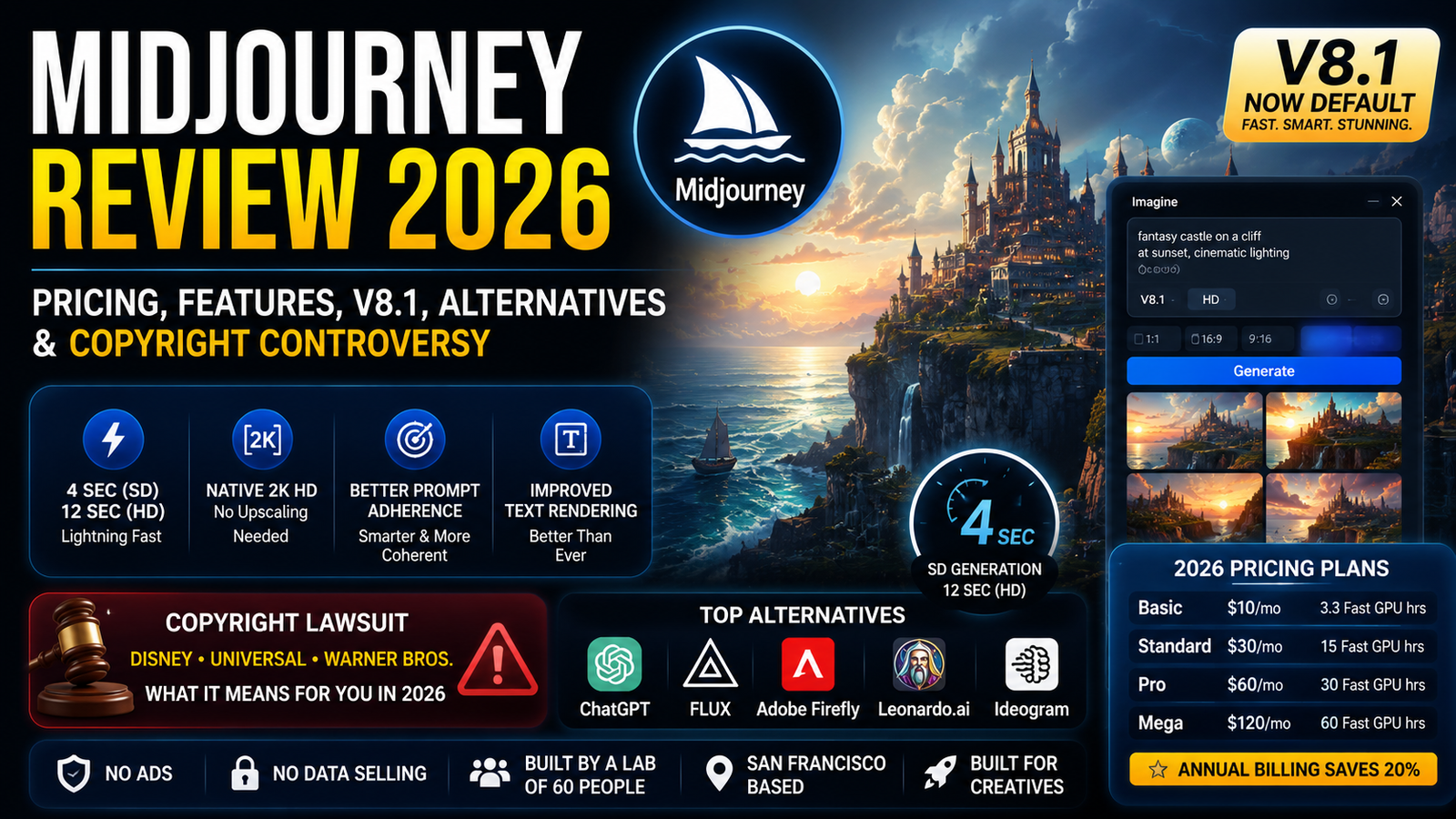
What Is Midjourney in 2026?
Midjourney is a self-funded research lab based in San Francisco that builds arguably the most artistically sophisticated image generator on the market. According to its official website, It describes itself as “a lab of 60 people known for building the most beautiful AI models in the world.” It doesn’t have a free tier, doesn’t run ads, and doesn’t collect your data to sell to advertisers. You pay for GPU compute, and you get images.
That’s the simple version. The complicated version is that Midjourney has become a cultural lightning rod—beloved by designers, feared by illustrators, and now sued by Disney, Universal, and Warner Bros. for allegedly enabling mass copyright infringement.
Here’s what nobody tells you: It isn’t for everyone. It’s not the easiest tool. It’s not the cheapest. And it’s definitely not the most ethically straightforward. But if you need images that look considered—moody, cinematic, art-directed—nothing else comes close right now.
💡 Bottom line: Midjourney is the artist’s choice, not the everyday user’s. It’s for people who treat image generation like a craft, not a shortcut.
Midjourney V8.1: The Speed Upgrade That Changes Everything
Midjourney released V8.1 on April 30, 2026, and it became the default version on June 10, 2026. According to the official announcement, V8.1 is “our fastest model so far, with standard jobs rendering about 4–5 times faster than earlier versions.”
What V8.1 Actually Delivers
| Feature | V7 | V8.1 |
|---|---|---|
| Generation speed | 30–60 seconds | 4 seconds (SD), 12 seconds (HD) |
| Resolution | 1024×1024 (needed upscaling) | Native 2K images, no upscaling needed |
| HD mode speed | 4× slower | 3× faster and 3× cheaper |
| Standard mode speed | Baseline | 50% faster and 25% cheaper |
| Prompt adherence | Inconsistent | Smarter, more coherent, better with details |
| Text rendering | Poor | “Better than ever” |
| HD resolution | Required upscaling | Twice the size, 4× the resolution of V7 |
HD costs 1.3 minutes of GPU time per prompt (set of 4 images), while SD costs 0.8 minutes. V8.0 Alpha, launched March 17, 2026, is still available for a limited time but will be deprecated.
The speed improvement alone changes the workflow. Four seconds per generation means you can iterate in real time—no more waiting, no more context-switching.
The catch: V8.1 takes your prompts literally. That sounds like a good thing, but it means you lose some of the happy accidents that made V7 magical. If you wrote vague prompts in V7 and got surprisingly good results, V8.1 will give you exactly what you asked for—which might be boring if you didn’t ask well.
⚠️ Warning: V8.1 is faster and sharper, but it demands more precise prompting. Your old V7 prompts won’t always translate directly.
Sources: Midjourney official documentation and update log
Midjourney Pricing: What You Actually Pay For
Here’s the single most misunderstood thing about Midjourney: you’re not buying images. You’re buying GPU time.
2026 Pricing Plans
| Plan | Monthly | Annual (per month) | Fast GPU Hours | Relax Mode |
|---|---|---|---|---|
| Basic | $10 | $8 | 3.3 hrs | ❌ |
| Standard | $30 | $24 | 15 hrs | ✅ Unlimited |
| Pro | $60 | $48 | 30 hrs | ✅ Unlimited |
| Mega | $120 | $96 | 60 hrs | ✅ Unlimited |
Annual billing saves 20%
What “GPU Hours” Actually Mean
A standard SD image prompt costs roughly 0.8 minutes of GPU time; an HD prompt costs 1.3 minutes. So on Basic (3.3 hours = 198 minutes), you get about 150-250 image prompts before your fast time runs out.
But here’s where it gets tricky:
- Variations cost less than 1 minute each
- Creative/Subtle Upscales cost about 2 minutes each
- A batch of 4 HD videos costs 26 minutes
- Unused fast hours don’t roll over
The Standard plan ($30/month) is the real entry point because it unlocks unlimited Relax Mode—images that generate slower but don’t touch your fast allocation. If you generate more than a few dozen images per month, Standard is actually cheaper than Basic because you stop worrying about running out.
💡 Pro tip: Annual billing drops Standard to $24/month. If you’re committed, that’s the move.
Pricing checked: July 2026
How to Use Midjourney in 2026: Discord vs. Web
It started as a Discord bot. For years, /imagine in a chat channel was the only way in. That’s changed.
The Web Interface (Recommended)
Since March 2026, any active subscriber can access the web interface at midjourney.com. V8.1 is now available on both Discord and the web.
The web version gives you:
- Visual editing (inpainting, outpainting)
- Gallery organization with folders and search
- Style and character references via drag-and-drop
- Conversation mode for iterative dialogue
- Sidebar settings that don’t block your view
- HD/SD toggle and “Run batch as HD” button
Discord (Still Works)
Discord remains functional and is actually better for:
- Real-time community feedback
- Quick generations without navigating a browser
- Accessing the latest experimental features first
My take: Use the web interface for serious work. Use Discord for testing and community inspiration.
Midjourney vs. ChatGPT: Which One Should You Actually Use?
This is the wrong question. They serve different purposes.
| Midjourney | ChatGPT (GPT Image-2.0) | |
|---|---|---|
| Best for | Cinematic art, mood boards, conceptual visuals | Prompt accuracy, photorealism, text in images |
| Style | Artistic, moody, color-graded | “Thinking-first” design, cleaner |
| Workflow | Iterative, requires craft | Conversational, easier |
| Text rendering | Improved but not perfect | Better |
| Price | $10–$120/month | $20/month (ChatGPT Plus) |
Here’s a real test: I asked both for “a brutalist interior bathed in morning light.” It delivered something that could hang in a gallery. ChatGPT gave me something more literal and photographically accurate but less interesting.
Use Midjourney when you want images that feel like art.
Use ChatGPT when you need accurate, clean visuals fast.
Use both when you’re doing serious creative work—ChatGPT for ideation, Midjourney for execution.
The 5 Best Midjourney Alternatives Right Now
It isn’t the only game in town. Here’s where alternatives actually beat it:
1. FLUX (Black Forest Labs)
- Best for: Photorealism and text rendering
- Why: FLUX 1.1 Pro matches Midjourney on quality, offers API access, and has open-weight options
- Pricing: API-based; Dev model is free locally
2. Adobe Firefly
- Best for: Commercial safety
- Why: Trained exclusively on licensed content (Adobe Stock, public domain)
- Pricing: Included with Creative Cloud; standalone from $4.99/month
3. Leonardo.ai
- Best for: Game art and iterative workflows
- Why: Full creative suite with canvas editing, 3D, and motion features
- Pricing: Free tier with 150 daily tokens; paid from $10/month
4. DALL-E 3 (via ChatGPT)
- Best for: Prompt accuracy and conversational iteration
- Why: Follows complex instructions more accurately than most
- Pricing: Included with ChatGPT Plus ($20/month)
5. Ideogram
- Best for: Text rendering—arguably the best in class
The honest take: It still wins for pure artistic quality. But if you need API access, commercial safety, or a web-first experience without Discord, alternatives are genuinely competitive now.
Midjourney Copyright Lawsuit Explained: Disney, Universal & Warner Bros. Cases
This is the elephant in the room.
Disney and Universal filed a lawsuit against Midjourney on June 11, 2025, in the U.S. District Court for the Central District of California (Case No. 2:25-cv-05275-JAK-AJR), alleging direct and secondary copyright infringement under the Copyright Act (17 U.S.C. § 101 et seq.). The 110-page complaint contends that Midjourney allows users to create high-quality, downloadable images based on the studios’ intellectual property, such as Disney’s Darth Vader or Universal’s Minion characters.
Warner Bros. filed a separate suit on September 4, 2025 (Case No. 2:25-cv-08376), brought by DC Comics, Turner Entertainment, Hanna-Barbera Productions, and The Cartoon Network. Warner Bros. Discovery stated it filed the lawsuit “to stop Midjourney’s piracy and to uphold U.S. copyright law.”
The cases were consolidated on November 4, 2025. In March 2026, Midjourney filed a motion to compel the studios to produce documents about their own internal AI practices. Midjourney claims “fair use” and argues the studios are engaged in the very same AI training practices. In July 2026, Midjourney filed an expanded discovery motion seeking access to the studios’ internal AI business plans, datasets, and even model weights.
Why This Matters for You
If you’re a commercial user, this lawsuit creates real risk. The outcome could determine:
- Whether AI-generated images of known characters are illegal
- Whether training on copyrighted data is fair use
- Whether Midjourney (and similar tools) can continue operating
For now: Midjourney’s commercial terms still apply. But if you’re generating images for a brand, be cautious about prompts that reference specific characters or styles.
⚠️ Risk note: This lawsuit could fundamentally reshape the AI image generation industry. Keep an eye on it.
Sources: Court filings (Disney/Universal: 2:25-cv-05275-JAK-AJR; Warner Bros.: 2:25-cv-08376)
My Midjourney V8.1 Testing Results
| Test | Result |
|---|---|
| Portrait generation | Excellent—skin texture and lighting are industry-leading |
| Product mockups | Very good—clean edges, realistic materials |
| Text accuracy | Improved but still imperfect—better than V7, not as good as Ideogram |
| Cinematic scenes | Industry-leading—mood, color grading, and composition are unmatched |
| Brand consistency | Strong with style references and moodboards |
| Speed (SD) | ~4 seconds—genuinely changes the workflow |
| Speed (HD) | ~12 seconds—remarkably fast for 2K output |
Midjourney Pros and Cons
Pros
- Best-in-class artistic quality – Nothing matches Midjourney’s cinematic, moody aesthetic
- 4-second generation – V8.1 makes iteration truly frictionless
- Web interface now available – No longer Discord-only
- Native 2K HD – No upscaling needed
- Style consistency – Style references and moodboards work across versions
- No ads, no data selling – Self-funded research lab model
Cons
- No free tier – Minimum spend is $10
- Steep learning curve – Prompting is a craft, not a casual activity
- Copyright lawsuit risk – Disney, Universal, and Warner Bros. are suing
- No official public API – Unlike many competitors, Midjourney does not offer an official public API
- GPU time doesn’t roll over – Unused hours expire monthly
- Video generation is not an official feature – Video capabilities offered by some third-party providers should not be confused with an official Midjourney product
Frequently Asked Questions
1. Is Midjourney free?
Answer: No. Midjourney eliminated its free trial in March 2023. The cheapest plan is $10/month (or $8/month billed annually).
2. How much does Midjourney cost in 2026?
Answer: Four plans: Basic ($10/mo), Standard ($30/mo), Pro ($60/mo), and Mega ($120/mo). Annual billing saves 20%.
3. Is Midjourney better than ChatGPT for images?
Answer: It depends. Midjourney produces more artistic, cinematic images. ChatGPT is better for photorealism, text rendering, and prompt accuracy. Most serious creators use both.
4. What is Midjourney used for?
Answer: Concept art, mood boards, marketing visuals, book covers, game assets, and any creative work that benefits from stylized, high-quality imagery.
5. What is the Midjourney controversy?
Answer: Disney and Universal sued Midjourney on June 11, 2025 (Case No. 2:25-cv-05275-JAK-AJR), and Warner Bros. sued on September 4, 2025 (Case No. 2:25-cv-08376), alleging copyright infringement. Midjourney claims fair use.
6. Is Midjourney worth it in 2026?
Answer: If you’re a creative professional who needs artistic, high-quality images regularly—yes. If you’re a casual user or need quick, literal images—probably not. Start with the Standard plan ($30/mo) for unlimited Relax Mode.
7. How do I use Midjourney?
Answer: Two ways: Discord (traditional) or the web interface at midjourney.com. V8.1 is now available on both platforms.
8. What are the best Midjourney alternatives?
Answer: FLUX (photorealism), Adobe Firefly (commercial safety), Leonardo.ai (game art), DALL-E 3 (prompt accuracy), and Ideogram (text rendering).
9. Does Midjourney have an API?
Answer: No. Midjourney does not offer an official public API. Third-party services provide API access to Midjourney models, but these are not endorsed or officially supported by Midjourney.
Final Verdict: Who Should Pay for Midjourney?
Use Midjourney if:
- You’re a designer, illustrator, or creative professional
- You value artistic quality over speed of output
- You’re willing to learn prompting as a skill
- You generate 50+ images per month regularly
- You need cinematic, moody, or stylized visuals
Avoid Midjourney if:
- You’re a casual user looking for quick, free images
- You need an official API (go with FLUX or DALL-E 3)
- You’re concerned about copyright risk for commercial work
- You want a simple, beginner-friendly tool (try ChatGPT or Canva AI)
- You generate fewer than 50 images per month
The Bottom Line
Midjourney in 2026 is faster, sharper, and more accessible than ever. V8.1’s 4-second generation changes the creative workflow fundamentally. The web interface finally makes it a professional tool rather than a Discord novelty.
But it’s also more controversial than ever. The Disney and Warner Bros. lawsuits could reshape the entire industry. And the pricing model—while transparent—rewards heavy users and punishes casual ones.
My honest take: If you’re a creative professional, Midjourney is worth the subscription. The Standard plan at $24/month (annual) is the sweet spot. If you’re not generating images daily, look at alternatives or consider whether you actually need AI image generation at all.
Key Takeaways
- V8.1 released April 30, 2026, became default June 10, 2026 – generates images in 4 seconds (SD) and 12 seconds (HD)
- Pricing starts at $10/month but Standard ($30/mo) is the real entry point
- Web interface is now available to all subscribers—no more Discord-only
- Disney/Universal sued June 11, 2025 (2:25-cv-05275); Warner Bros. sued September 4, 2025 (2:25-cv-08376) – this is a real risk
- Midjourney wins on artistic quality; ChatGPT wins on accuracy and ease
- No official public API – unlike many competitors
- Alternatives like FLUX and Firefly are genuinely competitive now
Want to explore more AI tools? Check out our complete guide to AI image generators or see how Canva AI compares to Midjourney for design work.
About This Review
Reviewed by: [Shourya Singh]
AI tools researcher and technology writer. This review is based on hands-on testing of Midjourney V8.1 alongside ChatGPT Image, Adobe Firefly, FLUX, and other AI image platforms. Testing focused on image quality, prompt accuracy, pricing value, workflow, and commercial usability.
Last updated: July 2026
For regular updates about the AI, AI tools, AI guides, technology & more. Visit, The TechUnfoldedAi.com.
Leave a Reply