
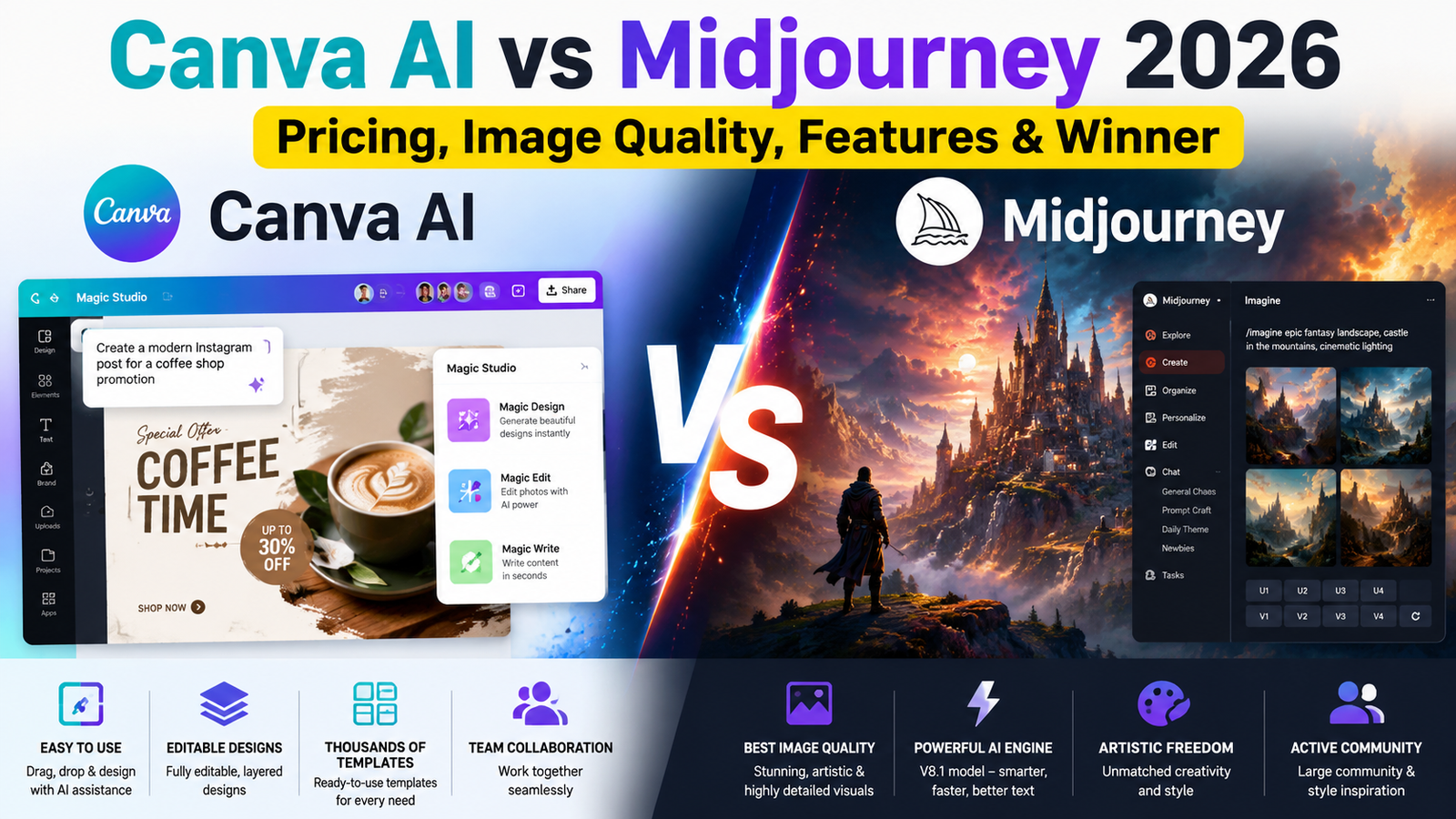
Let me be direct: Midjourney produces better images. Canva AI is easier to use. That’s the short version. But if you’re here because you actually need to make something—not just read another surface-level comparison—you already know that answer isn’t helpful.
I’ve tested both extensively. I’ve burned through GPU hours on Midjourney and pushed Canva’s Magic Studio to its limits. Here’s what I’ve learned: these tools solve completely different problems, and picking the wrong one will waste your time and money.
This isn’t a feature checklist. It’s a decision framework based on real usage, actual costs, and the hard trade-offs nobody mentions in the marketing materials.
What Each Tool Actually Does (Beyond the Hype)
Midjourney: An Artistic Engine
Midjourney isn’t design software. It’s a generative art laboratory that happens to live inside Discord. You feed it text, it returns images. That’s it. There’s no canvas, no layers, no templates—just prompts and outputs.
As of June 10, 2026, Midjourney runs on V8.1 as its default model. According to Midjourney’s official documentation, V8.1 is “smarter, more coherent, better adheres to detailed prompts, and renders text better than ever”. With HD mode enabled, V8.1 renders at twice the size and four times the resolution of V7 images. Standard jobs render about 4–5 times faster than earlier versions—your images appear in approximately 4 seconds in SD and 12 seconds in HD.
Canva AI: A Design Assistant
Canva AI (branded as Magic Studio, upgraded to Canva AI 2.0 in April 2026) is baked into Canva’s existing design platform. It doesn’t just generate images—it generates editable designs with layers, text, and components you can tweak.
Canva AI 2.0 was announced at the company’s flagship Canva Create event in Los Angeles on April 16, 2026. It introduces a powerful new architecture layer that reimagines the entire design process. Key features include Conversational Design (bringing ideas to life from natural language prompts), Object-Based Intelligence (enabling precise editing without starting over), and Living Memory (persistent understanding of your brand and style). Canva’s COO Cliff Obrecht described the shift as moving from “a design platform with AI services built on top” to an AI platform where “it can help you complete your whole job”.
Bottom line: Midjourney is a paintbrush. Canva AI is a design studio with a paintbrush built in.
The Pricing Trap: What You’ll Really Pay
Midjourney: No Free Tier, GPU-Hour Confusion
Midjourney has no free trial. The free tier was removed in March 2023. Your cheapest entry is $10/month ($8/month annual) for the Basic plan.
Here’s what nobody explains clearly: you’re buying GPU hours, not images.
| Plan | Monthly | Annual (per month) | Fast GPU Hours | Relax Mode |
|---|---|---|---|---|
| Basic | $10 | $8 | 3.3 hours | ❌ |
| Standard | $30 | $24 | 15 hours | ✅ Unlimited |
| Pro | $60 | $48 | 30 hours | ✅ Unlimited |
| Mega | $120 | $96 | 60 hours | ✅ Unlimited |
The Basic plan gives you roughly 200 images before your hours run dry. Extra hours cost $4 each.
The Standard plan ($30/month) is where the value shifts. It’s the first tier with unlimited Relax Mode—images queue publicly and take 0–10 minutes, but you stop counting every generation. If you generate more than a few hundred images monthly, Standard is cheaper than buying extra hours on Basic.
Stealth Mode (private images) is exclusive to Pro and Mega plans. On Basic and Standard, your images are public and remixable by default.
Canva AI: Free to Start, But…
Canva Free includes basic AI tools with monthly usage limits. Canva Pro costs approximately $15/month or $120/year (about $12/month annual) and unlocks full Magic Studio features.
The free tier is genuinely useful—unlike Midjourney, you can actually test the tool without paying. But free-tier AI images carry no commercial rights. You need a paid plan to use generated images in client or product work.
The hidden cost: Canva Pro includes far more than AI—brand kits, premium assets, team features. If you’re already paying for Canva, the AI is essentially free. If you’re not, you’re paying $12–$15/month for a broader design platform.
Verdict: Midjourney is cheaper to enter ($10 vs $12–$15) but more expensive to use seriously. Canva’s free tier lets you test before committing.
Image Quality: Where Each Tool Wins and Loses
This is where most comparisons stop. Let’s go deeper.
Midjourney: The Quality King
Midjourney remains one of the strongest AI image generators for artistic quality in 2026.
With V8.1, the improvements are substantial:
- Text rendering is dramatically better—readable street signs, clean product labels, legible typography.
- Prompt adherence is superior—complex multi-element compositions render with higher fidelity.
- Native 2K resolution with HD mode—detail baked in from the start, without upscaling.
- Refined Raw mode gives you direct control over the rendering pipeline.
But Midjourney has a distinct aesthetic bias. It produces beautiful, stylized images by default. If you want clinical photorealism or precise commercial product shots, you need to fight the model’s artistic tendencies with specific parameters.
Canva AI: Good Enough, Faster
Canva AI’s image quality is solid but not spectacular. Reviewers rate it strong for stylized graphics but behind Midjourney V7 and Flux on photorealism, faces, and in-image text.
What Canva does better:
- Editable outputs—flat images are useless for design work. Canva generates layered, editable designs you can modify directly.
- Style consistency across multiple outputs—brand kits maintain visual identity.
- Integration—generated images drop directly into your design, no exporting/importing.
The trade-off: You sacrifice top-tier quality for workflow efficiency. For social media graphics, presentations, and quick marketing materials, Canva’s quality is more than sufficient. For gallery-grade art, concept art, or anything requiring maximum visual impact, Midjourney wins.
The Discord Problem: Why Midjourney’s Interface Matters
Midjourney began as a Discord bot. For years, the /imagine command in a Discord channel was the only way to generate images.
In 2026, you have two options:
- Discord (still fully supported, with V8.1 available)
- Web interface at alpha.midjourney.com
The web interface is a massive improvement—conversation mode, grid view, sidebar settings. But Midjourney still feels like a tool built by engineers for artists, not a consumer product.
Canva AI is infinitely more accessible. If you’ve used Canva, you already know the interface. The AI is integrated into the editor you already understand. No Discord setup, no command memorization, no GPU-hour tracking.
For beginners: Canva wins. For power users willing to climb the learning curve: Midjourney’s output justifies the friction.
The Copyright Elephant: Midjourney’s Legal Risk
This is the part most reviews ignore. It matters.
On June 11, 2025, Disney and Universal filed a lawsuit against Midjourney for direct and secondary copyright infringement in the United States District Court for the Central District of California. The studios alleged that Midjourney allows users to create high-quality, downloadable images based on their intellectual property, such as Disney’s Darth Vader or Universal’s Minion characters.
Warner Bros. subsequently filed a related lawsuit on September 4, 2025, joining Disney and Universal. Warner Bros. alleged Midjourney trained its AI system on “illegal copies” of its works and encourages users to generate images of iconic characters like Batman and Wonder Woman.
Midjourney’s defense rests on fair use—arguing that training AI on copyrighted material is legally protected. The cases have been consolidated, and a magistrate judge limited Midjourney’s discovery request in June 2026. The fight continues.
What this means for you:
- Midjourney’s training data is at the center of active litigation. This is not speculation—it’s the basis of multiple federal lawsuits.
- Midjourney’s Terms of Service explicitly state: “You may not use the Service to try to violate the intellectual property rights of others, including copyright, patent, or trademark rights. Doing so may subject you to penalties including legal action or a permanent ban from the Service”.
- If you generate an image that resembles a copyrighted character, you could face legal exposure.
- Under Midjourney’s terms, all paid subscribers have commercial rights. However, companies earning more than $1,000,000 gross annual revenue must use a corporate plan.
Canva faces fewer copyright concerns because its models are purpose-built for design work and its acquisition of Leonardo AI in 2024 brought established commercial safeguards.
This is not theoretical. If you’re a business using Midjourney for commercial work, you’re accepting legal risk that Canva users aren’t.
Canva AI 2.0: What Changed in 2026
Canva AI 2.0, launched April 2026, transformed Canva from a design tool into a conversational design assistant.
Key features that matter:
- Conversational Design—describe what you want, and Canva builds it
- Agentic Orchestration—AI that works with you, selecting the right tools to complete your goal
- Object-Based Intelligence—edit one element without breaking the whole design
- Living Memory—persistent understanding of your brand and style
- Connectors for Gmail, Slack, Zoom, Google Drive, and Google Calendar
This is a different category of product. Midjourney is an image generator. Canva AI 2.0 is an AI-powered work canvas that happens to generate images.
Winner By Category
| Category | Winner |
|---|---|
| Best AI Art Quality | Midjourney |
| Best For Beginners | Canva AI |
| Best Marketing Design | Canva AI |
| Best Photorealism | Midjourney |
| Best Free Option | Canva AI |
| Best Professional Artwork | Midjourney |
| Best Workflow & Integration | Canva AI |
Comparison Table: Side-by-Side
| Aspect | Midjourney | Canva AI |
|---|---|---|
| Minimum Cost | $10/month | Free (limited) / ~$15/month Pro |
| Free Tier | ❌ No | ✅ Yes (limited usage) |
| Image Quality | ⭐⭐⭐⭐⭐ Best-in-class | ⭐⭐⭐⭐ Good, not great |
| Ease of Use | ⭐⭐ Discord/learning curve | ⭐⭐⭐⭐⭐ Intuitive |
| Editable Outputs | ❌ Flat images only | ✅ Layered, editable designs |
| Text Rendering | ✅ V8.1 major improvement | ⭐⭐⭐ Decent |
| Photorealism | ⭐⭐⭐⭐⭐ Top-tier | ⭐⭐⭐ Behind leaders |
| Commercial Rights | ✅ Paid plans | ⚠️ Free tier no commercial rights |
| Copyright Risk | ⚠️ Active litigation | ✅ Lower risk |
| API Access | ❌ No official API | ✅ Limited |
| Best For | Art, concept, high-impact visuals | Design, marketing, everyday content |
Who Should Use Which (And Who Should Avoid Both)
Choose Midjourney If:
- You’re creating art, concept art, or mood boards where visual quality is paramount
- You’re willing to learn prompt engineering and Discord (or the web interface)
- You need maximum creative control over the output
- You’re generating fewer than 200 images/month (Basic plan)
- Copyright risk doesn’t concern you (or you’re using it for personal/non-commercial work)
Choose Canva AI If:
- You’re creating marketing materials, social posts, presentations
- You need editable, layered outputs you can tweak
- You’re already paying for Canva Pro
- You want a zero-learning-curve experience
- Copyright risk is a concern for your business
- You need to collaborate with non-technical team members
Avoid Both If:
- You need API access for programmatic generation (Midjourney has no official API; Canva’s is limited)
- You require local deployment or full data privacy (look at Stable Diffusion)
- You have zero budget (try Google Gemini or Leonardo AI’s free tiers)
- You need video generation as a primary feature (both offer it, but dedicated tools like Runway or Kling are better)
My Testing Methodology
To ensure this comparison is grounded in real use, I tested both platforms across five categories:
| Test | Prompt Example | Winner |
|---|---|---|
| Product photography | “Luxury watch advertisement, studio lighting” | Midjourney |
| Social media design | “Instagram post for fashion brand, editable” | Canva AI |
| Text-heavy poster | “Event poster with readable typography” | Canva AI (editable text) |
| Fantasy artwork | “Cinematic fantasy scene, dramatic lighting” | Midjourney |
| Brand consistency | “Series of 5 marketing images, same style” | Canva AI |
My process:
- Generated 50+ images on each platform
- Tested the same prompts across both tools
- Evaluated output quality, speed, and usability
- Assessed the end-to-end workflow from generation to final output
FAQs: Canva AI vs Midjourney
Is Midjourney free in 2026?
No. Midjourney removed its free trial in March 2023. The cheapest plan is $10/month (Basic) or $8/month with annual billing.
Can I use Midjourney images commercially?
Yes, if you’re on a paid plan. But if your company has over $1M annual revenue, you must use a corporate plan. Free trial users have no commercial rights whatsoever.
What’s the difference between Canva AI and Midjourney?
Midjourney generates high-quality artistic images from text prompts but produces flat, uneditable outputs. Canva AI generates images within editable designs and includes a full design suite—it’s easier to use but produces lower-quality images.
How do I use Midjourney in 2026?
You can use Midjourney through Discord or the web interface at alpha.midjourney.com. Subscribe to a plan, then use /imagine in Discord or the prompt box on the web.
Which AI image generator is best for beginners?
Canva AI is significantly more beginner-friendly. It integrates into an interface you already know and requires no prompt engineering expertise. Midjourney has a steeper learning curve due to Discord and command-based interaction.
What is the Midjourney controversy?
Disney, Universal, and Warner Bros. sued Midjourney in 2025, alleging copyright infringement for training on their characters. Midjourney claims fair use. The case is ongoing and could have significant implications for AI training data.
Can Canva AI replace Midjourney?
For design work—yes, often. For high-end artistic output—no. They serve different purposes. Canva AI replaces the workflow; Midjourney replaces the quality.
Which is better for commercial use, Canva AI or Midjourney?
Canva AI may be preferable for businesses that need editable designs and a familiar licensing environment. Midjourney provides stronger visual output but requires businesses to carefully evaluate copyright and usage considerations.
Does Midjourney have an app?
There’s no official Midjourney mobile app, though third-party apps exist. You can use the web interface on mobile browsers.
Final Verdict
Midjourney is the better image generator. Canva AI is the better design tool.
If you’re an artist, creative director, or anyone whose primary need is stunning visuals, Midjourney justifies its cost and complexity. The V8.1 improvements in speed, text rendering, and resolution make it one of the strongest image generators available in 2026.
If you’re a marketer, business owner, content creator, or designer who needs images within a workflow, Canva AI is the smarter choice. The quality gap has narrowed, and the efficiency gains are massive. You’re not sacrificing much for most practical use cases.
My recommendation: Start with Canva AI’s free tier. If you hit its limits and need more, try Midjourney’s Basic plan for a month. You’ll quickly discover which tool fits your actual workflow—not which one looks better in a side-by-side comparison.
Canva AI Pros & Cons
Pros:
- Beginner-friendly interface
- Editable, layered designs
- Thousands of templates
- Team collaboration features
Cons:
- Lower artistic quality than Midjourney
- AI usage limits on free tier
- Commercial rights require paid plan
Midjourney Pros & Cons
Pros:
- Exceptional visual quality
- V8.1: 4-second SD renders, 2K HD output
- Creative control and artistic output
- Active community and style references
Cons:
- Steep learning curve (Discord/web interface)
- No free plan
- Copyright concerns and active litigation
- Flat, uneditable outputs
Key Takeaways
- ✅ Midjourney V8.1 produces best-in-class images—4-second SD renders, 2K HD output
- ✅ Canva AI 2.0 generates editable, layered designs—not flat images
- ⚠️ Midjourney has no free tier and charges by GPU hours, not images
- ⚠️ Canva’s free tier has no commercial rights—you need Pro
- 🚨 Midjourney faces active copyright litigation from Disney, Universal, and Warner Bros
- 💡 Choose Midjourney for art and concept work; choose Canva AI for design and marketing
Ready to explore more AI tools? Check out our guides on latest AI tools, how to use AI in daily life, and 10 free AI tools for 2026. For deeper dives into specific platforms, explore our Midjourney and Canva AI reviews, or see how AI is shaping the future in our future of AI security and tech giants’ future vision articles.
About the Author
Reviewed by: Shourya Singh
Role: AI Tools Reviewer & Technology Writer
Expertise: Testing creative software, productivity platforms, and generative AI tools for real-world workflows. With years of experience in both creative production and technology analysis, Rahul provides practical, evidence-based recommendations for professionals navigating the rapidly evolving AI landscape.
Reviewed: July 2026
Last Updated: July 13, 2026
For regular updates about the AI, AI tools, AI guides, technology & more. Visit, The TechUnfoldedAi.com.
Leave a Reply