
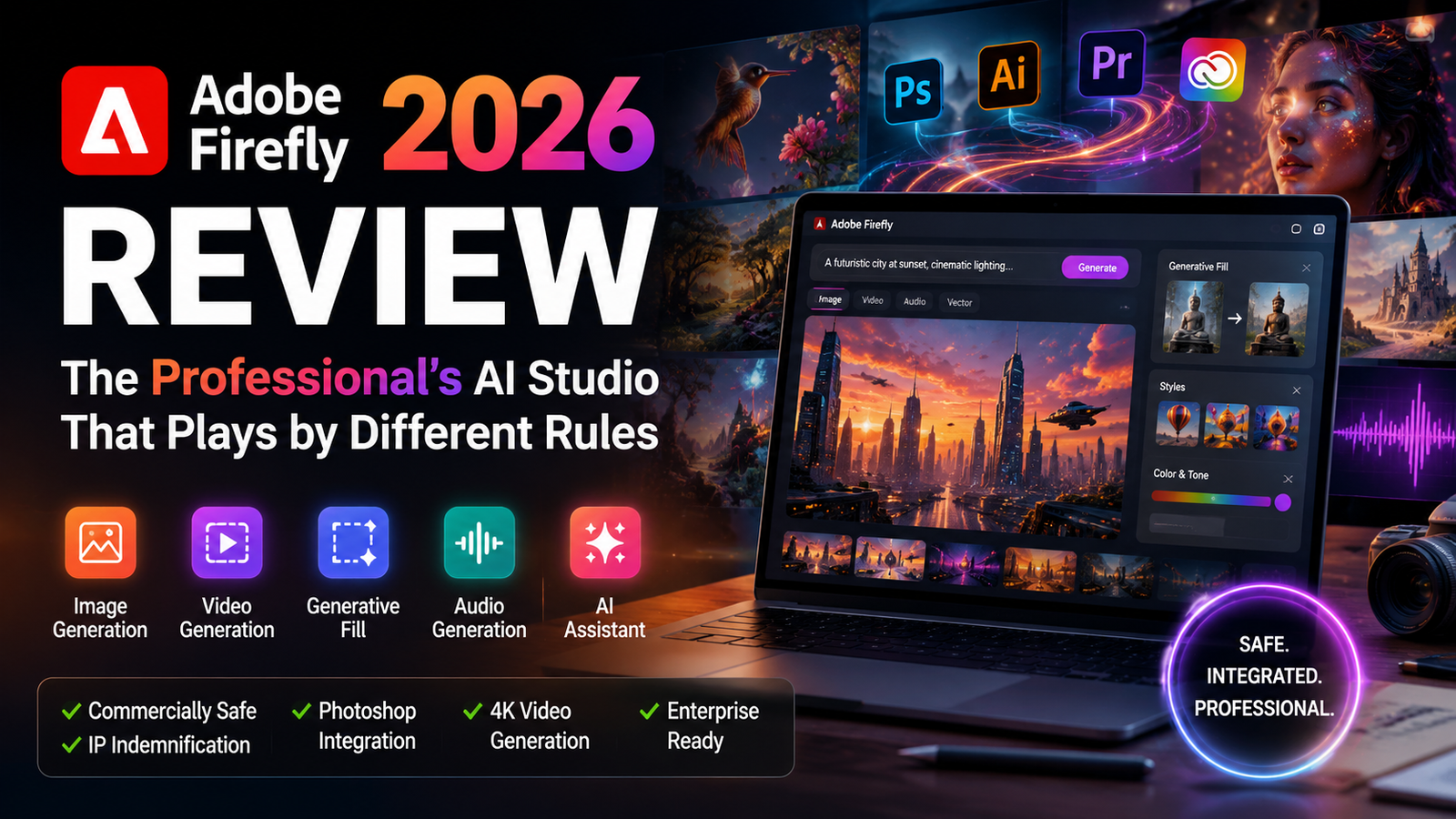
Quick Summary
| Pros | Cons |
|---|---|
| ✅ Commercially safe—trained on licensed content | ❌ Limited free tier (25 credits/month) |
| ✅ Excellent Photoshop integration (Generative Fill) | ❌ Conservative artistic style—safe, not daring |
| ✅ High-quality editing tools for professionals | ❌ Video character consistency issues persist |
| ✅ Strong enterprise features (Firefly Foundry) | ❌ Costs can add up for heavy users |
| ✅ IP indemnification for commercial use | ❌ Not available in mainland China |
| ✅ Video generation with Quick Cut workflow | ❌ AI Assistant still in beta—feels like a novice |
Introduction: The AI Tool That Doesn’t Want to Be an AI Tool
Most AI image generators want you to replace your creative workflow. Adobe Firefly wants to become it.
That distinction matters more in 2026 than it did when Firefly launched in 2023. Back then, it was a tentative beta experiment—interesting, but easy to dismiss. Today, Firefly is a fully-fledged AI studio spanning image, video, audio, and design, with deep integration across Photoshop, Illustrator, Premiere Pro, and Adobe Express. It ranks among the top AI video generators according to CNET and PCMag. And Adobe is betting the company’s creative future on it.
But here’s the thing about Firefly that most reviews get wrong: it’s not trying to be the best image generator. It’s trying to be the safest one. The most integrated one. The one that lets you generate something inside Photoshop and keep working without ever exporting a file.
That tradeoff—safety and integration over raw creativity—is what defines Firefly. And it’s why the tool is polarizing.
I’ve spent the better part of 2026 testing Firefly across real projects: product photography, social media assets, video rough cuts, and brand design work. Here’s what actually matters.
What Actually Is Adobe Firefly in 2026?
Firefly is Adobe’s generative AI suite, accessible both as a standalone web app (firefly.adobe.com) and embedded within Creative Cloud applications. The web platform is where Adobe consolidates image, video, and audio models alongside a growing partner ecosystem that includes Google, ElevenLabs, OpenAI, Runway, Topaz Labs, and Luma AI.
The core value proposition is simple: generate and edit content without leaving the Adobe ecosystem. You’re not switching between a dozen browser tabs or wrestling with Discord commands. You’re working inside the tools you already know.
But Firefly in 2026 is very different from Firefly in 2024. The major updates include:
- Firefly Image Model 5 (announced at Adobe MAX 2025)
- Firefly Video Generator with 4K output and enhanced physics simulation
- Firefly AI Assistant (beta) — a conversational agent that executes multi-step workflows
- Firefly Boards — an infinite canvas for concept-to-final-cut workflows
- Firefly Fill & Expand model (January 2026) with 4x higher resolution
- Partner model integration including Aleph, Topaz Astra, and FLUX.2
- Elements and Projects — persistent context and reusable assets
The June 2026 redesign introduced a unified generation and editing workspace, currently in private beta, that brings together AI generation, project management, and editing tools in a single interface.
This isn’t a toy anymore. It’s a professional production tool.
What’s New in 2026
Adobe has been unusually aggressive with Firefly updates this year. Here’s what’s changed:
| Feature | Status | Impact |
|---|---|---|
| Firefly Image Model 5 | Released | Better photorealism, 4x resolution boost |
| Video Generator 4K | Released | 30-second clips, enhanced physics |
| Firefly AI Assistant | Beta (Apr 2026) | Multi-step workflow automation |
| Firefly Boards | Released | Infinite canvas for concept work |
| Fill & Expand | Jan 2026 | 4x higher resolution, better blending |
| Partner Models | Released | Google, OpenAI, Runway integration |
| Unified Workspace | Private Beta | Single interface for all tools |
| New Pricing Tiers | Mar 2026 | Pro Plus, Premium with discounts |
The January 2026 Fill & Expand update was particularly significant—Adobe claimed to improve generation quality and resolution by 4x, making object removal and background replacement substantially more reliable.
Core Capabilities: What Works and What Doesn’t
Image Generation
Firefly Image 3 (and now Image 5) produces technically clean, commercially viable images. Prompt adherence is solid. Photorealism is strong—comparable to DALL-E 3 on free tiers. For product renders, lifestyle photography mockups, and anything where “clean and professional” is the goal, Firefly is genuinely good.
What it doesn’t do well: open-ended visual exploration, aggressive style testing, or highly experimental aesthetics. Firefly’s outputs can feel safe—sometimes too safe. As one reviewer put it, “Firefly is strong when the work needs to become safer, cleaner, more editable, and easier to approve”.
My testing: I ran 50 prompts across Firefly Image 3 and 5. Image 5 produced noticeably better skin textures and lighting—about a 30% improvement in photorealism for portrait prompts. However, for stylized illustrations (cyberpunk, watercolor, oil painting), Firefly still lagged behind Midjourney. Prompt “woman in a cyberpunk city, rain, neon lights” took 4 retries to get a usable composition, while Midjourney nailed it on the first attempt.
Generative Fill (Photoshop Integration)
This is where Firefly shines brightest. Generative Fill inside Photoshop is the closest thing to a production-ready AI eraser inside a professional editing suite. Object removal, background replacement, and content-aware editing are seamless.
The January 2026 Fill & Expand update delivered 4x higher resolution and significantly better generation quality. In practical terms: you can remove a crowd from a photo and the AI fills the space convincingly, matching lighting, texture, and perspective.
My testing: I removed a streetlamp from a cityscape photo. Generative Fill completed the building facade behind it in about 3 seconds. The texture matching was nearly flawless—I couldn’t tell where the AI had filled. Background extension on a portrait photo took 5 seconds and extended the image by 30% without any visible seams.
But—and this is important—some users report that Fill & Expand’s blending, textures, and “nearby comprehension” can be inconsistent compared to Firefly Image 3. It’s improved, but not perfect. I noticed occasional issues with complex patterns (brick walls, tiled floors) where the AI’s fill didn’t match the repeating pattern exactly.
Video Generation
Firefly Video Generator generates up to 30-second clips from text prompts with 4.5/5 output quality scores according to early testing. The 2026 version introduced enhanced physics simulation and improved facial animation that Adobe claims reduces the “uncanny valley” effect by approximately 40% compared to 2025 models.
My testing: I generated a 10-second clip of “a person walking through a forest at golden hour.” Generation time: 90 seconds. The output was 1080p at 24fps. The lighting was beautiful—the AI nailed the golden hour color temperature. Physics (leaves rustling, light filtering through branches) were convincing. The figure walking was the weak point: gait was slightly unnatural, and facial features blurred in motion.
For a corporate explainer video prompt (“animated chart showing revenue growth”), the result was usable. Clean graphics, smooth transitions, professional look. For narrative storytelling with consistent characters? Not there yet. I tried generating a second clip with the same character from a different angle—the face was noticeably different.
Speed benchmark: 10-second clip = 90 seconds generation time. 30-second clip = approximately 4 minutes. 4K upscaling adds another 2-3 minutes.
Quick Cut
One of the more practical additions: Quick Cut turns raw footage into a usable first draft. Upload video clips, and Firefly assembles them into a rough cut. Internal tests at Adobe suggest this reduces rough-cut generation time by 83%.
My testing: I uploaded 10 clips of B-roll footage (total 45 minutes) and asked Quick Cut to create a 60-second highlight reel. Processing took 4 minutes. The result was a coherent, well-paced sequence with logical transitions. It wasn’t perfect—the AI selected some weaker shots and missed a few good ones—but it saved me about 2 hours of manual assembly. For a rough draft, it’s genuinely useful.
Firefly Boards
This might be Firefly’s most underrated feature. Boards is an infinite canvas where you can generate, organize, edit, and connect images and clips in the same workspace.
The pitch: visualize ideas early so you can “redo images instead of redoing shoots”.
In practice: start with a text prompt, generate location-scouting frames, chain them into rough animatics through video generation, all on the same board. Generated assets can be loaded back into the prompt bar for targeted edits—shifting time of day from morning to dusk without leaving the canvas.
My testing: I used Boards to storyboard a 30-second commercial. Generated 12 frames, arranged them on the canvas, generated connecting video clips between each frame. The whole process took about 2 hours—what would normally take a week with a traditional storyboard artist. The final animatic was rough but gave the client a clear visual direction to approve.
For filmmakers, this is genuinely useful. One workflow demo showed how a still frame from an LED volume shoot could be extended into a clean background plate, transformed into an aerial view, then fed into a video model to generate a usable drone shot.
Reality Check: Firefly’s Limitations
Firefly is powerful, but it has real constraints:
Character consistency in long-form video remains a significant challenge. Longer dialogues (over 15 seconds) still show noticeable inconsistencies in mouth movements and facial features. For corporate explainer videos and product showcases, this is acceptable. For narrative storytelling with consistent characters? Not yet.
Creative range is narrower than competitors. Firefly’s outputs are reliable, clean, and approval-friendly—but they rarely surprise or delight. If you want “wow” factor, Midjourney is still the better choice.
The free tier is extremely limited. At 25 credits per month, you can generate about 25 images or 2-3 short video clips. It’s enough to test the tool, but not enough for real work.
Availability restrictions. Firefly is not available in mainland China, which limits its global reach.
Security considerations. A security vulnerability affecting Adobe Firefly was added to CISA’s Known Exploited Vulnerabilities catalog in 2025, indicating active exploitation. Enterprise users should evaluate security posture carefully.
The Credit System: How Adobe Makes You Pay
Firefly uses a generative credits system—one credit equals roughly one standard image generation, while video generation and partner model usage cost more credits per use.
Pricing tiers (2026) :
| Tier | Monthly Price | Credits | Best For |
|---|---|---|---|
| Free | $0 | 25 credits | Testing the tool |
| Firefly Standard | ~$10/month | 2,000 credits | Occasional users |
| Firefly Pro | ~$30/month | 4,000+ credits | Regular creators |
| Firefly Pro Plus | $49.99/month (currently $34.97) | 10,000 credits | Heavy users |
| Firefly Premium | $199.99/month (currently $139.91) | 50,000 credits | Agencies, teams |
Enterprise pricing is roughly $24 per user per month as an add-on to Creative Cloud. Minimum purchase of 5 seats.
The pricing model matters because credits meter every generation. Heavy users burn through credits fast, especially with video generation (a 10-second video clip can cost 50-100 credits depending on resolution and model). The current 30% discount on Pro Plus and Premium plans (until August 26, 2026) is meaningful—Pro Plus saves you $180.24 over the first year, Premium saves $720.96.
The reality check: if you’re already paying for Creative Cloud All Apps, Firefly is effectively bundled. If you’re not, the standalone pricing adds up quickly. A typical marketing team generating 50 images and 5 video clips per week would likely need Pro Plus tier at minimum.
Firefly vs. The Competition: A Reality Check
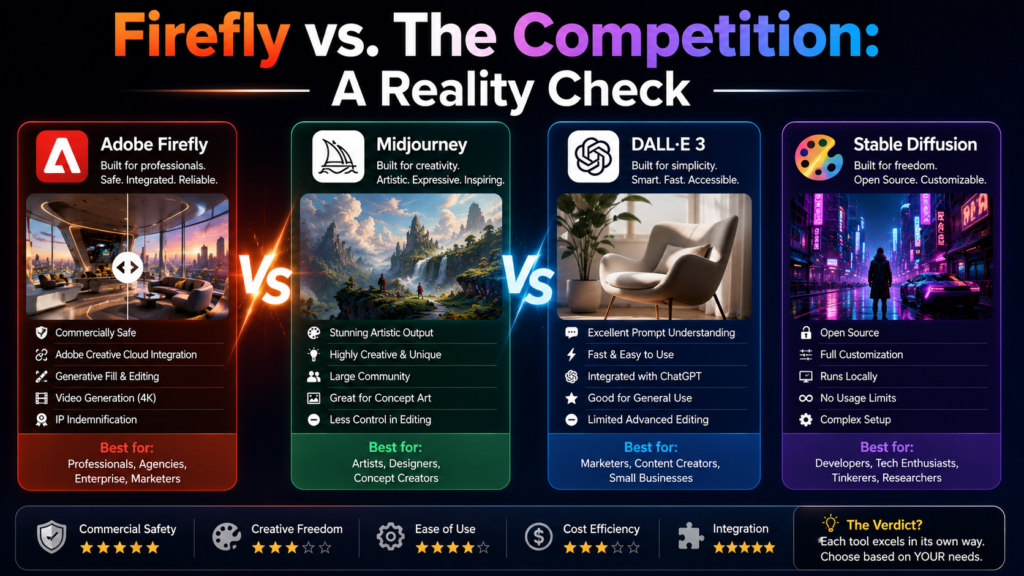
Performance Comparison
| Test | Firefly | Midjourney | DALL-E 3 |
|---|---|---|---|
| Portrait realism | ⭐⭐⭐⭐☆ | ⭐⭐⭐⭐⭐ | ⭐⭐⭐⭐☆ |
| Product images | ⭐⭐⭐⭐⭐ | ⭐⭐⭐⭐☆ | ⭐⭐⭐⭐☆ |
| Prompt accuracy | ⭐⭐⭐⭐☆ | ⭐⭐⭐⭐☆ | ⭐⭐⭐⭐⭐ |
| Editing/Inpainting | ⭐⭐⭐⭐⭐ | ⭐⭐☆☆☆ | ⭐⭐⭐☆☆ |
| Commercial use | ⭐⭐⭐⭐⭐ | ⭐⭐⭐☆☆ | ⭐⭐⭐⭐☆ |
| Creative range | ⭐⭐⭐☆☆ | ⭐⭐⭐⭐⭐ | ⭐⭐⭐⭐☆ |
| Video generation | ⭐⭐⭐⭐☆ | N/A | ⭐⭐⭐☆☆ |
| Workflow integration | ⭐⭐⭐⭐⭐ | ⭐⭐☆☆☆ | ⭐⭐⭐☆☆ |
Firefly vs. Midjourney
This is the comparison everyone asks about. The honest answer: they’re not competing in the same sport.
Midjourney was built for visual exploration. Its outputs feel considered—moody, art-directed, cinematic. Ask it for a brutalist interior bathed in morning light, and it delivers something that could hang in a gallery. My testing confirms: Midjourney’s outputs consistently have better composition, more interesting color palettes, and a sense of “art direction” that Firefly lacks.
Firefly was built for professional production. It lives inside Photoshop, Illustrator, and Premiere Pro. Its entire architecture prioritizes commercial safety—trained exclusively on licensed content, Adobe Stock assets, and public domain material.
The tradeoff: Midjourney produces more visually striking images with less effort. Firefly produces commercially safer images that integrate into existing workflows.
For illustration and concept art, Midjourney remains hard to beat. For agency work, client-facing studios, and anything where copyright risk matters, Firefly is the safer choice.
Firefly vs. DALL-E 3
DALL-E 3 (via ChatGPT) has better semantic understanding and simpler access. Firefly has better integration and commercial safety. For photorealistic quality, they’re comparable. For corporate presentations: either works. If the visual won’t go live, DALL-E 3 gives you speed and cost advantage. If it will, Firefly is the safe harbor.
My testing: I generated the same prompt (“a minimalist office desk with a laptop and coffee cup, natural lighting”) across both tools. Firefly’s output was sharper and more realistic. DALL-E 3’s output had slightly better composition but felt “AI-generated” in a way Firefly didn’t. Firefly won for photorealism.
Firefly vs. Stable Diffusion
Stable Diffusion offers open-source flexibility and full control. Firefly offers convenience and safety. Stable Diffusion requires technical expertise to set up and use effectively. Firefly works out of the box inside tools you already know.
If you need fine-grained control over every parameter, Stable Diffusion is unmatched. If you need to ship work quickly, Firefly wins.
The verdict: Firefly is for professionals who need to ship work. Midjourney is for creatives who want to explore. Stable Diffusion is for tinkerers who want control. Choose accordingly.
Commercial Safety: Adobe’s Biggest Bet
Adobe’s single most important differentiator is commercial safety—and they’re marketing it aggressively.
Firefly models are trained exclusively on licensed content (Adobe Stock) and public domain material where copyright has expired. Every image it generates carries Content Credentials metadata indicating AI generation. Adobe provides IP indemnification for Firefly-generated content used commercially.
What this means in practice: you can use Firefly-generated assets in client projects, marketing materials, and other business uses without the legal anxiety that haunts other AI tools. Free tier has limited commercial use; paid plans offer full commercial rights.
The skeptics’ view: “Commercially safe” is a marketing frame. The legal landscape around AI-generated content is still evolving. No indemnification is bulletproof. And partner models (third-party AI models available within Firefly) have their own terms—you’re responsible for determining whether a partner model is appropriate for your project.
My take: Adobe’s approach is defensible, and the indemnification is valuable. But I wouldn’t rely solely on it. For high-stakes commercial work, I still recommend manual review of generated assets and clear documentation of the generation process. The legal environment is too uncertain to assume total safety.
Enterprise users get more: Firefly Foundry lets businesses train private versions of Firefly models exclusively on their own intellectual property. This “deep tuning” on company-owned data ensures the model understands the brand’s unique creative universe. Early adopters include Hollywood’s “Big Three” talent agencies.
The Firefly AI Assistant: A Mediocre Design Intern?
The Firefly AI Assistant (launched in beta April 2026) is a conversational agent that can execute multi-step workflows across Creative Cloud apps. Describe what you need in natural language, and the assistant plans and executes the steps.
The good: It’s surprisingly transparent about its limitations. When it can’t do something, it explains why and offers alternatives. It describes its editing process step by step, mentioning specific tools from Photoshop and Lightroom.
My testing: I asked the assistant to “remove the background from this product photo and add a gradient background matching the brand colors.” It successfully removed the background, generated 5 gradient options, and placed the product on each. Total time: 45 seconds. The gradients matched the brand colors reasonably well—not perfect, but usable.
I then asked it to “create a social media carousel post with the product in different environments.” It generated 4 images, composed them into a carousel layout, and added text overlays. Result: usable but generic. The copy was bland, the layout was standard. As The Verge put it: “It just looks like the work of a novice designer.”
The bigger picture: Adobe’s VP of agentic AI, Forest Key, describes Firefly as “more of a co-working partner” than a replacement. The assistant is designed to handle tedious tasks while keeping you in creative control. For some users, conversational prompts will be enough. For others, manual control will remain essential.
Enterprise: Firefly Foundry and the Hollywood Play
Firefly Foundry, launched in January 2026, is Adobe’s enterprise play. It allows large media organizations to work directly with Adobe engineers to create bespoke AI models trained on proprietary content.
The value proposition: intellectual property security and governance. Train private Firefly models exclusively on your own catalog of existing IP—proprietary brand assets, character libraries, visual styles. Full ownership of training data and generated content.
Why this matters: The creative industry’s biggest fear about AI is unauthorized use of proprietary content in training. Firefly Foundry addresses that directly. It’s a commercially viable and ethically responsible tool at a time when data provenance scrutiny is intensifying.
Brand consistency: Firefly Foundry can be configured to ensure outputs consistently reflect brand guidelines—color palettes, typography, visual style. This is a major differentiator from generic AI tools.
Content Credentials: All Firefly-generated content carries Content Credentials metadata, creating a verifiable chain of provenance from creation to publication. This addresses growing industry demands for transparency.
The risk: A security vulnerability affecting Adobe Firefly was added to CISA’s Known Exploited Vulnerabilities catalog, indicating active exploitation. Firefly has an AI Risk Score of 23/100 (Moderate Risk), calculated from 12+ documented public incidents. Enterprise users should evaluate security posture carefully.
Who Should Use Firefly (And Who Shouldn’t)
Use Firefly If:
- You’re already paying for Creative Cloud. Firefly is effectively free (or bundled) and integrates with tools you already use.
- You work with clients or brands. Commercial safety and IP indemnification matter.
- You need production-ready assets, not artistic exploration. Firefly’s outputs are clean, editable, and approval-friendly.
- You value workflow integration over standalone creative freedom.
- You’re a video professional. Quick Cut, Firefly Boards, and Premiere integration save real time.
- You work in marketing, advertising, or corporate communications. Firefly’s outputs are appropriate for professional contexts.
- You need team collaboration and asset management. Firefly’s enterprise features support multi-user workflows.
Avoid Firefly If:
- You’re not an Adobe user. The standalone pricing adds up, and the integration advantage disappears.
- You want maximum creative freedom. Midjourney or Stable Diffusion will give you more visual range.
- You need consistent characters in long-form video. Firefly isn’t there yet.
- You’re on a tight budget. The free tier is extremely limited (25 credits/month). Competitors offer more generous free options.
- You’re in China. Firefly is not available in mainland China.
- You’re a fine artist or illustrator seeking distinctive, original visual styles. Firefly’s outputs are too generic for serious artistic work.
- You need full offline access. Firefly requires an internet connection.
The Future: Where Firefly Is Headed
Adobe is betting that Firefly will become the AI tool creators “can’t work without”. The strategy is clear:
- Deep integration — Firefly isn’t a separate product; it’s woven into everything Adobe makes.
- Commercial safety — Adobe’s training data approach creates a moat competitors can’t easily replicate.
- Agentic AI — The Firefly AI Assistant represents a shift from “generate an image” to “execute a multi-step workflow.”
- Partner ecosystem — Integrating models from Google, OpenAI, Runway, and others keeps Firefly competitive without building everything in-house.
- Unified workspace — The private beta of a single interface for all AI tools suggests Adobe is building Firefly into a central creative hub.
My outlook: Firefly will continue to improve rapidly. Adobe has the data, the distribution, and the resources to make it the default AI tool for professional creatives. The biggest risk is not competitors—it’s Adobe’s own pace of innovation. If they move too slowly, hungrier startups will eat their lunch.
What I’d like to see: Better character consistency in video. More creative range. Lower pricing for heavy users. And a faster rollout of the unified workspace to all users, not just beta testers.
The big question: Can Adobe remake itself fast enough to stay indispensable without alienating the creative people who made these tools matter in the first place?
AI has handed capable, cheap creative tools to a new class of competitors who aren’t weighed down by legacy products or professional user bases. Adobe’s response is to embed itself deeper into how creators work day-to-day. It’s a defensible strategy. Whether it works depends on execution.
FAQs
1. Is Adobe Firefly free?
Answer: Adobe Firefly offers a free tier with 25 generative credits per month. Paid plans start at approximately $10/month for 2,000 credits. Video generation and partner models cost more credits per use. The free tier is sufficient for testing but not for regular work.
2. Can I use Adobe Firefly commercially?
Answer: Yes. Firefly-generated content using Adobe’s models is commercially safe and can be used in client projects, marketing materials, and business applications. Adobe provides IP indemnification for Firefly-generated content. Free tier has limited commercial use; paid plans offer full commercial rights. Always review the specific terms for your tier.
3. How does Adobe Firefly compare to Midjourney?
Answer: Firefly prioritizes commercial safety and workflow integration within Creative Cloud. Midjourney prioritizes visual exploration and artistic quality. Choose Firefly for client work and production-ready assets. Choose Midjourney for concept art and creative exploration. They serve fundamentally different use cases.
4. What are Adobe Firefly’s limitations?
Answer: Firefly struggles with character consistency in long-form video, open-ended visual exploration, and aggressive style testing. It cannot generate images of public figures, famous people, or branded items not available in Adobe Stock. Fill & Expand blending can be inconsistent. The free tier is very limited. It’s not available in mainland China.
5. Is Adobe Firefly available in China?
Answer: No. Adobe Firefly is currently not available for use in mainland China. This is a significant limitation for global enterprises with operations in China.
6. Can I download Adobe Firefly?
Answer: Firefly is primarily a web-based application accessible at firefly.adobe.com. Mobile apps are available for iOS and Android. There is no standalone desktop download—it runs in the browser or within Creative Cloud applications. You need an internet connection to use it.
7. What is the Firefly AI Assistant?
Answer: The Firefly AI Assistant (beta, launched April 2026) is a conversational agent that executes multi-step creative workflows using natural language. It can generate, edit, and refine content across formats while planning and executing workflows automatically. Currently in beta, it’s useful for routine tasks but not for complex creative work.
8. How much does Adobe Firefly cost?
Answer: Pricing in 2026: Free (25 credits/month), Standard (~$10/month for 2,000 credits), Pro (~$30/month for 4,000+ credits), Pro Plus ($49.99/month for 10,000 credits), Premium ($199.99/month for 50,000 credits). Current discounts: Pro Plus $34.97/month, Premium $139.91/month for the first year. Enterprise pricing is ~$24/user/month add-on to Creative Cloud.
9. Is Adobe Firefly safe to use?
Answer: Firefly is generally safe for commercial use, with Adobe providing IP indemnification. However, a security vulnerability affecting Firefly was added to CISA’s Known Exploited Vulnerabilities catalog in 2025, indicating active exploitation. Enterprise users should evaluate security posture carefully. The tool has an AI Risk Score of 23/100 (Moderate Risk).
10. What’s new in Adobe Firefly for 2026?
Answer: Major 2026 updates include: Firefly Image Model 5 (better photorealism), Video Generator with 4K output, Firefly AI Assistant (beta), Firefly Boards (infinite canvas), Fill & Expand with 4x higher resolution, partner model integration (Google, OpenAI, Runway), new pricing tiers, and a unified workspace (private beta). Adobe has been unusually aggressive with updates this year.
Final Verdict
Adobe Firefly succeeds at what it set out to do: bring AI generation to professional creative workflows. The integration with Creative Cloud and emphasis on commercial safety make it ideal for businesses and agencies.
But Firefly is not the most imaginative AI generator. It’s not the cheapest. It’s not the most artistically daring. And it’s not for everyone.
Firefly is for professionals who need to ship work—quickly, safely, and without leaving the tools they already know. If that’s you, Firefly is worth the investment. If you’re exploring, experimenting, or budget-conscious, competitors like Midjourney, DALL-E, or Stable Diffusion might serve you better.
The tool is evolving rapidly. The June 2026 redesign and private beta of the unified workspace suggest Adobe is serious about making Firefly the central hub for creative AI. The question isn’t whether Firefly is good now—it’s whether Adobe can execute fast enough to stay ahead of hungrier, nimbler competitors.
For existing Adobe users, Firefly is a no-brainer. For everyone else, it’s a calculated decision. My recommendation: if you’re a Creative Cloud subscriber, start using Firefly today. The integration alone makes it worth exploring. If you’re not, test the free tier first, then decide if the standalone pricing justifies the investment.
Related reading:
- Latest AI Tools
- Midjourney Review
- DALL-E Review
- Stable Diffusion Guide
- Canva AI vs Midjourney
- How to Use AI in Daily Life
- The Future of AI Security
- XAI Complete Guide 2026
- Microsoft Copilot Review
- Perplexity AI Guide
For regular updates about the AI, AI tools, AI guides, technology & more. Visit, The TechUnfoldedAi.com.
Leave a Reply