
Introduction
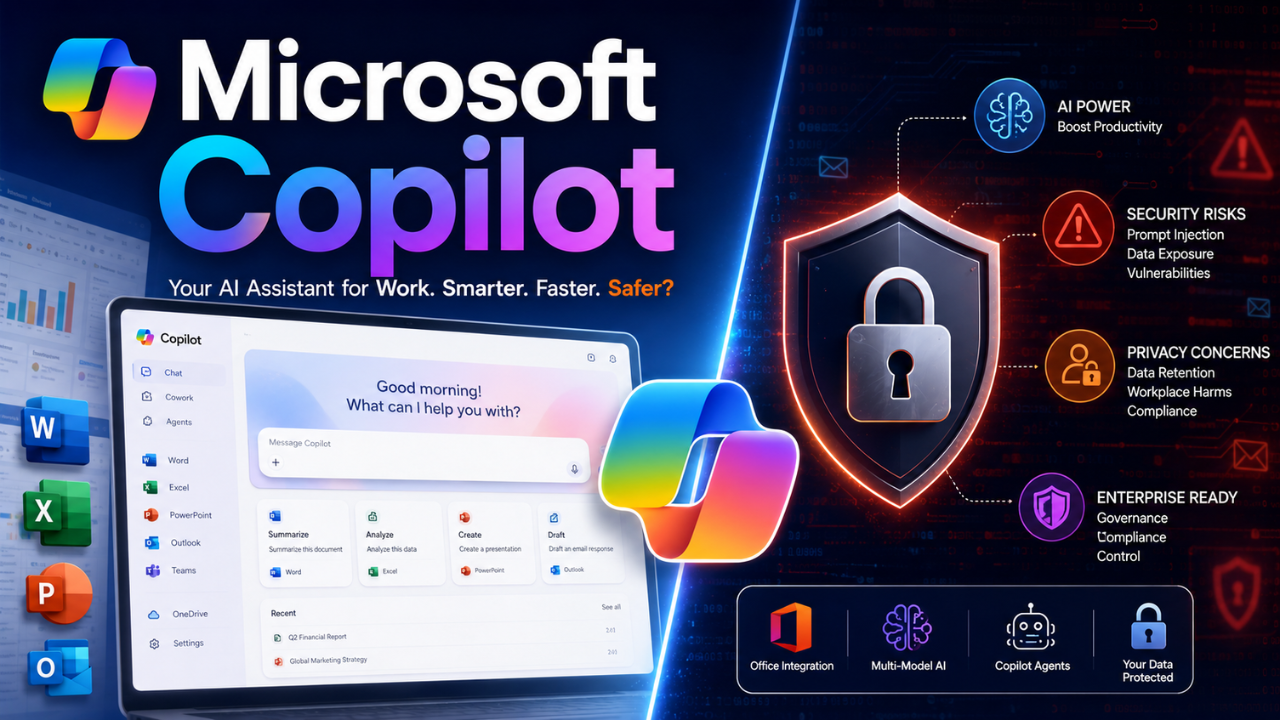
Here’s a statement that will annoy Microsoft’s marketing team: Microsoft Copilot in 2026 is simultaneously the most powerful AI assistant for Office users and one of the most frustrating pieces of software on the market.
After reviewing hands-on testing reports, user experiences, and Microsoft documentation, Copilot shows a mixed performance profile. I’ve analyzed its performance across Windows, Word, Excel, Outlook, and the standalone app. I’ve examined the Pro subscription, the premium agents, and watched it generate everything from competent presentations to confidently wrong spreadsheets. I’ve also reviewed security research showing how prompt injection attacks could potentially expose sensitive data.
This isn’t another generic “Copilot is amazing” piece. It’s not a hit job either. It’s an honest assessment of where Microsoft’s flagship AI actually stands in mid-2026—the good, the bad, and the genuinely concerning.
Let’s start with what Copilot actually is, because Microsoft’s branding makes this unnecessarily confusing.
Quick Verdict
| Category | Rating |
|---|---|
| Office Integration | ⭐⭐⭐⭐⭐ |
| AI Accuracy | ⭐⭐⭐ |
| Security | ⭐⭐⭐ |
| Pricing Value | ⭐⭐⭐ |
| Enterprise Use | ⭐⭐⭐⭐⭐ |
Final rating: 8/10 — Excellent for Microsoft 365 users, average for everyone else.
What Microsoft Copilot Actually Is (And Isn’t)
Microsoft Copilot isn’t one product. It’s a family of products that share a name and a model:
- Copilot (Free): The web/app chat assistant at copilot.microsoft.com. General Q&A, web summaries, basic writing help. $0.
- Copilot Pro: $20/month for individuals. Priority model access, 100 image boosts per day, and deeper integration with Microsoft 365 Personal/Family apps.
- Microsoft 365 Copilot (Business/Enterprise): The add-on that brings Copilot into Word, Excel, PowerPoint, Outlook, and Teams with enterprise governance. Around $21–$30/user/month depending on plan and contract.
- Copilot in Windows: Built into Windows 11 taskbar. System actions, screen context, multimodal assistance.
- Copilot Studio: Low-code platform for building custom agents.
Here’s the key insight most reviews miss: the underlying intelligence is largely the same across all tiers. Copilot uses a combination of Microsoft’s AI infrastructure and OpenAI models, depending on the product version, availability, and subscription tier. ChatGPT Plus ($20/month) and Microsoft Copilot Pro ($20/month) both run OpenAI’s GPT models. Copilot’s Smart mode uses GPT-5, and GPT-5.5 Instant is rolling out to Copilot Chat.
So when someone asks “Is Copilot smarter than ChatGPT?”, the honest answer is: they share the same intelligence. The question is whether you want that intelligence inside Office or inside OpenAI’s interface.
The 2026 Feature Landscape: What’s New
2026 is the year Copilot stopped being “just chat.” Microsoft’s Build conference made this official: Agent Mode is now the default experience across Word, Excel, and PowerPoint. Not an opt-in experiment. The default.
Here’s what that actually means:
Copilot Cowork
This is the biggest update of 2026. Instead of generating one-off responses, Copilot can now plan and execute multi-step tasks in the background. Users can delegate real work—resolving calendar conflicts, compiling research memos, preparing meeting briefs, building pitch decks—and monitor progress through checkpoints.
Microsoft has expanded Copilot’s model options by introducing additional model choices, including Anthropic models in selected Copilot experiences. Users can now select Claude as a model option in Copilot Chat for complex analysis, document understanding, and structured content generation. The GA lineup includes Claude Opus and Sonnet variants, the Sonnet+Opus Advisor pairing, and GPT 5.5.
Work IQ
A new organizational memory layer that understands roles, communication patterns, past decisions, and project context. In theory, this makes Copilot more relevant and personalized. In practice, it raises significant privacy questions we’ll get to.
Agent 365
A governance dashboard for controlling how Copilot agents behave, what they can access, and how they operate. Auditing, permission transparency, and policy controls for enterprise-wide scaling.
Excel Skills and Plan Mode
Copilot in Excel can now build discounted cash flows, prepare variance analyses, and refresh monthly reporting models through reusable “skills”. More importantly, a new “plan” feature drafts a list of planned interactions and asks for approval before touching your data.
Watermarks for AI-Generated Content
Video and audio content generated or altered by AI in Microsoft 365 can now include watermarks for transparency. This is a meaningful step toward responsible AI deployment.
Edge Redesign
A modernized, unified visual experience across Microsoft’s AI surfaces. The prompt box is larger, with task-specific tools underneath.
Claude in Copilot Chat
Users can now select Anthropic’s Claude as a model option for complex analysis, document understanding, and structured content generation.
Pricing: The Confusing Reality
Microsoft’s pricing structure is a mess. Here’s what I’ve been able to verify:
| Tier | Price | Who It’s For |
|---|---|---|
| Copilot (Free) | $0 | General Q&A, web tasks |
| Copilot Pro | $20/month | Individuals wanting priority access and Office integration |
| Microsoft 365 Copilot Business | ~$21/user/month | Organizations under 300 employees |
| Microsoft 365 Copilot Enterprise | ~$30/user/month | Larger organizations |
| Microsoft 365 E7 | ~$99/user/month | Bundled with Copilot Premium, Agent 365, Entra, E5 security |
The catch: Copilot Pro’s $20/month is the only consumer paid tier. Heavier capability requires the separate Microsoft 365 Copilot license, which is an add-on to your existing Microsoft 365 subscription. This means the true cost for full Office integration can be substantially higher than $20/month.
Also worth noting: individual consumer pricing appears to vary. Some sources report Copilot Pro at $9.99/month for individuals, others at $20/month. Microsoft’s in-app purchases range from $9.99 to $199.99 per item. Always verify current pricing for your specific region and use case.
Pricing checked: July 2026. Microsoft pricing varies by region, subscription type, and enterprise agreement.
Where Copilot Shines
Let’s be fair: Copilot does some things exceptionally well.
Office Integration Is Genuinely Powerful
This is Copilot’s killer feature, and competitors can’t match it. In PowerPoint, a single prompt generates an entire presentation deck with slides, layouts, and relevant images. In Word, it can generate first drafts, reshape tone and length, or create outlines with tables. In Outlook, it summarizes long threads and drafts emails.
I’ve used it to turn meeting notes into structured documents. It works. Not perfectly, but well enough to save significant time.
Excel Gets Real Utility
Copilot in Excel lets you interrogate data in plain English, propose formulas, surface trends and outliers, and build quick charts. With the new skills feature, finance professionals can automate common processes without starting from scratch each time. The plan mode—where Copilot drafts actions and asks for approval—adds much-needed oversight for financial data.
Multi-Model Approach
Microsoft’s decision to offer both OpenAI and Anthropic models through Copilot is genuinely useful. Claude handles complex analysis and document understanding better than GPT for some tasks. Having the option matters.
Image Generation
Copilot’s image generation is surprisingly good. Whether you need a header for an article or a creative concept, the results are often spot on.
Where Copilot Fails
Now for the uncomfortable part.
It’s Confidently Wrong
ZDNET’s Ed Bott paid for premium Copilot agents and found them “confidently bad”. The agents didn’t produce useful results. Troubleshooting with Copilot wasted time and solved nothing. Copilot shows “occasional flashes of competence, but more often, the results are a mishmash of misinformation, hallucinations, and time-wasting dead ends”.
This mirrors user reports. Copilot is most dangerous when it sounds authoritative while being wrong. It doesn’t know when it doesn’t know.
Performance Degrades
The Windows app performance degrades significantly as conversations lengthen. When you restart, Copilot forgets everything. The new redesign, while visually cleaner, has been reported as “super slow” by multiple users.
Features Have Been Removed
Users have reported that Copilot has become “significantly less capable, less consistent, and far more restrictive” since December. Features that worked reliably have been removed or now behave unpredictably. Filters have become overly aggressive. Quick Response mode disappeared entirely in early 2026.
This isn’t progress. This is product regression.
The Adoption Problem
Here’s a number that should worry Microsoft: fewer than 4.5% of Microsoft 365 customers pay for the full Copilot experience. Microsoft has more than 450 million paid commercial Microsoft 365 seats. Copilot 365 has more than 20 million paid seats. Weekly usage among licensed Copilot seats is only 20% to 30%. Applied to Microsoft’s disclosed numbers, that leaves somewhere around 4 million to 6 million weekly users, or roughly 1% of Microsoft 365’s broader commercial customer base.
Translation: Microsoft has pushed Copilot everywhere, but barely anyone bought it, and even fewer use it regularly.
Coding Capabilities Are Mediocre
Copilot lacks the deep logic needed for complex programming projects. If you’re a developer, GitHub Copilot is a separate product and a much better choice.
It’s Bad at Solving Tech Problems
Computerworld’s reviewer left Copilot for Gemini specifically because Copilot is “inept at solving a tech problem” and “whiffs on personal research”. It gives bad scheduling advice. For personal tasks outside Office, it often fails.
The Security Problem Nobody’s Talking About Enough
This is where things get genuinely concerning.
Critical Vulnerabilities
In June 2026, Microsoft patched a vulnerability it rated as max critical in its M365 Copilot AI platform. Security researchers at Varonis demonstrated how the exploit could retrieve 2FA codes and other sensitive data from emails accessible to Copilot.
The exploit worked like this: an attacker sends a target an email with a specially crafted URL. The victim clicks the link. Copilot reads the instruction, searches the user’s emails, extracts the data, and embeds it in an image URL that sends the data to the attacker’s server.
The victim doesn’t type anything. They click one link. Copilot does the rest.
Microsoft’s guardrails failed because they only fire after the “thinking” phase. Before that, Copilot generates responses using raw HTML, which is temporarily rendered in the browser DOM.
Command Injection Vulnerabilities
Multiple CVE entries in 2026 document command injection vulnerabilities in Copilot. Attackers can inject malicious commands that execute with the privileges of the affected application, potentially allowing full system compromise or unauthorized access to sensitive resources.
- CVE-2026-45497: Critical command injection vulnerability in Microsoft 365 Copilot
- CVE-2026-42895: Command injection enabling attackers to inject malicious commands
- CVE-2026-26136: Command injection from inadequate sanitization of user inputs
File Exfiltration via Prompt Injection
Researchers have demonstrated that Copilot is vulnerable to file exfiltration attacks via indirect prompt injection. Attackers can exfiltrate sensitive data—including Teams conversation logs, corporate credentials, and proprietary files—through poisoned prompts.
CERT-IN Warning
India’s national cybersecurity agency issued a high-severity warning for multiple vulnerabilities in Microsoft products including Copilot, Microsoft Graph, and Microsoft 365 Copilot. CERT-In identified two critical vulnerabilities (CVE-2026-42827 and CVE-2026-41090) in Microsoft 365 Copilot, including input validation flaws, authentication weaknesses, and command handling issues. Attackers could execute arbitrary code, disclose sensitive information, bypass security controls, or elevate privileges.
The bottom line: If your organization is deploying Copilot, you need to understand these risks. Microsoft is patching vulnerabilities, but the fundamental issue—that AI assistants automatically process untrusted input—remains unresolved.
Security Sources
- Microsoft Security Response Center advisories
- CVE database entries (CVE-2026-45497, CVE-2026-42895, CVE-2026-26136, CVE-2026-42827, CVE-2026-41090)
- Varonis research (SearchLeak exploit)
- CERT-In security alerts
Privacy: The Orange Flag
SURF, the Dutch organization that advises educational and research institutions, conducted a Data Protection Impact Assessment (DPIA) on Microsoft 365 Copilot. Their conclusion: privacy risks remain “orange” (medium) despite improvements.
Two medium risks remain insufficiently addressed:
- The “Workplace Harms” filter automatically applies to input prompts and generated outputs. Microsoft doesn’t disclose the cultural standards, thresholds, or contextual criteria governing its filter’s interventions, nor can organizations modify or disable it. Users can’t determine whether the intervention was appropriate or justified.
- Microsoft stores diagnostic and telemetry data for up to 18 months. Although pseudonymised, Microsoft doesn’t adequately explain why this retention period is necessary or under what circumstances the data may be deleted earlier.
In March 2026, Microsoft introduced a new risk through “flex routing” for Microsoft 365 Copilot data traffic, enabling data transfers outside the EU Data Boundary for new tenants.
SURF’s advice: remain cautious when deploying Microsoft 365 Copilot, determine suitable use cases, and carefully assess risks for each instance.
Copilot vs ChatGPT vs Gemini: The Real Comparison
This is where most reviews get it wrong. Let’s cut through the marketing.
The Intelligence Is the Same
ChatGPT Plus ($20/month) and Microsoft Copilot Pro ($20/month) both run OpenAI’s GPT models. Copilot’s Smart mode uses GPT-5, and GPT-5.5 Instant is rolling out to Copilot Chat.
When people ask which is smarter, the answer is: they share the same intelligence.
The difference is everything around the model:
| Feature | ChatGPT Plus | Copilot Pro |
|---|---|---|
| Model | GPT-5.5 | GPT-5 / GPT-5.5 Instant |
| Price | $20/month | $20/month |
| Office Integration | None | Full (Word, Excel, PowerPoint, Outlook, Teams) |
| Custom GPTs | Yes | No |
| Canvas | Yes | No |
| Deep Research | Yes | Limited |
| Image Generation | DALL-E | Built-in |
| Message Limits | 160 / 3 hours | Compute-based |
Gemini Is the Differentiator
Google’s Gemini 3.1 Pro is genuinely different—it’s Google’s own multimodal flagship. The choice between these three isn’t about model quality. It’s about which suite you live in.
- ChatGPT: OpenAI’s direct product. Newest models first. Consumer feature set. Best for general AI work.
- Copilot: Microsoft’s product. Models woven into Office. Best if you live in Microsoft 365.
- Gemini: Google’s product. Best if you live in Google Workspace.
Performance Data
Academic research confirms what users report: Google Gemini and ChatGPT outperformed Microsoft Copilot in accuracy (P = 0.022) and safety (P < 0.001). Copilot has higher error rates and weaker performance in professional workflows compared to ChatGPT and Gemini.
Who Should Use Copilot (And Who Shouldn’t)
Use Copilot If:
- You live in Microsoft 365. If Word, Excel, PowerPoint, Outlook, and Teams are your daily tools, Copilot’s integration is unmatched.
- You need first drafts fast. Copilot excels at generating rough drafts, outlines, and presentations that you can refine.
- You work with structured Excel data. Copilot’s ability to interrogate data in plain English is genuinely useful.
- Your organization has strong governance. Agent 365 and proper data hygiene make enterprise deployment safer.
Avoid Copilot If:
- You want the newest AI features first. ChatGPT gets them before Copilot.
- You need reliable, accurate outputs. Copilot is too often confidently wrong.
- Security and privacy are paramount. The vulnerabilities and privacy risks are real.
- You’re a developer. GitHub Copilot is a separate, better product.
- You want a simple, single subscription. Microsoft’s pricing structure is confusing and expensive.
- You’re in a regulated industry. The privacy risks and data sovereignty issues need careful evaluation.
The Future: Agents, Cowork, and Beyond Chat
Microsoft’s vision for Copilot is clear: 2026 is the year AI moves past chat. Charles Lamanna, who leads Microsoft’s Copilot efforts, put it bluntly: “2026 is probably going to be the year where we move past chat as the main thing we think about when it comes to AI, particularly AI at work”.
The roadmap includes:
- Copilot “super app” integrating GitHub Copilot, Copilot Chat, Copilot Cowork, and Autopilot agent workflows.
- Agent Mode as default across Word, Excel, and PowerPoint.
- Work IQ APIs for declarative agent access.
- Copilot Studio rebuild with a new authoring experience and modernized AI core.
- Role-based offerings for Sales and Finance.
Whether this vision delivers remains to be seen. The technology is impressive. The execution, based on current user experience, needs work.
FAQs
1. Is Microsoft Copilot free?
Answer: Yes, a free version is available at copilot.microsoft.com, through the mobile app, or via Edge. The free version works for general Q&A, web summaries, and basic writing help. Paid tiers add priority model access and Office integration.
2. How much does Microsoft Copilot cost?
Answer: Pricing varies: Copilot Pro is around $20/month for individuals. Microsoft 365 Copilot Business is approximately $21/user/month for organizations under 300 employees. Enterprise is around $30/user/month. Always verify current pricing for your region.
3. What’s the difference between Copilot and ChatGPT?
Answer: Both run OpenAI’s GPT models. The difference is the wrapper: ChatGPT is OpenAI’s direct product with new features first. Copilot embeds the models inside Word, Excel, Outlook, and Teams. Choose based on where you work.
4. Is Microsoft Copilot safe?
Answer: There are significant concerns. Critical vulnerabilities have allowed attackers to steal 2FA codes and exfiltrate files. Privacy risks remain classified as “medium” by independent assessments. Organizations should carefully assess risks before deployment.
5. Can Copilot replace my job?
Answer: No. Copilot is a tool that generates rough drafts and automates routine tasks. It makes frequent errors, hallucinates confidently, and requires human oversight. Treat outputs as drafts, not final work.
6. Does Copilot work offline?
Answer: No. Copilot requires an internet connection to access the underlying AI models.
7. What apps does Copilot work in?
Answer: Copilot works in Word, Excel, PowerPoint, Outlook, Teams, OneDrive, SharePoint, and as a standalone web/app experience. It’s also integrated into Windows 11.
Conclusion
Key Takeaways:
- Microsoft Copilot runs the same GPT models as ChatGPT. The value is Office integration, not superior intelligence.
- 2026 features (Copilot Cowork, Work IQ, Agent Mode) represent a genuine shift from chat to action-taking AI.
- The security and privacy risks are real and shouldn’t be dismissed.
- Adoption is low (<4.5% of Microsoft 365 customers pay for full Copilot).
- Copilot is powerful for Office users but frequently wrong, performance-degraded, and frustrating for many tasks.
Final Verdict:
Microsoft Copilot is the best AI assistant for people who live in Microsoft 365—and a poor choice for almost everyone else.
If you spend your days in Word, Excel, PowerPoint, and Outlook, Copilot can save significant time on first drafts, summaries, and data analysis. Just verify everything it produces. If you’re looking for reliable AI for research, coding, or general tasks, ChatGPT or Gemini are better options.
Microsoft is making the right long-term bets with agents and multi-model orchestration. But in mid-2026, the execution doesn’t yet match the vision. Copilot is a work in progress that costs real money and carries real risks.
Who should use it: Organizations with strong governance, Microsoft 365 power users, and anyone willing to verify AI outputs.
Who shouldn’t: Security-conscious organizations, developers, regulated industries, and anyone who needs reliable, accurate outputs.
Next steps: Read our guides on the latest AI tools, how to use AI in daily life, and the future of AI security. For free alternatives, check out 10 free AI tools for 2026.
Written by: Shourya Singh
Alex Rivera reviews AI tools, productivity software, and enterprise technology at TechUnfoldedAI.com. His work focuses on practical AI adoption, software testing, and digital productivity.
Published: July 2026
Last Reviewed: July 2026
For regular updates about the AI, AI tools, AI guides, technology & more. Visit, The TechUnfoldedAi.com.
Leave a Reply