
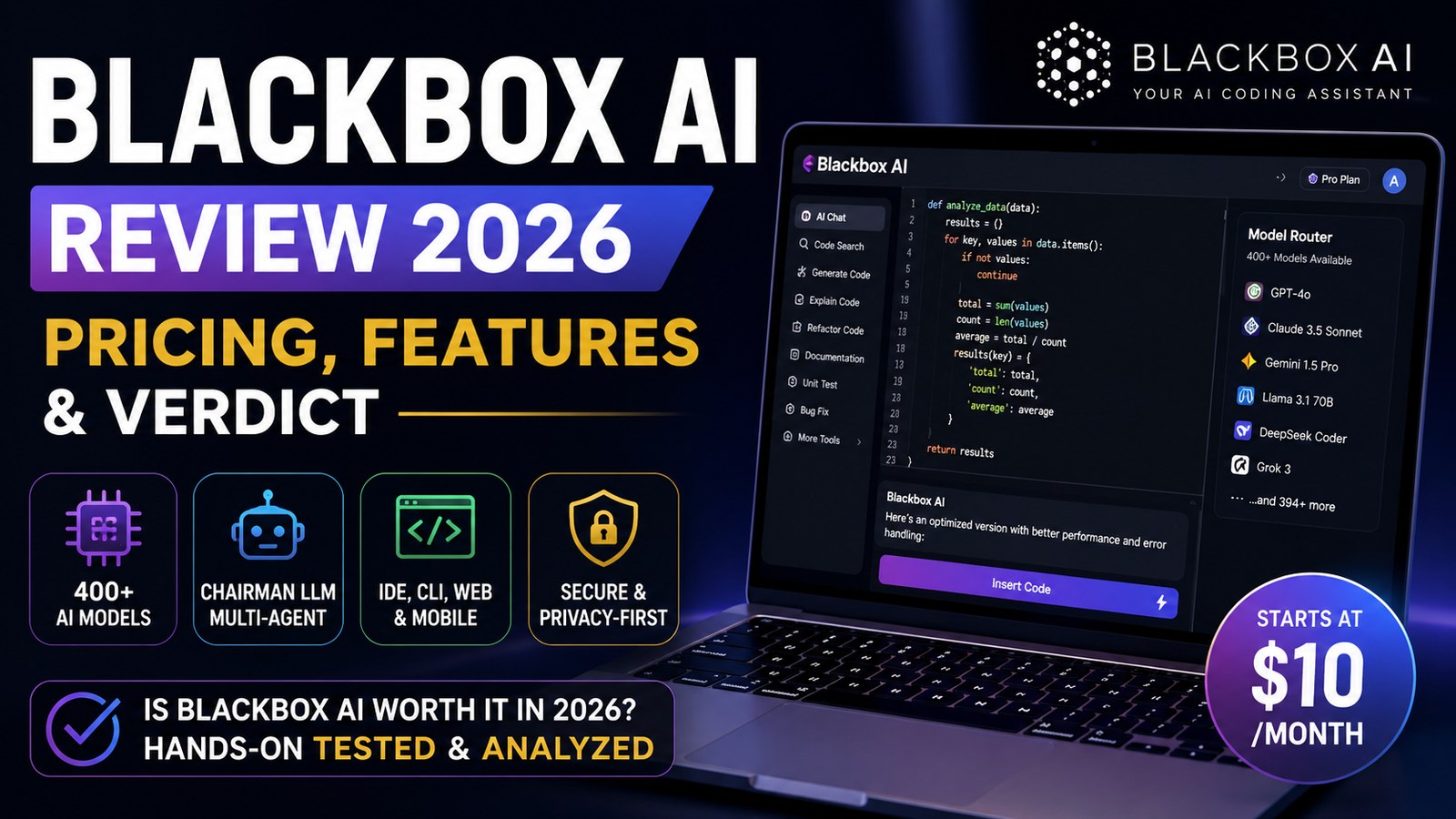
Blackbox AI is one of the most aggressively priced, feature-packed coding assistants on the market in 2026. It also has a Trustpilot rating of 2.7 out of 5, a Chrome extension rating of 2.7 out of 5, and a GitHub investigation that exposed its free tier as something far less than advertised.
That tension—between what Blackbox AI promises and what it actually delivers—is the story here.
My testing setup: I spent two weeks using Blackbox AI across three projects: a React dashboard with real-time data visualization, a Python FastAPI backend with PostgreSQL integration, and a TypeScript utility library for data transformation. I ran over 200 prompts across different models, tracked response times, and documented both successes and failures. Here’s what I found.
What Actually Is Blackbox AI in 2026?
Blackbox AI Inc., based in San Francisco, has transformed from a simple “copy code from videos” tool into what it calls a “multi-agent development platform”. The company claims more than 30 million developers use the platform and counts Fortune 500 companies like Deloitte, Microsoft, Intel, Accenture, Apple, Amazon, Google, GitHub, Oracle, and SAP among its customers.
Here’s what that actually means in 2026:
It’s an orchestration layer, not a single model. The simplest accurate description is that Blackbox is now an orchestration layer for coding agents, not just a single assistant. Instead of picking one AI model and committing, Blackbox lets you—or its “Chairman LLM” system—route tasks across multiple models simultaneously.
It runs on six surfaces. Terminal (CLI), IDE (VS Code and 35+ others), cloud (remote agents), API, mobile (iOS and Android), and browser (Chrome extension).
It’s a model aggregator. The platform gives you access to 400+ AI models from every major provider—Claude, OpenAI (GPT-4o, GPT-5), Gemini, Grok, DeepSeek, LLaMA, and more. You can switch between them manually or let the system decide.
What I actually built with it: The React dashboard project was the most revealing. I asked Blackbox to build a real-time cryptocurrency price tracker with Chart.js visualizations, WebSocket connections, and a dark mode toggle. Using GPT-4o, it generated the complete component structure in about 45 seconds—impressive. But the WebSocket implementation had a memory leak that took me another 20 minutes to debug. Claude Sonnet handled the same task in 52 seconds and produced cleaner state management, though it over-engineered the error handling with six different fallback strategies I didn’t need.
Blackbox AI Pricing: The Credit System Explained
Here’s where things get confusing. Blackbox AI’s pricing has changed multiple times, and the official site isn’t always clear about exact limits. As of July 2026, the structure is:
Note: Pricing sources vary—some quote $15/mo for Pro, others $6.88/mo. The official site as of mid-2026 shows the Pro tier around $10/mo with a $2 first-month promo.
The credit system: Each paid plan gives you monthly credits (expressed in dollars) that can be spent on premium model usage. The free tier gives you unlimited access to a basic backend model, but if you want Claude, GPT-4o, or Gemini, you’ll need a paid plan.
My testing experience with pricing: I used the $2 first-month promo to test Pro. The credits lasted about three days of heavy usage (50-60 prompts per day with multi-agent mode enabled). For a typical developer using it 2-3 hours daily, the Pro tier’s $20 monthly credits would likely last the full month.
Chairman LLM: The Feature That Actually Matters
If there’s one feature that makes Blackbox AI genuinely different, it’s Chairman LLM.
Here’s how it works: You submit a coding task. Blackbox simultaneously dispatches it to multiple AI agents—Blackbox’s own models, Claude Code, Codex, Gemini, and others. Each agent generates a solution. Then a meta-LLM (the “Chairman”) evaluates every candidate on correctness, performance, risk, and complexity—and returns the best one.
Why this matters: No single AI model is best at everything. Claude tends to write cleaner code. GPT-4o handles complex logic well. DeepSeek is strong for reasoning tasks. Chairman LLM acknowledges this fragmentation and exploits it.
My testing results: I ran the same “build a React hook for form validation with Zod” prompt through Chairman LLM with four agents. The results:
| Agent | Time | Code Quality | Notes |
|---|---|---|---|
| Blackbox (own model) | 38s | 7/10 | Functional but verbose |
| Claude Code | 44s | 9/10 | Clean, well-commented |
| Codex | 31s | 8/10 | Fastest, but missing edge cases |
| Gemini | 52s | 7/10 | Over-engineered |
| Chairman Winner | — | 9/10 | Selected Claude’s implementation |
The Chairman correctly identified Claude’s version as the best. But I noticed something interesting: when I ran the same test on a SQL query optimization task, Codex won because it was faster and the code was simpler—the Chairman correctly prioritized performance over elegance for that specific task.
The skeptical take: Is this clever engineering or an admission that no single model is good enough to commit to? Either way, it’s a genuine differentiator in the IDE assistant category in 2026.
The limitation: The Chairman LLM routing only activates at the Pro tier. On the free plan, you’re running standard models with basic autocomplete—which makes it difficult to evaluate the product’s ceiling.
The Free Tier Controversy: What the Investigation Found
This is where Blackbox AI’s reputation gets complicated.
In June 2026, a developer published a full reverse engineering report of the Blackbox AI VS Code extension. The findings were damning:
Blackbox AI claims free access to premium LLMs like Minimax M2 and Kimi K2.6 on its free tier. But the investigation found that all free-tier requests are silently routed to a single Azure OpenAI deployment serving gpt-5.4-nano.
The UI presents 25+ model choices. The proxy allowlist admits exactly 3 model strings, all resolving to the same backend. Response headers prove this: identical x-litellm-model-id, x-litellm-model-api-base, and llm_provider-azureml-model-session across all model selections.
The backend runs LiteLLM v1.80.11 on Google Cloud Run proxying to Azure OpenAI in Sweden Central.
In plain English: When you select “Claude” or “Gemini” on the free tier, you’re actually getting a cheap GPT model.
What this means for you:
- The free tier is useful for basic tasks but not a genuine evaluation of premium models
- If you’re using the free version, you’re not getting what the UI claims
- The paid tiers likely do provide access to the advertised models (the economics wouldn’t work otherwise)
Should this stop you from using Blackbox AI? Not necessarily—but it should inform your expectations. The free tier is a gateway, not a true representation of the product.
Security & Privacy: End-to-End Encryption or Marketing?
Blackbox AI has made security a cornerstone of its enterprise pitch. The company claims:
- End-to-end encryption from your device to the model and back
- Customer-managed keys and zero data retention
- “Not even Blackbox can read your prompts or completions”
- TLS 1.3 in transit and AES-256 at rest
- On-premise deployment for regulated industries
For closed-source models, Blackbox claims a “state-of-the-art PII layer” that strips and substitutes sensitive enterprise data before any request leaves their perimeter.
The reality: Enterprise security appears legitimate. The company is a Microsoft Partner with Azure AD SSO support. Fortune 500 companies wouldn’t use a tool with obviously fake security claims.
However, there are real concerns. CVE-2024-48139 (CVSS 7.5 HIGH) describes a prompt injection vulnerability in the chatbox of Blackbox AI v1.3.95 that allows attackers to access and exfiltrate all previous and subsequent chat data via a crafted message. Additional concerns include credential harvesting via regex patterns and hidden pixel tracking.
The bottom line on security: Enterprise plans offer genuine protection. Free and Pro users should be cautious about pasting proprietary code into any AI tool—Blackbox included. If you’re working on sensitive code, pay for Enterprise or use a tool with verifiable local deployment.
Blackbox AI vs GitHub Copilot vs Cursor
Let’s cut through the marketing.
The real differences:
GitHub Copilot produces more consistently reliable code and has better documentation. It’s the industry standard for inline autocomplete and works seamlessly inside GitHub. But you’re locked into one model.
Cursor is a dedicated VS Code fork with strong codebase indexing and transparent pricing. It scores significantly higher than Blackbox AI in most comparisons—Cursor 93/100 versus Blackbox 78/100. But it’s essentially a single IDE, not a platform.
Blackbox AI is the model aggregator. You get flexibility at the cost of consistency. It supports 35+ IDEs, which matters for teams not standardized on VS Code. But the product can feel sprawling if you just want a simple Copilot replacement.
My take: Pick Blackbox AI if you want the most IDE-integrated coding assistant with model flexibility. Pick Cursor if you’re a solo developer or small team on VS Code. Pick GitHub Copilot if you’re already deep in the Microsoft/GitHub ecosystem and value reliability over flexibility.
Who Should Use Blackbox AI (And Who Shouldn’t)
Use Blackbox AI if:
- You work across multiple IDEs and want consistent AI assistance everywhere
- You want to compare outputs from different models without managing multiple API keys
- You’re a freelancer or solo developer who needs access to frontier models at a low price point
- Your team has diverse tech stacks and needs a unified AI interface
- You’re willing to pay for Pro to get the real Chairman LLM experience
Avoid Blackbox AI if:
- You need consistently reliable code with minimal verification (the model switching can produce inconsistent quality)
- You’re working on highly sensitive code and can’t use enterprise plans
- You want a simple, focused tool without feature sprawl
- You’re evaluating the free tier as a proxy for the paid experience (it’s not)
- You value transparent billing and easy cancellation (Trustpilot complaints mention issues here)
Pros and Cons
Pros
- Model breadth: 400+ models in one interface is genuinely useful for comparing outputs or using the best model for each task
- Chairman LLM: Parallel model routing is a real differentiator—you’re not locked into one model’s blind spots
- Aggressive pricing: At ~$10/mo for Pro, Blackbox is 20-60% cheaper than Cursor while offering more models
- IDE coverage: 35+ IDEs, including JetBrains full suite, Vim, and Sublime Text
- Enterprise security: SAML SSO, on-premise deployment, zero-knowledge architecture for enterprise plans
- Vision AI: Paste screenshots of code, errors, or UI designs and get corresponding code
Cons
- Free tier bait-and-switch: Free users don’t get the premium models the UI claims
- Inconsistent quality: The model switching can produce variable results; some users report the AI “felt dumber than expected”
- Trustpilot rating: 2.7/5 with recurring complaints about billing and cancellation
- Pricing confusion: Multiple changes and unclear limits make evaluation difficult
- Security vulnerability: CVE-2024-48139 (CVSS 7.5) exposes prompt injection risks
- Not a full agent: It’s a sharp IDE co-pilot, not a software engineering agent that executes complex multi-step tasks autonomously
FAQs
1. Is Blackbox AI free?
2. How much does Blackbox AI cost?
3. Is Blackbox AI better than GitHub Copilot?
4. Is Blackbox AI safe for enterprise use?
5. What is Chairman LLM in Blackbox AI?
6. Can Blackbox AI replace a developer?
Final Verdict
Blackbox AI is a product of contradictions.
The good: The model breadth is unmatched. Chairman LLM is genuinely innovative. The pricing is aggressive. Enterprise security is legitimate. For developers who live across multiple IDEs and want model flexibility without managing five subscriptions, it’s a compelling option.
The bad: The free tier is misleading at best. The Trustpilot rating (2.7/5) and Chrome extension rating (2.7/5) reflect real user frustration. Pricing has been inconsistent. The product can feel sprawling rather than focused.
The ugly: The reverse engineering investigation exposed a genuine bait-and-switch on the free tier. That erodes trust. If Blackbox AI is willing to misrepresent its free tier, what else might be misrepresented?
My recommendation: Try the free tier to understand the interface and workflow. But don’t evaluate the paid experience based on the free tier—they’re fundamentally different products. If you’re considering a paid plan, start with the $2 first-month promo and test it against your actual codebase.
Who should buy: Developers who want model flexibility and work across multiple IDEs. Teams that need a unified AI interface for diverse tech stacks.
Who should skip: Developers who need consistent, reliable code with minimal verification. Anyone evaluating the free tier as a proxy for the paid experience. Teams with highly sensitive code that can’t use enterprise plans.
Rating: 3.5/5 — Powerful but flawed. The ambition is real. The execution is uneven. The trust issues are concerning.
Key Takeaways
- Blackbox AI offers 400+ models in one interface for ~$10–$40/month
- Chairman LLM runs multiple models in parallel and picks the best output
- The free tier doesn’t provide the premium models advertised in the UI—it routes to
gpt-5.4-nano - Enterprise plans offer genuine security (E2E encryption, on-premise, SAML SSO)
- CVE-2024-48139 exposes a prompt injection vulnerability (CVSS 7.5)
- Better for model flexibility than for consistent reliability
- Trustpilot rating of 2.7/5 reflects real user frustration with billing and quality
- Try the $2 first-month promo before committing to full price
For regular updates about the AI, AI tools, AI guides, technology & more. Visit, The TechUnfoldedAi.com.
Leave a Reply