
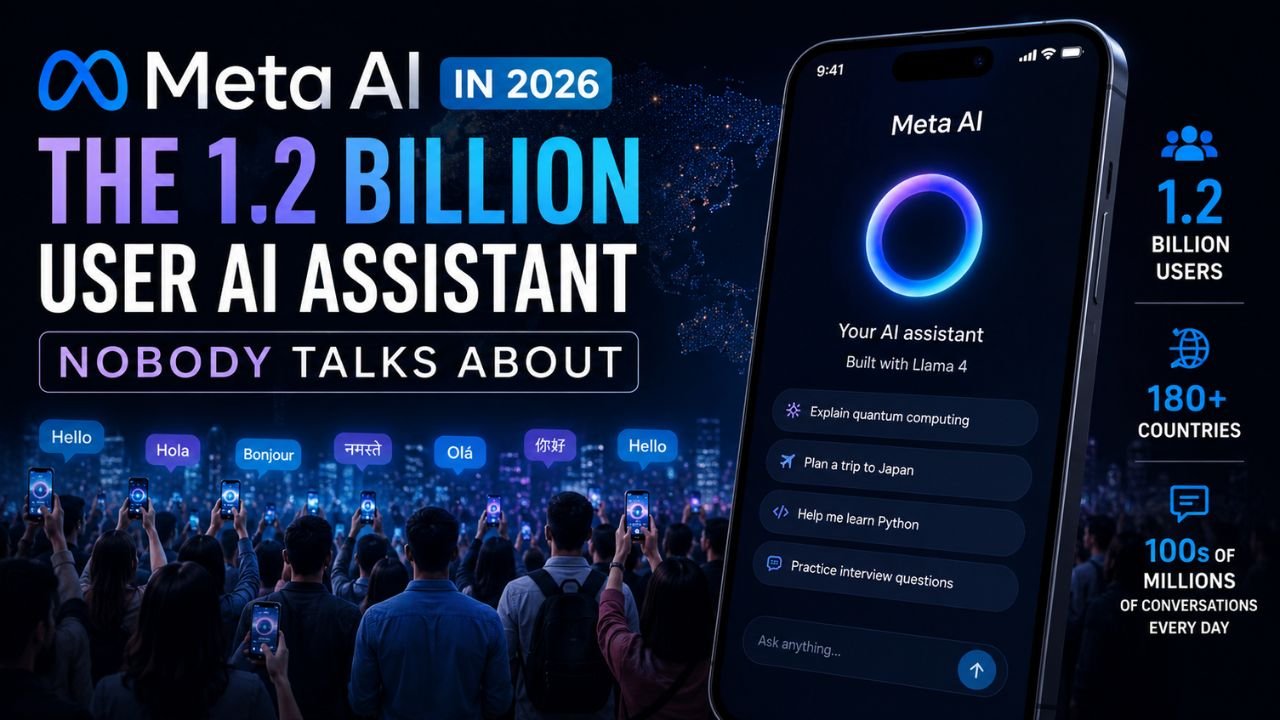
Meta AI has 1.2 billion monthly active users. That’s more than ChatGPT’s 1 billion. It’s built into apps used by over three billion people. Its Llama models have been downloaded over a billion times.
Yet when people talk about AI assistants, nobody mentions Meta AI. Not in the same breath as ChatGPT, Claude, or Gemini. Not even close.
I’ve spent the past few weeks actually using Meta AI across WhatsApp, Instagram, Facebook, and the standalone app. I’ve tested its image generation, asked it coding questions, tried to make it do real work. And I’ve come away with a complicated picture.
This isn’t another surface-level “Meta AI is great” or “Meta AI is terrible” take. Here’s what actually matters. And if you’re looking to understand how this fits into the broader ecosystem of latest AI tools, this is the reality check you need.
Table of Contents
- The Distribution Paradox: Why 1.2B users don’t equal 1.2B engaged users
- What’s Under the Hood: Llama 4, Muse Spark, and the models you can’t choose
- Where Meta AI Actually Shines: The use cases that work
- Where It Falls Apart: Limitations you’ll hit immediately
- The Business Play: Meta Business Agent and enterprise AI
- Privacy and Trust: The elephant in the room
- Meta AI vs ChatGPT vs Gemini: A reality check
- Who Should Use Meta AI (And Who Shouldn’t)
- The Bottom Line
The Distribution Paradox: 1.2 Billion Users Who Didn’t Choose This
Let’s start with the number that everyone gets wrong.
Meta AI has 1.2 billion monthly active users. That sounds like dominance. But here’s how it happened: not by building a product people chose to use, but by embedding an AI assistant directly into WhatsApp, Instagram DMs, and Facebook feeds — apps that billions were already using every day.
Users didn’t download Meta AI. They didn’t sign up for it. It appeared, uninvited, inside their existing conversations and search bars.
This matters because distribution is not the same as engagement.
Compare that to ChatGPT’s 900 million weekly active users who actively chose to visit a standalone product. Or consider that in the US market, Meta AI sits in fourth place behind ChatGPT, Gemini, and Claude. For professional tasks like coding, research, and writing, ChatGPT remains far superior.
What this means for you: If you’re already on WhatsApp or Instagram, Meta AI is free and frictionless. But don’t confuse availability with capability. As the future of AI security continues to evolve, understanding how these tools are deployed matters more than just their user counts.
Reality check: Meta AI is the most widely available AI assistant on the planet. It’s also the one people talk about the least. That’s not an accident—it’s the product of a strategy that prioritizes distribution over differentiation.
What’s Under the Hood: Llama 4 and the Models You Can’t Choose
Meta AI runs on Llama 4, specifically the Scout and Maverick variants. Users can’t select models directly—the assistant automatically uses whatever variant it decides is appropriate.
Llama 4 Scout
- 17 billion active parameters (109 billion total)
- 10 million token context window—enough to process entire novels
- 16 experts in a Mixture-of-Experts (MoE) architecture
- Runs on a single Nvidia H100 GPU
Llama 4 Maverick
- 17 billion active parameters (400 billion total)
- 1 million token context window
- 128 experts in MoE architecture
- Requires more substantial computing resources
Llama 4 Behemoth (in training)
- 288 billion active parameters across nearly 2 trillion total parameters
- Meta claims it outperforms GPT-4.5 and Claude 3.7 Sonnet on STEM evaluations
Both Scout and Maverick are natively multimodal—they process text and images. The Mixture-of-Experts architecture activates only relevant parts of the model for specific tasks, which sounds efficient in theory.
What this actually means in practice: The 10-million-token context window on Scout is genuinely impressive. You can feed it an entire research paper, a lengthy contract, or a full book and ask questions. That’s not marketing fluff—that’s a real capability that few competitors match.
But here’s the catch: You don’t get to choose which model you’re using. Meta decides. And the assistant often defaults to faster, less capable responses rather than reaching for the heavy artillery.
Muse Spark: The Closed-Source Pivot
In a significant shift, Meta launched Muse Spark—its first proprietary (closed-source) model. This signals a dual strategy: keep Llama open for the community while developing closed models for commercial advantage.
The Muse Spark 1.1 API is priced aggressively: $1.25 per million input tokens and $4.25 per million output tokens, with $20 in free credits for new accounts. Meta claims this undercuts major competitors by about 75%.
Where Meta AI Actually Shines
I’ve tested Meta AI across multiple scenarios. Here’s where it genuinely delivers value.
1. In-Context Assistance on WhatsApp
This is the killer feature. You’re in a group chat planning a weekend trip. Type @Meta AI give us three affordable trip ideas nearby and get suggestions instantly.
No switching apps. No copy-pasting. No context loss.
This sounds minor until you use it. The friction of leaving a conversation to ask an AI assistant is real. Meta AI eliminates that entirely. If you’re looking for more practical ways to integrate AI into your daily routine, check out our guide on how to use AI in daily life.
What works: Quick questions, translations, drafting replies, brainstorming ideas—all within the flow of conversation.
What doesn’t: Complex reasoning, multi-step tasks, anything requiring file uploads.
2. Image Generation (With Caveats)
Meta introduced Muse Image for Instagram and WhatsApp, allowing image generation directly within chats. You can @mention other Instagram accounts and use their public photos as part of generated images.
The good: It’s fast. It’s integrated. It works for casual use.
The bad: Independent testing shows significant performance gaps compared to Google’s NanoBana and OpenAI’s GPT-Image 2.0. When asked to make images more realistic, Meta AI sometimes produced results indistinguishable from the original.
3. Social Media Content
Meta AI is trained on vast amounts of public social media data. This gives it an edge in generating captions, post ideas, and engagement-driven content that actually sounds like it belongs on social platforms.
For content creators and social media managers, this is genuinely useful. Pair this with other free AI tools for 2026 and you have a solid low-cost content stack.
4. The Business Play
WhatsApp’s Meta Business Agent launched in India in July 2026. It handles customer queries, recommends products, books appointments, qualifies leads, and provides 24/7 support.
Early results are promising:
- Swiggy uses it to simplify delivery partner onboarding
- Madhulika Enterprises reported a 25-30% increase in conversions and significant reduction in repetitive queries
- Weekly conversations between people and business AIs reached 10 million in Q1 2026, up from 1 million at the start of the year
The enterprise platform integrates with Shopify, Zendesk, and Shopee. This is where Meta AI has genuine commercial potential—not as a ChatGPT competitor, but as a business tool embedded in the world’s most popular messaging app.
Where It Falls Apart
1. Zuckerberg Himself Admits It’s Lagging
In July 2026, Mark Zuckerberg told employees that Meta’s AI agents aren’t developing as quickly as he’d hoped. This despite cutting 10% of the workforce and reassigning 7,000 employees to AI roles.
When the CEO admits progress is slower than expected, pay attention.
2. No Depth for Professional Work
Meta AI is widely described as “useful for quick queries and social integration, but not much else. For coding, research, legal analysis, or serious writing, it falls short of ChatGPT, Claude, and Gemini. If you’re a developer, you are much better off looking at dedicated solutions like GitHub Copilot which are purpose-built for that workflow.
What this means: If you need a quick answer while messaging, Meta AI works. If you need to do real work, look elsewhere.
3. The Image Generation Gap
As noted above, Meta’s image generation trails competitors significantly. The gap isn’t subtle—it’s noticeable in side-by-side comparisons.
4. No File Uploads
Unlike ChatGPT or Claude, Meta AI doesn’t support file uploads. You can’t feed it a PDF, spreadsheet, or document for analysis. This severely limits its utility for any serious work.
5. You Can’t Choose Your Model
Meta decides which Llama 4 variant to use. This means you might get a faster, less capable response when you actually need the full power of the model.
Privacy and Trust: The Elephant in the Room

This is where things get uncomfortable.
The Employee Tracking Debacle
Meta launched a program called the Model Capability Initiative (MCI) to track employee keystrokes, mouse movements, and computer activity for AI training. It was paused after data was left accessible to anyone inside the company. Nearly 2,000 employees signed a petition demanding cancellation.
One employee told the BBC, “I’ve never seen morale here so bad.”
Public Photo Usage Without Consent
Meta’s AI tools can use public Instagram photos without consent to train AI models. Users must switch to private accounts or manually disable the reuse function to opt out.
The Muse Image tool allows users to @mention other Instagram accounts and use their public photos as part of generated images—without the account owner’s knowledge or consent. Australia’s privacy watchdog has been urged to investigate.
The Privacy Policy Reality
Meta’s privacy policy allows it to use any image shared with Meta AI for training purposes. This is buried in the terms most users never read. Understanding these risks is crucial as tech giants envision the future beyond smartphones and data becomes even more valuable.
The Silver Lining: Incognito Mode
In May 2026, Meta launched Incognito Chat on WhatsApp—a mode where conversations are processed in a secure environment that even Meta cannot see, with chats deleted by default after the session ends.
This is a genuine privacy improvement, but it’s opt-in, and many users won’t know it exists.
What this means for you: If privacy matters, use Incognito mode. Don’t share sensitive information in standard Meta AI chats. And understand that your public social media content may be training data.
Meta AI vs ChatGPT vs Gemini: A Reality Check
| Dimension | Meta AI | ChatGPT | Gemini |
|---|---|---|---|
| Monthly Active Users | 1.2B | 1B | 1B |
| US Market Share | #4 | #1 | #2 |
| Context Window | 10M tokens (Scout) | Varies | 1M tokens |
| File Uploads | ❌ | ✅ | ✅ |
| Native Multimodal | ✅ (text+image) | ✅ | ✅ |
| Price | Free (consumer) | Free / $20/mo | Free / paid tiers |
| API Pricing (per 1M tokens) | $1.25 input / $4.25 output | Higher | Varies |
| Professional Use | Limited | Excellent | Excellent |
| Integration | WhatsApp, IG, FB | Standalone | Google ecosystem |
The takeaway: Meta AI wins on accessibility and price. It loses on capability, depth, and professional utility. These aren’t competing in the same category—they serve different needs. If you’re exploring enterprise options, it is worth comparing this to something like Microsoft Copilot which is deeply embedded in office workflows.
Who Should Use Meta AI
Use Meta AI if:
- You’re already on WhatsApp, Instagram, or Facebook
- You need quick answers without leaving conversations
- You create social media content and want caption/idea assistance
- You’re a small business using WhatsApp for customer communication
- You want a free AI assistant with zero setup
Avoid Meta AI if:
- You need to analyze documents, spreadsheets, or files
- You’re doing serious coding, research, or legal work (try GitHub Copilot instead)
- Image quality matters to you (use dedicated image generators)
- Privacy is a primary concern (or use Incognito mode)
- You want to choose which model you’re using
The Business Reality: $145 Billion and No Cloud Business
Meta is spending $125-145 billion on AI infrastructure in 2026—a 60% year-over-year increase. It plans to deploy 7 gigawatts of computing power in 2026 and double that to 14 gigawatts in 2027.
The problem: Google, Amazon, and Microsoft have cloud businesses that monetize this infrastructure. Meta has advertising.
Reality Labs has accumulated **$83.5 billion in operating losses** across 21 consecutive quarters. In Q1 2026, it lost $4.03 billion while generating just $402 million in revenue—roughly $10 lost for every $1 earned.
Meta is betting that AI will make ads more targeted and platforms more engaging. That may happen. But right now, Meta AI, business agents, and commerce initiatives aren’t generating meaningful revenue.
What this means: Meta has the resources to keep investing, but the business model is unproven. The AI spending is improving the existing ad business—not building a new one. For context on how other players like xAI are approaching the market, check out our complete guide to xAI in 2026.
The Future: Custom Chips and Doubling Capacity
Meta plans to start manufacturing its own AI chip, codenamed “Iris,” in September 2026. The goal is to reduce dependence on Nvidia and control costs.
The company aims to release a new AI chip every six months—an aggressive cadence compared to the typical industry pace of a year or more.
SemiAnalysis predicts Meta will overtake Google’s frontier AI models within six months. That’s a bold claim, and I’ll believe it when I see it. How Meta navigates this hardware race will play a huge role in the future of AI security and global AI dominance.
The Bottom Line
Meta AI is the most widely available AI assistant that nobody talks about. It’s free, it’s everywhere, and it’s genuinely useful for quick, everyday tasks—especially if you live inside WhatsApp, Instagram, or Facebook.
But it’s not a ChatGPT killer. It’s not even trying to be.
The honest truth: Meta AI is a social layer on top of capable AI models. It’s designed to disappear into workflows you’re already doing. For that purpose, it works well. For serious work, it’s not there yet.
Zuckerberg admitted the agents aren’t keeping pace with expectations. The privacy concerns are real and well-documented. The business model is unproven.
My verdict: Use Meta AI for what it’s good at—quick answers, social content, in-chat assistance. Don’t try to make it do what it can’t. And if privacy matters, use Incognito mode and understand what you’re sharing.
It’s a tool. Like any tool, it has strengths and weaknesses. The marketing says it’s a revolution. The reality is more complicated—and more honest.
Key Takeaways
- Meta AI has 1.2B monthly users, but most didn’t choose it—it’s force-embedded into WhatsApp, Instagram, and Facebook
- Llama 4 Scout offers a 10M token context window—genuinely impressive for document analysis
- Best for quick queries and social media content—not for serious work
- Privacy concerns are real—public photos can be used for training, though Incognito mode offers protection
- The business model is unproven—$145B in AI spending with no cloud business to monetize it
FAQs
1. What is Meta AI and how does it work?
Answer: Meta AI is an AI assistant built into WhatsApp, Instagram, Facebook, Messenger, and the standalone Meta AI app. It runs on Llama 4 models (Scout and Maverick) and can answer questions, generate images, draft content, and assist with tasks directly within conversations. Users can access it by tapping the Meta AI icon, using the search bar, or tagging @Meta AI in chats.
2. Is Meta AI free to use?
Answer: Yes, Meta AI is completely free for consumer use across WhatsApp, Instagram, Facebook, and the standalone app. There’s no subscription required. For developers using the Muse Spark 1.1 API, pricing is $1.25 per million input tokens and $4.25 per million output tokens, with $20 in free credits for new accounts.
3. How does Meta AI compare to ChatGPT?
Answer: Meta AI wins on accessibility (built into WhatsApp, Instagram, and Facebook) and price ($20/month for ChatGPT’s premium features vs. free). ChatGPT wins on every capability dimension: writing quality, reasoning, file uploads, image generation quality, plugins, and custom assistants. They serve different needs—Meta AI for quick, in-context tasks and ChatGPT for serious work. For enterprises, solutions like Microsoft Copilot also offer strong alternatives.
4. Is Meta AI private and secure?
Answer: Meta AI has significant privacy concerns. Public Instagram photos can be used for AI training without consent, and any image shared with Meta AI can be used for training. However, Meta launched “Incognito Chat” on WhatsApp in May 2026, which processes messages in a secure environment that even Meta cannot see, with conversations deleted by default. Stay informed about broader risks with our guide on the future of AI security.
5. How do I use Meta AI on WhatsApp?
Answer: You can access Meta AI on WhatsApp in three ways: (1) Tap the Meta AI icon in the chats tab, (2) type your question in the search bar, or (3) tag @Meta AI in any conversation followed by your question. It works like messaging a contact but with an AI assistant that can answer questions, generate images, and help with tasks.
6. Can Meta AI generate images?
Answer: Yes, Meta AI can generate images through the Muse Image model on WhatsApp and Instagram. You can create images using conversational prompts directly within chats. However, independent testing shows Meta’s image generation quality lags behind Google’s and OpenAI’s offerings.
7. What are Meta AI’s main limitations?
Answer: Meta AI’s main limitations include: no file uploads (can’t analyze PDFs or documents), weaker performance for professional tasks like coding and research, image generation quality that trails competitors, inability to choose which model variant to use, and significant privacy concerns regarding how user data and images are used for training. For coding, dedicated tools like GitHub Copilot are far superior.
For regular updates about AI, AI tools, AI guides, technology & more. Visit, The TechUnfoldedAi.com.
Leave a Reply