
The Day the Pricing Model Changed
On June 1, 2026, GitHub quietly flipped a switch that changed the economics of AI-assisted development for hundreds of thousands of developers.
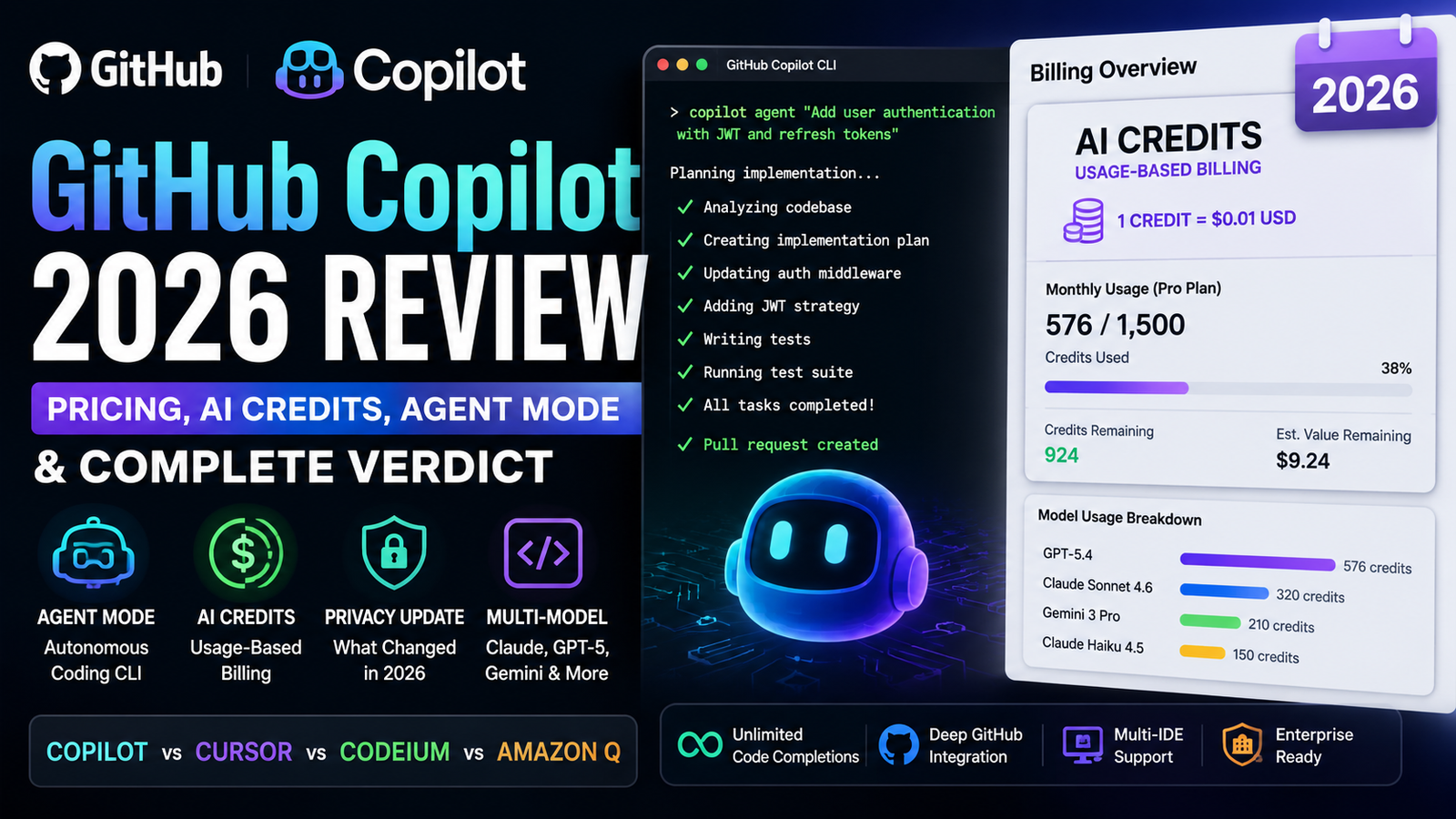
A developer on GitHub’s community forum posted something that captured the moment: “Copilot Pro: 1 agentic prompt consumed 576 of 1,500 AI Credits on June 1 — entire monthly budget lasts 2 sessions”. Another user reported that a couple of Copilot-led commits consumed roughly 5,000 AI Credits.
GitHub Copilot is no longer the $10/month flat-rate assistant many signed up for. On June 1, 2026, Microsoft’s subsidiary transitioned from premium request units to usage-based billing with GitHub AI Credits [1†L6-L8].
Here is what actually happened—and what you need to know before your next git commit.
What Actually Changed on June 1, 2026
Quick Answer: GitHub replaced “Premium Request Units” with “AI Credits” (1 credit = $0.01). Your monthly subscription now buys a fixed pool of credits that drain based on token usage and model choice. Once credits are gone, you either stop using the agent/chat features or pay per token.
GitHub’s official explanation is straightforward: “Copilot is not the same product it was a year ago. It has evolved from an in-editor assistant into an agentic platform… Agentic usage is becoming the default, and it brings significantly higher compute and inference demands… the current premium request model is no longer sustainable” [2†L12-L14].
The key changes according to GitHub’s official documentation [1†L16-L17][2†L23]:
- Premium Request Units (PRUs) are gone. Replaced by GitHub AI Credits, where 1 credit = $0.01 USD.
- Usage is token-based. You are billed on input, output, and cached tokens at each model’s published API rate.
- Model choice matters significantly. One million output tokens from GPT-5.4 nano costs roughly $1.25, while GPT-5.5 costs significantly more due to higher token multipliers [1†L20].
- No fallback. Under the old system, exhausting PRUs meant falling back to a cheaper model. Now, usage is governed strictly by available credits and your configured spending budget.
- Annual plan users are grandfathered until their plan expires [1†L9]. Monthly subscribers were automatically migrated.
The Product Itself: What Copilot Actually Does Now
Before we get deeper into pricing, let us talk about what you are actually paying for—because the product has genuinely evolved.
Agent Mode: The CLI That Works Autonomously
On February 25, 2026, GitHub Copilot CLI reached general availability [3†L5]. It is not a chat interface. It is an autonomous coding agent that can:
- Plan complex tasks with a structured implementation plan.
- Execute multistep workflows, edit files, and run tests.
- Iterate until the job is done.
- Run in autopilot mode—executing tools and commands without stopping for approval.
Built-in specialized agents handle exploration, builds and tests, code review, and implementation planning.
Multi-Model Choice
You can now choose from models including Claude Opus 4.6, Claude Sonnet 4.6, GPT-5.3-Codex, and Gemini 3 Pro. Faster models like Claude Haiku 4.5 are available for quick tasks [1†L19].
The catch: Every model has a different token multiplier, meaning credits drain at different speeds. Models like GPT-5 mini and GPT-4.1 are included at no additional cost [1†L20].
Deep GitHub Integration
Copilot can reference issues, PRs, and repository context directly. Open an issue, tag Copilot, and it can create a branch, write the implementation, run CI tests, and open a pull request—a workflow unique to GitHub’s ecosystem.
Code Completions Stay Free (For Now)
Quick Answer: Code completions and Next Edit Suggestions remain unlimited on paid plans and do not consume credits. If you only use inline autocomplete, your costs have not changed.
GitHub Copilot Pricing 2026: The Full Breakdown
Here is the current individual plan lineup as of June 1, 2026, sourced directly from the official GitHub Copilot plans page [4†L1-L5]:
| Plan | Price | Base Credits | Flex Allotment | Total Credits | Credit Value |
|---|---|---|---|---|---|
| Free | $0 | Limited completions + chat/agent | — | Limited | — |
| Pro | $10/mo | 1,000 | 500 | 1,500 | $15 |
| Pro+ | $39/mo | 3,900 | 3,100 | 7,000 | $70 |
| Max | $100/mo | 10,000 | 10,000 | 20,000 | $200 |
What is “flex”? GitHub describes it as “variable additional usage on top of your base” that “will vary over time” as AI economics evolve [2†L20]. Your base credits (1:1 with subscription price) never change.
Overage: Once included credits are consumed, you can set a spending budget and continue at $0.01 per credit [1†L16].
Existing users: Annual Pro/Pro+ subscribers remain on premium request-based pricing until their plan expires [1†L9].
Business and Enterprise: Business is $19/user/month (1,900 credits standard, 3,000 promotional through August 2026); Enterprise is $39/user/month (3,900 credits standard, 7,000 promotional) [4†L6-L7].
What Does 1,500 Credits Actually Get You?
Quick Answer: One complex agentic prompt can consume 500–600 credits. That means a $10/month Pro plan covers roughly 2 to 3 heavy agentic sessions per month before you hit overages.
This is where the rubber meets the road. Based on community reports and GitHub’s own billing preview tool:
- A single agentic prompt on GPT-5.4 consumed 576 credits—38% of a Pro plan’s monthly allowance.
- A couple of Copilot-led commits consumed roughly 5,000 credits [5†L10].
- A simple query cost 15 credits; generating a small implementation plan took 100 credits.
GitHub has pointed users to the Billing Preview tool (available since early May 2026) and spending limit controls. However, as one developer noted, the lack of cost predictability remains a significant friction point.
The Privacy Question
On March 25, 2026, GitHub announced an update to its Privacy Statement and Terms of Service [6†L1-L3].
Quick Answer: Starting April 24, 2026, interaction data from Copilot Free, Pro, and Pro+ users—including code snippets and prompts—is used to train AI models by default. You must manually opt out in settings. Business and Enterprise users are exempt.
The exceptions according to GitHub’s official policy [6†L5-L7]:
- Copilot Business and Enterprise users are not affected.
- Users who opt out in settings under “Privacy” are excluded.
- If you previously opted out, your preference is preserved.
For organizations with sensitive intellectual property, this is a non-negotiable consideration. Individual developers should navigate to their GitHub settings > Copilot > Privacy to toggle this off immediately.
GitHub Copilot vs Cursor vs Codeium vs Amazon Q: The 2026 Reality Check
The market has matured significantly. Here is how Copilot stacks up against the current heavyweights:
| Copilot Pro | Cursor Pro | Codeium (Free) | Amazon Q Developer | |
|---|---|---|---|---|
| Price | $10/mo ($15 credits) | ~$20/mo | Free | $19/mo (Pro) |
| Completions | Unlimited (free) | Billed | Unlimited (free) | Unlimited |
| Editors | VS Code, JetBrains, Neovim, VS, Xcode | VS Code fork only | VS Code, JetBrains, 40+ editors | VS Code, JetBrains, AWS Console |
| Agent Model | Routes to Claude/GPT/Gemini | Composer (autonomous) | Basic chat | AWS-native agents |
| Unique Edge | GitHub integration | Deep codebase indexing | Best free tier | AWS service integration |
The verdict on competitors:
- Cursor is superior for large-scale refactoring across multiple files, but you are locked into its IDE fork.
- Codeium is the best budget option. Quality is ~90% of Copilot for completions, and it costs nothing.
- Amazon Q Developer is compelling if you are deep in the AWS ecosystem, but it is less mature for general-purpose development.
Who Should Use GitHub Copilot in 2026
✅ Use It If:
- You are on a Business or Enterprise plan. Privacy protections (no training) and centralized management make it a different product [6†L5].
- You are a student with existing access. (Note: new sign-ups for student plans were paused on April 20, 2026 [7†L2]).
- You primarily use autocomplete. Completions remain unlimited and free on paid plans.
- You are all-in on GitHub. Issues, PRs, Actions, and repository context integration is genuinely powerful.
- You use multiple IDEs. Copilot supports VS Code, JetBrains, Neovim, Visual Studio, and Xcode.
❌ Avoid It If:
- You are a heavy agentic user on an individual plan. One complex prompt can burn 38% of your monthly Pro allowance.
- You care about privacy on individual plans. Your data is used for training unless you opt out.
- You want predictable costs. Usage-based billing with token metering makes budgeting difficult.
- You primarily do multi-file refactoring. Cursor’s Composer is more mature for this use case.
- You are cost-conscious and do not need GitHub integration. Codeium is free and highly competitive.
The Honest Take
For individual developers on Pro plans, Copilot is no longer the obvious choice it was in 2024. The pricing model has introduced unpredictability, and the privacy policy changes are a genuine concern.
For enterprises and teams already embedded in GitHub’s ecosystem, Copilot remains compelling—but you are paying for governance, security, and integration, not just code completion.
The Verdict
GitHub Copilot in 2026 is a tale of two products.
On one hand, the agentic capabilities are genuinely impressive. The CLI agent, multi-model support, and deep GitHub integration represent real technological progress.
On the other hand, the pricing and privacy changes have fundamentally altered the value proposition for individual developers. What was once a predictable $10/month subscription is now a usage-based meter where a single prompt can consume 38% of your monthly allowance.
GitHub’s justification—that agentic workflows consume more compute and the old model was unsustainable—is logically consistent [2†L12-L14]. But the execution has been jarring. Developers are angry, and some are leaving.
My Recommendation:
- Autocomplete-heavy users on individual plans: Stick with it. The cost impact is minimal.
- Heavy agentic users: Upgrade to Pro+ or Max—or consider Cursor.
- Cost-conscious developers: Codeium is a serious alternative.
- Enterprises: Copilot Business and Enterprise remain strong choices—but only if you value integration and governance more than raw AI capability.
The AI coding assistant market is no longer a one-horse race. That competition is good for all of us.
Key Takeaways
- GitHub Copilot switched to usage-based billing (AI Credits) on June 1, 2026—1 credit = $0.01 [1†L6-L8].
- Pro: $10/mo for 1,500 credits ($15 value); Pro+: $39/mo for 7,000 credits ($70); Max: $100/mo for 20,000 credits ($200) [4†L1-L5].
- Code completions remain unlimited and free on paid plans [1†L16].
- Privacy change: Individual plan data is used for AI training by default unless you opt out [6†L1-L3].
- Agentic features (CLI, multi-model, GitHub integration) are genuinely improved [3†L5].
- Cursor is better for multi-file work but only works in its own IDE.
- Codeium is free and competitive for most use cases.
Frequently Asked Questions
1. Is GitHub Copilot free now?
Answer: GitHub Copilot offers a Free tier with limited completions and chat/agent usage per month. Paid plans start at $10/month for Pro [4†L1].
2. How much does GitHub Copilot cost in 2026?
Answer: Pro: $10/month (1,500 AI Credits), Pro+: $39/month (7,000 credits), Max: $100/month (20,000 credits), Business: $19/user/month, Enterprise: $39/user/month [4†L1-L7].
3. What are GitHub AI Credits?
Answer: AI Credits are the usage-based billing unit, where 1 credit = $0.01. Usage is calculated on token consumption (input, output, and cached) at per-model API rates [1†L16-L17].
4. Did GitHub Copilot pricing change in 2026?
Answer: Yes. On June 1, 2026, GitHub replaced premium request units with usage-based AI Credits billing [1†L6]. Base plan prices stayed the same, but included usage is now a fixed credit pool.
5. Is GitHub Copilot worth it after the pricing changes?
Answer: For autocomplete-heavy users on individual plans, yes. For heavy agentic users, the math is challenging—one complex prompt can consume 38% of a Pro plan’s monthly allowance. Enterprise users get better value with privacy protections.
6. Does GitHub Copilot train on my code?
Answer: If you are on Free, Pro, or Pro+ plans, yes—interaction data is used for AI model training by default unless you opt out. Business and Enterprise customers are exempt [6†L5-L7].
7. What is the difference between Copilot and Cursor?
Answer: Copilot ($10/mo) works in multiple IDEs and has unlimited free completions. Cursor (~$20/mo) is a standalone VS Code fork with deeper codebase indexing and multi-file agent capabilities.
8. Can students get GitHub Copilot for free?
Answer: Verified GitHub Education students get free access. However, new sign-ups for student plans were paused on April 20, 2026. Existing access continues [7†L2].
About the Author
Shourya Singh is a Senior Technology Analyst at TechUnfoldedAI.com, specializing in developer productivity tools, AI infrastructure, and SaaS economics. With over eight years of experience in software engineering and technical content strategy, Alex has tested GitHub Copilot, Cursor, Codeium, and Amazon Q in production environments across startups and enterprise teams.
- View all articles by Shourya Singh
Leave a Reply