
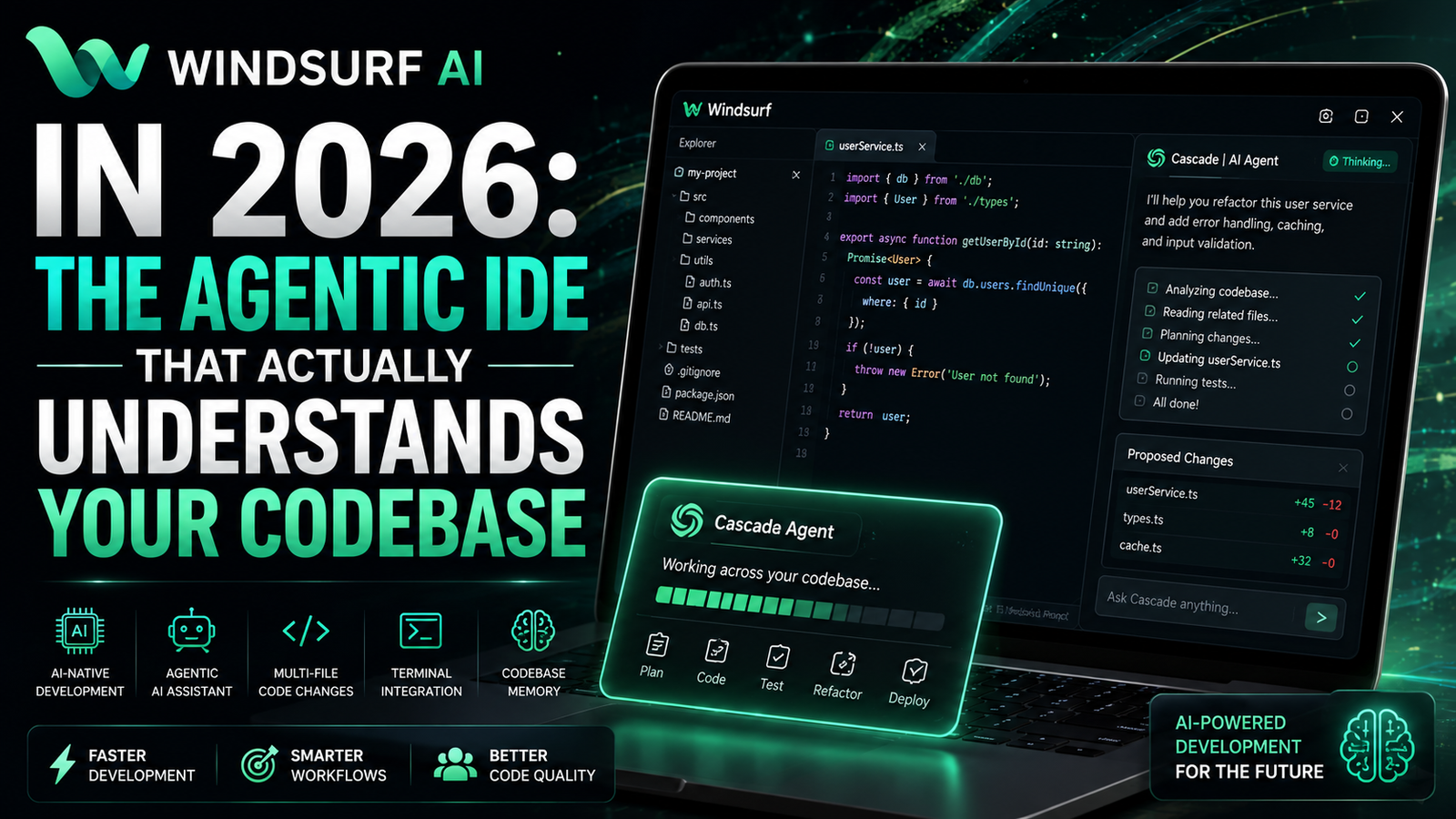
What Is Windsurf AI?
Windsurf AI is a standalone, AI-native code editor built on a fork of VS Code by Codeium (now owned by Cognition AI). Unlike plugin-based AI tools that bolt intelligence onto existing editors, Windsurf integrates AI into the editor’s core—every keystroke, every file open, every terminal command runs through an AI layer designed to keep you in “flow state”.
The company behind it started as a GPU virtualization platform in 2021, pivoted to AI coding in 2024, and by November of that year had released the Windsurf Editor. By March 2026, Windsurf claimed over 1 million global users and 4,000+ enterprise customers.
But here’s the thing about those numbers: they predate the acquisition drama and pricing backlash that defined Windsurf’s 2026. More on that later.
What actually matters: Windsurf isn’t another Copilot clone. It’s a bet that AI should work like a collaborative agent, not just an autocomplete on steroids.
Cascade: The Agent That Actually Works (Mostly)
Windsurf’s crown jewel is Cascade, its agentic AI system. Where GitHub Copilot suggests the next line, Cascade can:
- Plan and execute multi-file code changes
- Run terminal commands and analyze their output
- Read linter errors and fix them automatically
- Modify files across an entire codebase
- Remember your codebase patterns through Memories
Cascade operates in two modes:
| Mode | What It Does | Best For |
|---|---|---|
| Chat Mode | Answers questions, explains code, suggests fixes | Learning, debugging, code review |
| Write Mode | Makes actual changes to files autonomously | Refactoring, feature implementation, bug fixes |
In practice, Cascade feels different from Cursor’s Composer or Copilot’s agent features. It’s more continuous and less prompt-driven. You don’t need to constantly re-explain context—Cascade tracks what you’re doing and infers intent.
The catch: Cascade is powerful but not infallible. Users report it “struggles with large context, tool calls failing repeatedly, and most importantly just outright ignoring instructions in the agent mode”. One Gartner reviewer noted: “The concept is great. Execution falls somewhat flat because of the underlying issues with LLMs”.
The SWE-1.5 Model: Speed or Hype?
Windsurf’s proprietary SWE-1.5 model is marketed as achieving “performance close to Claude 4.5 at 13x the speed”. It’s a frontier-size model with hundreds of billions of parameters, optimized specifically for Windsurf’s agent experience and trained end-to-end on real coding tasks.
What this means in practice: SWE-1.5 handles routine coding tasks faster than Claude, freeing up your premium model credits for harder problems. But it’s not a replacement for Claude Opus or GPT-4 on complex architectural decisions—it’s a fast agent model, not a reasoning powerhouse.
The Pricing Shakeup That Angered Everyone
Here’s where things get interesting—and controversial.
On March 19, 2026, Windsurf overhauled its entire pricing structure:
| Plan | Price | Key Features |
|---|---|---|
| Free | $0 | Light daily/weekly quota, unlimited Tab autocomplete |
| Pro | $20/month | Standard quota, all premium models, SWE-1.5, Previews, Deploys |
| Max | $200/month | Heavy quota, everything in Pro with higher limits |
| Teams | $40/user/month | Centralized billing, admin dashboard, analytics |
| Enterprise | Custom | SSO, RBAC, hybrid deployment, volume discounts |
The changes that sparked outrage:
- Credits were replaced with daily/weekly quotas
- Pro went from $15 to $20
- A new $200 Max tier appeared
User backlash was swift and brutal. On Reddit and X, “discussions about Windsurf pricing were almost entirely negative” for days after the change. One user wrote: “Bought $20 in extra quota, used it up in two or three prompts… this is worse than the old credit system”.
On Trustpilot and Capterra, Windsurf’s community score dropped to 1.4/5 across 15 reviews, with only 7% of reviewers recommending it. The main complaint? “Pricing and credit model changed overnight, with quotas cut and no clear warning”.
The honest take: The product itself didn’t get worse. But Windsurf burned trust with its existing user base. If you’re evaluating the tool today, the pricing is what it is—$20/month for Pro is still competitive with Cursor. But the way the change was handled says something about the company’s relationship with its users.
Performance: Speed vs. Stability
Windsurf is fast—when it works. Tab autocomplete is “blazing fast” and doesn’t consume quota. Cascade’s responses are generally snappy, especially with SWE-1.5 handling routine tasks.
But stability is a real concern:
- Windsurf “can experience UI glitches, slowdowns, and memory issues during intensive AI sessions”
- Large projects cause “noticeable slowdowns”
- One GitHub issue documented SWE-1.6 causing “extreme resource usage” with the backend entering a “reconnect loop”
What this means for you: Windsurf works great for small-to-medium projects and daily coding tasks. For massive monorepos or heavy AI sessions, you’ll notice the friction. It’s a VS Code fork carrying the weight of heavy AI operations—and sometimes that weight shows.
Windsurf AI vs. Cursor vs. Copilot: The 2026 Landscape
In February 2026, LogRocket’s AI Dev Tool Power Rankings put Windsurf at #1—ahead of both Cursor and Copilot. That ranking was based on actual usage data, not hype.
But rankings don’t tell the full story. Here’s the real breakdown:
| Tool | Format | Best For | Price | Key Differentiator |
|---|---|---|---|---|
| Windsurf | VS Code fork | Flow-state coding, multi-file edits | $20/mo | Cascade agent, SWE-1.5 speed |
| Cursor | VS Code fork | Deep codebase understanding, power users | $20/mo | Composer, parallel subagents |
| GitHub Copilot | IDE plugin | Teams already on GitHub, reliability | $10/mo | Ecosystem integration |
**Windsurf is built for fast iteration inside VS Code”. It’s the “rational switch for Cursor users who feel the IDE has gotten loud. Cascade is genuinely a different agent shape—more continuous, less prompt-driven—and the IDE is quieter”.
The trade-off: Cursor has deeper project understanding and more advanced agent capabilities. Copilot has unmatched ecosystem integration. Windsurf sits in the middle—good at both, best at neither, but priced competitively and designed for developers who want AI woven into every interaction without the noise.
The Privacy and Security Question
For enterprise teams, Windsurf offers:
- Zero data retention by default
- FedRAMP High–certified infrastructure
- Hybrid or region-specific deployments
- SSO/SAML and RBAC for enterprise plans
But there’s a catch: In April 2026, a zero-click prompt injection vulnerability was disclosed affecting the MCP protocol itself—impacting multiple AI IDEs including Windsurf. The root issue lies in Anthropic’s MCP SDK, meaning any tool using the protocol inherits the vulnerability regardless of their own security measures.
What this means: Windsurf’s security posture is enterprise-grade for a coding assistant. But the MCP ecosystem is still maturing, and vulnerabilities in underlying protocols affect everyone.
Who Should Use Windsurf AI (And Who Shouldn’t)
Use Windsurf if:
- You’re a mid-level developer who wants AI assistance without leaving your editor
- You work on small-to-medium codebases and value flow over power features
- You want multi-model access without juggling accounts
- You’re on a team of 3-20 developers who want consistent AI tooling
- You prefer an IDE-embedded experience over terminal-based agents
Avoid Windsurf if:
- You’re a solo founder shipping production code through AI prompts—Claude Code or Cursor might serve you better
- You work on massive monorepos where stability is critical
- You can’t tolerate quota anxiety or unpredictable usage costs
- You’re already happy with Cursor and don’t see a reason to switch
- You need deep terminal-based agent workflows—Claude Code is a better fit
One developer’s take that resonated: “Windsurf is built for a developer who already knows how to code… you open a file, you understand what’s in it, you ask the AI for help with a specific edit”. It’s an assistant, not a replacement. If you want AI to ship entire features end-to-end, look elsewhere.
The Acquisition Drama Nobody’s Talking About
This is the part most reviews skip, and it matters.
**In July 2025, Google paid $2.4 billion to hire Windsurf’s CEO and core R&D team**. Then, **72 hours later, Cognition AI acquired the remaining assets**—including intellectual property, product lines, and 250 employees—for $300 million in stock.
The aftermath was messy. Cognition offered buyouts to 200 former Windsurf employees and laid off 30 others, telling the rest to commit to six-day office weeks and an 80-hour work culture.
Why this matters for you: Windsurf’s product roadmap is now controlled by Cognition, the company behind Devin (the “first AI software engineer”). The acquisition brings together two agentic coding efforts, but it also introduces uncertainty. Users have expressed concern about roadmap clarity and whether Windsurf will continue as a standalone product.
The good news: Windsurf continues to ship updates—Wave 13 in early 2026 introduced multi-agent sessions, Git worktrees, and SWE-grep for fast context retrieval. The product isn’t dead. But the corporate drama is worth knowing before you commit.
FAQs
1. Is Windsurf AI free?
2. How much does Windsurf AI cost in 2026?
3. Is Windsurf AI better than Cursor?
A: It depends on your workflow. Cursor has deeper codebase understanding and more advanced agent capabilities. Windsurf offers a smoother, quieter flow with a different agent shape—more continuous and less prompt-driven. Try both; they’re the same price.
4. What programming languages does Windsurf support?
5. Does Windsurf AI work offline?
6. Is Windsurf AI safe for enterprise use?
A: Windsurf offers zero data retention by default, FedRAMP High certification, and hybrid/region-specific deployments. However, the MCP protocol vulnerability disclosed in April 2026 affects all MCP-based tools, including Windsurf.
Final Verdict
Windsurf AI is a genuinely impressive tool wrapped in controversy.
The product itself delivers on its core promise: an AI-native IDE that understands your codebase and helps you stay in flow. Cascade is powerful, SWE-1.5 is genuinely fast, and the editor feels polished. For mid-level developers and small teams who want AI woven into every interaction, Windsurf is a solid choice.
But the baggage is real. The pricing backlash, the acquisition drama, the stability issues on large projects—these aren’t hypothetical concerns. They’re real problems real users have experienced.
Who should buy: Developers who want an AI IDE that feels like a natural extension of VS Code, value flow over power features, and can tolerate some rough edges. Small teams (3-20 developers) who want consistent tooling without paying enterprise premiums.
Who should skip: Solo founders shipping end-to-end features through AI, developers working on massive monorepos where stability is critical, and anyone who can’t stomach quota anxiety or unpredictable usage costs.
The bottom line: Windsurf is worth a serious look—especially on the free trial. Just go in with your eyes open about the pricing model and the corporate drama behind the scenes.
Key Takeaways:
- Windsurf is an AI-native VS Code fork with Cascade, an agentic AI that handles multi-file edits, terminal commands, and debugging
- Pro costs $20/month after a controversial March 2026 pricing overhaul that replaced credits with quotas
- SWE-1.5 offers Claude 4.5-level performance at 13x the speed for routine coding tasks
- Stability issues exist on large projects—UI glitches, slowdowns, and memory problems are reported
- The July 2025 Cognition acquisition and Google talent raid add uncertainty to the roadmap
- Best for mid-level developers and small teams; skip if you’re a solo founder shipping via AI prompts
For regular updates about the AI, AI tools, AI guides, technology & more. Visit, The TechUnfoldedAi.com.
Read next: Latest AI Tools | How to Use AI in Daily Life | 10 Free AI Tools for 2026 | Perplexity AI | DeepSeek AI
Leave a Reply