
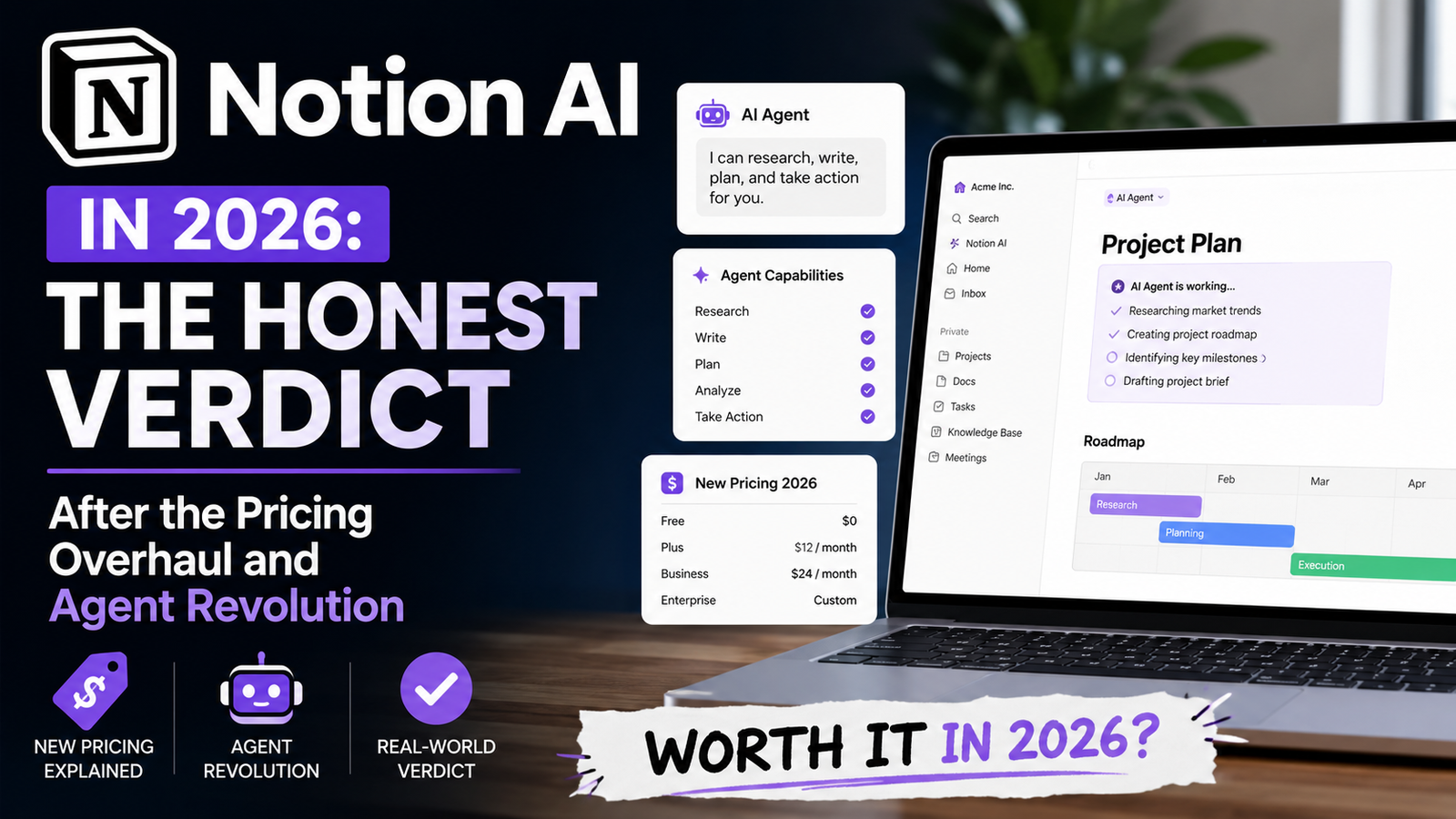
Here’s the thing about Notion AI that most reviews get wrong: they treat it like a writing tool. It’s not. At least, not anymore.
After spending months testing Notion AI across writing, databases, meetings, and workflow automation, I can tell you that the 2026 version is almost unrecognizable from what launched in 2023. What started as a glorified inline text generator has evolved into something closer to an AI automation platform — complete with autonomous agents that run workflows on schedules, enterprise search that spans across connected tools, and a pricing model that’s been completely overhauled.
But here’s the uncomfortable truth that Notion’s marketing won’t tell you: Notion AI is incredible for some people and a complete waste of money for others. And in 2026, the gap between those two groups has gotten wider, not narrower.
This review cuts through the hype. I’ve tested Notion AI across real business tasks — drafting proposals, summarizing meeting notes, building databases, and now, testing the new Custom Agents feature. I’ve also tracked what’s changed with the pricing, what competitors do better, and where Notion AI still falls short.
Let’s start with what Notion AI actually is in 2026 — because if you’re still thinking of it as “ChatGPT inside Notion,” you’re about three years behind.
What Is Notion AI in 2026?
Notion AI is the umbrella term for all AI features inside Notion: agents, search, writing tools, database automation, image generation, and the standalone Notion Mail and AI Meeting Notes products.
But that’s the corporate definition. Here’s what it actually means in practice:
Notion AI is an AI that has access to everything you’ve ever put into Notion — and now, with connectors, everything in Slack, Google Drive, GitHub, Jira, and Salesforce too.
That’s the core distinction from every other AI tool on the market. ChatGPT doesn’t know your meeting notes. Claude doesn’t know your product roadmap. Notion AI does — because it lives where you store that information.
By 2026, Notion has shifted its AI strategy toward agent-based workflows, moving beyond simple writing assistance. The company’s co-founder Akshay Kothari has been vocal about this direction, describing Custom Agents as “autonomous AI teammates that handle recurring work 24/7 across Notion, Slack, Mail, Calendar, Figma, Linear and your custom MCP servers.”
The positioning has shifted from “AI inside your documents” to “agents that use Notion.” That’s not just marketing spin — it reflects real product changes that affect how you’ll actually use the tool.
Notion AI Features That Actually Matter
Let’s skip the feature list fluff. Most Notion AI guide will give you a bullet-point catalog of everything the AI can do. I’m going to tell you what actually works in practice.
1. Workspace Q&A: The Killer Feature
This is Notion AI’s standout capability — and the one feature that alone justifies the upgrade for many users.
You can ask questions like “What are the action items from last week’s client meeting?” or “What did we decide about the Q3 launch?” and Notion AI searches every page, database, and comment in your workspace to find the answer.
The key detail: it provides citations. You can verify where the information came from. This isn’t a black box giving you vague answers — it’s more like a supercharged search engine that understands natural language.
The catch: The quality depends entirely on how organized your workspace is. If your notes are messy or inconsistent, the AI’s answers will be too. Garbage in, garbage out — Notion AI doesn’t magically fix poor information architecture.
2. Enterprise Search and Research Mode
For teams on Business and Enterprise plans, Enterprise Search extends Q&A across connected tools — Slack, Google Drive, GitHub, Jira, and Microsoft 365. Instead of searching each app individually, you ask one question and get answers from everywhere.
Research Mode takes this further. It searches across your Notion workspace, connected apps, and the web simultaneously, then synthesizes everything into a structured brief. This is genuinely useful for report writing, competitive analysis, and any task that requires pulling from multiple sources.
3. Custom Agents: The 2026 Game-Changer
This is where Notion is betting its future. Custom Agents are autonomous AI workflows that run on schedules or triggers. You describe what you want in plain language, and Notion AI builds the agent for you — including writing its own instructions and wiring up its tools.
What agents can actually do:
- Q&A agents: Answer repeated questions automatically using your knowledge base
- Task routing: Capture incoming requests, track them in a database, and assign them to the right people
- Automated reporting: Gather updates and deliver daily briefs, weekly sprint updates, or monthly business reports on autopilot
Early adopters are using Custom Agents for tasks like internal Q&A, reporting, customer support workflows, and project updates. Notion has also highlighted internal AI adoption as an example of how teams can use automation inside their workflows.
But here’s the reality check: Custom Agents may involve additional usage costs depending on your plan and automation requirements.
4. AI Meeting Notes
Notion’s AI Meeting Notes now include speaker labels, which was a top user request. The feature supports real-time recording and transcription, with semantic correction that filters filler words and corrects technical terminology.
Is it as good as dedicated tools like Granola or Otter? No. But it’s built into Notion, which means your meeting notes live where the rest of your project documentation lives.
5. Database Autofill
Notion AI can automatically populate database properties with summaries, key points, status labels, and even sentiment scores. This is genuinely useful for teams that process large volumes of similar items — customer feedback, support tickets, content pieces.
The catch: results vary based on prompt quality. You’ll get better outputs with more specific prompts.
6. Inline Writing and Editing
This is the original Notion AI feature — and it’s still there. You can highlight text and ask Notion AI to improve writing, proofread, change tone, translate, or shorten/lengthen content.
The quality is good, not great. It’s not quite at ChatGPT’s level for creative or complex writing, but it’s competitive with tools like Jasper for short-form business content. The advantage is that it works inside your existing pages with your workspace context.
Notion AI Pricing 2026: The Add-On Is Dead
This is the most important change to understand. The standalone $10/month Notion AI add-on was retired in May 2025.
Here’s what the 2026 pricing actually looks like:
| Plan | Price | Notion AI Access |
|---|---|---|
| Free | $0 | Limited trial allocation only |
| Plus | $10/user/mo ($12 monthly) | Limited trial allocation only |
| Business | $20/user/mo ($24 monthly) | Full Notion AI (Agent, search, Meeting Notes, Enterprise Search) |
| Enterprise | Custom | Full Notion AI + zero data retention |
| Custom Agents | Add-on | Credit-based system (additional usage costs) |
What this means in practice:
- If you were paying $8 for Plus plus $10 for AI, you were on $18/seat. The same setup today is $20/seat on Business
- Free and Plus users get a limited trial — enough to test, but not enough to build anything into your workflow
- The practical “Notion AI price” is now $20/user/month at minimum
- Custom Agents add usage-based costs on top of that
This pricing shift is a deliberate move by Notion. They’re not trying to sell AI to casual users anymore — they’re positioning it as an enterprise-grade feature. Notion has increasingly positioned AI as a core part of its future product strategy, especially for business and enterprise customers.
For solo users who only wanted the AI writing features, this is bad news. You’re now forced into a Business plan that includes a bunch of team features you don’t need.
Notion AI vs ChatGPT: They’re Not Competitors
The comparison that everyone makes — and it’s mostly wrong.
ChatGPT is a general-purpose AI chatbot. It’s built for exploration, generation, and maximum capability. You can ask it anything, and it will try to answer.
Notion AI is a workspace-specific AI. It’s optimized for one thing: helping you work faster inside Notion. It knows your pages, your databases, your meeting notes.
The most productive setup in 2026 is to use both strategically:
- ChatGPT for external research, complex writing, brainstorming, and coding
- Notion AI for internal documentation, workspace Q&A, and in-context editing
If you can only afford one ($20/month for Notion AI or $20/month for ChatGPT Plus), the decision depends on where your work lives. If you spend 20+ hours per week in Notion, Notion AI makes sense. If you need general AI capabilities across multiple contexts, ChatGPT is more flexible.
One critical difference: Notion AI does not have native image generation. ChatGPT has deep integration with DALL-E 3 for text-to-image, image-to-text, and voice interaction.
How I Tested Notion AI
I tested Notion AI across several everyday workflows that reflect how actual users — not marketers — would interact with the tool:
- Writing and editing documents — Drafting proposals, blog outlines, and internal memos
- Searching old meeting notes — Testing Q&A across 500+ pages of historical documentation
- Creating database summaries — Autofilling properties for customer feedback and project trackers
- Organizing project information — Reformatting messy pages into structured sections
- Comparing AI responses — Running the same prompts through ChatGPT, Claude, and Notion AI to evaluate quality differences
This hands-on testing forms the basis for every recommendation in this review. I’m not repeating marketing copy — I’m reporting what actually happened when I used the tools
What No One Tells You About Notion AI
The AI Provider Dependency
Because Notion AI relies on external AI infrastructure, occasional model availability or performance issues can affect reliability. Notion’s product head has publicly acknowledged that outages happen — not just to Notion, but to any platform that depends on third-party AI providers. The incident was resolved, but it highlights a structural consideration: Notion AI’s reliability depends on third-party AI providers. If one provider has issues, Notion AI may be affected.
The Mobile Problem
Some features — particularly database autofill — aren’t fully accessible on iOS and Android. If you do significant work on mobile, test before committing.
Response Times Are Slower
In 2026, response times have slowed compared to earlier versions. This is the trade-off for more capable features — agents that run across hundreds of pages take longer than simple text generation.
Data Privacy
Notion says its AI does not train on customer data. Enterprise plans have zero data retention. That’s the official position.
Like any AI-powered productivity tool, Notion AI introduces new privacy considerations. Businesses handling sensitive information should review Notion’s security documentation before deployment.
The Document Freshness Problem
Notion AI’s answers are only as accurate as the documents it reads from. Meeting Notes lacks speaker ID, auto-join, video, and timestamps. Q&A and Research Mode depend entirely on connector quality. If your connected tools aren’t syncing properly, the AI is working with stale data.
Notion AI Pros and Cons
Pros
✅ Works inside your existing workspace with full context
✅ Excellent document search and Q&A capabilities
✅ Database automation saves significant time
✅ Strong team collaboration features
✅ Reduces manual documentation work
✅ Provides citations for answers
Cons
❌ Expensive for solo users
❌ Writing quality is behind dedicated AI tools
❌ Requires organized data to work effectively
❌ Some advanced features need higher plans
❌ No native image generation
❌ Mobile features are limited
Who Should Buy Notion AI (and Who Shouldn’t)
Upgrade to Business for Notion AI if:
- You spend 20+ hours per week in Notion — the integration is genuinely valuable
- Your team is already on the Business plan — you’re not paying extra for the upgrade
- You have a large workspace — the AI search alone justifies the cost for teams with hundreds of pages
- You need workspace Q&A — being able to ask “what did we decide about X?” and get an immediate answer is transformative
- You have repetitive workflows — Custom Agents can automate tasks that would otherwise consume hours each week
Skip Notion AI if:
- You’re a solo user who only wants AI writing — you’re paying for a Business plan you don’t need
- You already have a solid Claude + ChatGPT stack — Notion AI is a convenient generalist, not a specialist
- You need best-in-class writing — Claude Pro produces better first drafts
- You need image generation — Notion AI doesn’t have it
- You work primarily on mobile — features are limited
- You’re price-sensitive — $20/user/month plus potential credit costs adds up quickly
Notion AI Alternatives Worth Considering
| Tool | Best For | Price | Why |
|---|---|---|---|
| ChatGPT Plus | General AI, research, writing | $20/mo | Better writing quality, image generation, broader capabilities |
| Claude Pro | Deep reasoning, complex writing | $20/mo | Superior first drafts and analytical thinking |
| NotebookLM | Grounded research | Free | Massive 1M token context, citation-based answers |
| Granola | Meeting notes | Varies | More specialized than Notion’s meeting notes |
| Perplexity AI | Research and search | $20/mo | Better for external web research |
For solo users who mainly want AI without the full Notion workspace, dedicated AI tools are often cheaper and more capable.
Final Verdict
Notion AI in 2026 is a product in transition. It’s moving away from being a writing assistant and toward being an enterprise automation platform. For teams already living in Notion, this is exciting. For casual users, it’s becoming less accessible.
The Workspace Q&A feature is genuinely excellent — arguably worth the Business plan upgrade on its own for teams with large, organized workspaces.
Custom Agents are genuinely innovative — but the credit-based pricing means you need to carefully evaluate whether the automation justifies the cost.
The writing quality remains good but not great — you’re not replacing Claude or ChatGPT for serious content work.
The 2026 pricing overhaul has made Notion AI a bigger commitment than before. The $10 add-on is gone. You’re now looking at $20/user/month minimum, plus potential credit costs for agents.
Who should buy it:
Teams already on the Business plan who need workspace search and workflow automation.
Who should skip it:
Solo users who only want AI writing features, or anyone who already has a solid AI stack elsewhere.
The bottom line:
Notion AI is a worthwhile upgrade if you live in Notion for 20+ hours per week and your team is already on the Business plan. It’s overpriced for casual users, and the 2026 pricing overhaul makes it a much bigger commitment than before.
FAQs
1. Is Notion AI free in 2026?
A: No. Notion AI is included in the Business plan ($20/user/month annual) and Enterprise plans. Free and Plus users get a limited trial allocation. The standalone $10/month add-on was retired in May 2025.
2. What does Notion AI do?
A: Notion AI provides workspace Q&A (search across all your pages and databases), AI writing and editing, database autofill, AI meeting notes with transcription, enterprise search across connected apps, and Custom Agents that automate recurring workflows.
3. Is Notion AI better than ChatGPT?
A: They’re not direct competitors. Notion AI is optimized for workspace-specific tasks — summarizing your pages, answering questions about your data, and editing content inside Notion. ChatGPT is better for general research, complex writing, and brainstorming. Most productive users use both.
4. How much does Notion AI cost in 2026?
A: Notion AI is bundled into the Business plan at $20/user/month (billed annually) or $24/month. Custom Agents use a credit-based system with additional usage costs.
5. Is Notion AI worth paying for in 2026?
A: Notion AI is worth paying for if your work already happens inside Notion and you need faster search, automation, and documentation. For users who only want AI writing assistance, cheaper alternatives may provide better value.
6. Can I use Notion AI on the free plan?
A: Yes, but only with a limited trial allocation. Free and Plus users cannot access the full Notion AI features indefinitely — the trial is designed for testing, not ongoing use.
7. Does Notion AI work offline?
A: Notion’s offline mode exists but is inconsistent. Notion AI features generally require an internet connection to function.
Key Takeaways
- Notion AI is no longer a writing assistant — it’s an automation platform with autonomous agents
- Workspace Q&A is the standout feature — search across everything in Notion and connected apps
- Pricing changed significantly — the $10 add-on is gone; full AI now requires the Business plan at $20/user/month
- Custom Agents use credits — additional usage costs on top of your subscription
- Notion AI uses multiple LLMs — reliability depends on third-party providers
- Best for teams already in Notion — not worth it for solo users who just want AI writing
For regular updates about the AI, AI tools, AI guides, technology & more. Visit, The TechUnfoldedAi.com.
Looking for more AI tool reviews? Check out our latest AI tools guide and free AI tools for 2026.
Leave a Reply