
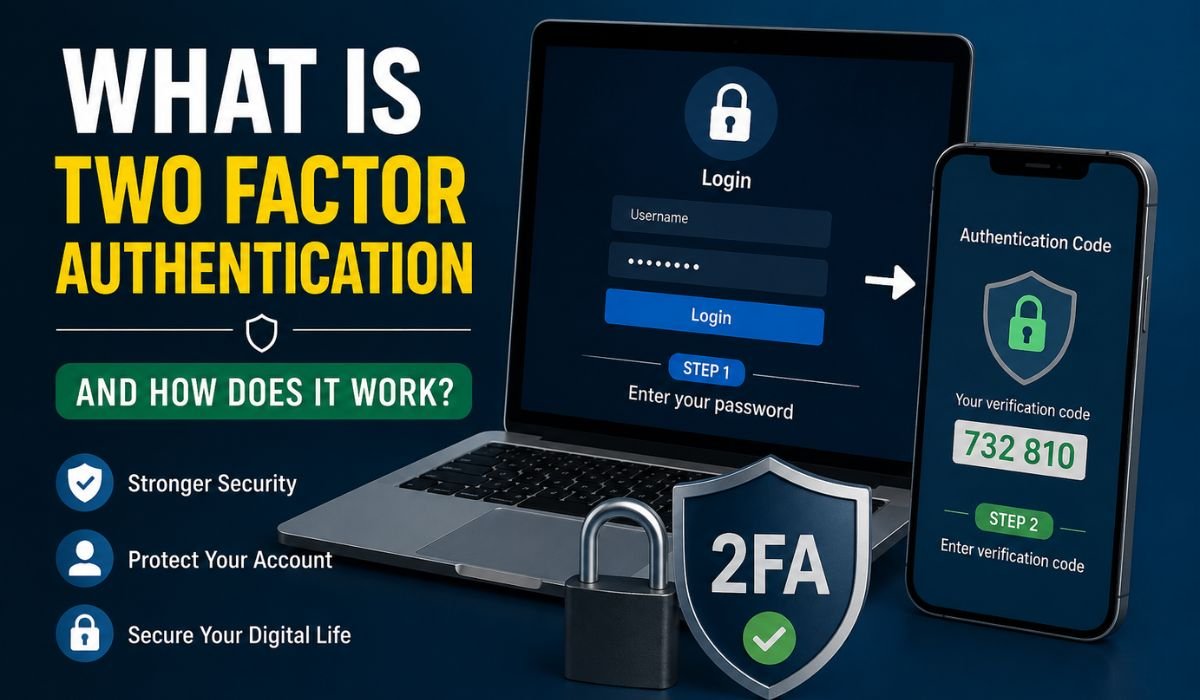
What Is Two Factor Authentication and How Does It Work: People use online accounts for almost everything in the present day age. From social media to online banking, from shopping websites to email accounts, work platforms, and cloud storage — we encounter multiple digital services daily. Therefore, it is essential to secure personal data. Only passwords are not enough to protect accounts from cyber threats.
Where Two Factor Authentication (2FA) Begins To Matter If you have ever been sent a code on your phone as part of logging in to an account, then you have already experienced two factor authentication.
People want to better secure their online accounts and many of them are wondering what is two factor authentication and how it works. We would explain everything in simple language and so anyone reading to understand it better.
What Is Two Factor Authentication?
Two Factor Authentication (2FA) is a method of authentication to verify that users are who they say they are using two different verification methods before gaining access to an account or system.
Users do not just enter a password, they must also perform a second step in the security process.
This seems simple enough, because the purpose of this system is:
This means that no matter how a thief gets hold of your password, they still will not be able to log in without the second factor of verification.
For example:
- You enter your email and password.
- A code is sent to your mobile phone.
- You enter that code.
- Access is granted.
This extra layer significantly improves account security.
How Does Two Factor Authentication Work?
To understand what is two factor authentication and how does it work, we need to understand the complete process step by step.
Step 1: Enter Username and Password
First, users log into an account using their regular login credentials.
Example:
- Username: john123
- Password: ********
This is the first authentication factor.
Step 2: Request Second Verification
After entering the password correctly, the system asks for another form of identity verification.
Examples include:
- SMS code
- Mobile app approval
- Email code
- Fingerprint
- Face recognition
Step 3: Verify Identity
Users enter or approve the second factor.
If the second verification matches the system records, login is successful.
Step 4: Access Granted
Once both authentication factors are confirmed, users gain access to their accounts.
This additional step helps prevent unauthorized access.
The Three Main Authentication Factors
Authentication usually depends on three categories.
| Authentication Factor | Description | Example |
|---|---|---|
| Something you know | Information only you know | Password, PIN |
| Something you have | Physical item you possess | Mobile phone, security key |
| Something you are | Biological characteristics | Fingerprint, facial recognition |
Two factor authentication combines any two of these categories.
Common Types of Two Factor Authentication
Different websites and applications use different methods of 2FA.
1. SMS Verification Codes
This is one of the most common authentication methods.
How it works:
- User enters password
- A code is sent through SMS
- User enters the code
Example:
Your bank sends:
Your verification code is 654821
Advantages:
- Easy to use
- Fast setup
Disadvantages:
- SIM swapping risks
- Messages can sometimes be delayed
2. Authentication Apps
Authentication apps generate temporary security codes.
Popular examples include:
- Google Authenticator
- Microsoft Authenticator
- Authy
How it works:
- Install an authentication app
- Connect it to your account
- App generates time-based codes
Advantages:
- More secure than SMS
- Works without internet
Disadvantages:
- Device loss may create recovery issues
3. Email Authentication
Some websites send a verification code through email.
Process:
- Enter password
- Receive email code
- Enter code
Advantages:
- Easy for beginners
Disadvantages:
- Less secure if email account gets compromised
4. Biometric Authentication
Biometric systems use physical characteristics for identity verification.
Examples:
- Fingerprint scanning
- Face recognition
- Retina scanning
Advantages:
- Fast and convenient
- Very difficult to copy
Disadvantages:
- Requires compatible devices
5. Physical Security Keys
Security keys are hardware devices connected through:
- USB
- Bluetooth
- NFC
Examples:
- Hardware authentication tokens
- USB security keys
Advantages:
- Very strong protection
Disadvantages:
- Extra cost
Comparison of Different Two Factor Authentication Methods
| Method | Security Level | Ease of Use | Cost |
|---|---|---|---|
| SMS Code | Medium | High | Low |
| Authentication App | High | Medium | Low |
| Email Verification | Medium | High | Low |
| Biometric Authentication | High | Very High | Medium |
| Physical Security Key | Very High | Medium | High |
Read More: How To Check if Your Phone is Hacked / HRMS Medicover
Why Two Factor Authentication Is Important
Cyberattacks continue to increase every year. Password theft happens through many methods:
- Phishing attacks
- Malware
- Data breaches
- Weak passwords
- Password reuse
Without additional security, hackers may easily access accounts.
Benefits of two factor authentication include:
Better Account Protection
Even stolen passwords become less useful.
Reduced Risk of Hacking
Attackers must pass multiple security checks.
Protection for Sensitive Data
2FA protects:
- Banking information
- Personal files
- Emails
- Social media accounts
- Business systems
Improved User Confidence
Users feel safer when accessing online platforms.
Real-Life Example of Two Factor Authentication
Suppose you log into your online banking account.
Normal login:
- Enter username
- Enter password
With 2FA enabled:
- Enter username
- Enter password
- Receive code on mobile
- Enter verification code
Even if a hacker somehow steals your password, they cannot log in because they do not have access to your phone.
Difference Between Two Factor Authentication and Multi Factor Authentication
People often confuse these terms.
| Feature | Two Factor Authentication | Multi Factor Authentication |
|---|---|---|
| Number of security factors | Two | More than two |
| Security level | High | Very high |
| Common use | Personal accounts | Business environments |
| Complexity | Moderate | Higher |
Two factor authentication uses exactly two verification methods.
Multi-factor authentication uses two or more methods.
Best Practices for Using Two Factor Authentication
To get maximum protection, follow these security practices:
Use Strong Passwords
Create passwords with:
- Uppercase letters
- Lowercase letters
- Numbers
- Symbols
Avoid Reusing Passwords
Do not use the same password across multiple websites.
Use Authentication Apps
Authentication apps usually provide stronger protection than SMS verification.
Keep Backup Recovery Codes
Store recovery codes safely.
Enable 2FA Everywhere Possible
Enable two factor authentication on:
- Email accounts
- Social media platforms
- Banking applications
- Cloud storage
- Business accounts
Common Myths About Two Factor Authentication
Myth 1: Passwords Alone Are Enough
Reality:
Strong passwords help, but additional protection is still important.
Myth 2: Two Factor Authentication Is Complicated
Reality:
Most systems require only a few extra seconds.
Myth 3: Only Large Businesses Need It
Reality:
Every online user benefits from better security.
Final Thoughts
What Is Two Factor Authentication and How Does It Work: Anyone using online services in this day and age should understand what two-factor authentication is and how it works. Modern cyber threats cannot solely rely on protection through passwords. Two-factor authentication will provide the protection needed to make personal and business information safer.
Regardless of whether you enter SMS codes, use an authentication app, rely on biometrics, or depend on hardware security keys to enable 2FA, the odds someone will – be able to get into your account. The additional second or so to login may prevent a more serious stage of security issues down the road.
In an age when online threats become ever more prevalent, Two Factor Authentication is now more than an option, it is a vital aspect of digital security.
FAQs
1. What is Two Factor Authentication (2FA)?
Two Factor Authentication (2FA) is a security method that requires users to verify their identity using two different authentication factors before accessing an account. Usually, it combines a password with another verification method such as a code, fingerprint, or security key.
2. How does Two Factor Authentication work?
Two Factor Authentication works in three simple steps:
Enter your username and password
Receive a second verification request
Enter the code or approve the authentication request
After successful verification, access is granted.
3. Why is Two Factor Authentication important?
Two Factor Authentication adds an extra layer of security and helps protect accounts from hackers, data theft, phishing attacks, and unauthorized access.
4. Is Two Factor Authentication completely secure?
No security system is 100% perfect, but 2FA significantly improves protection. It makes it much harder for attackers to access accounts even if they know your password.
5. What are the most common types of Two Factor Authentication?
Common types include:
1. SMS verification codes
2. Authentication apps
3. Email verification codes
4. Fingerprint authentication
5. Face recognition
6. Physical security keys
Leave a Reply