
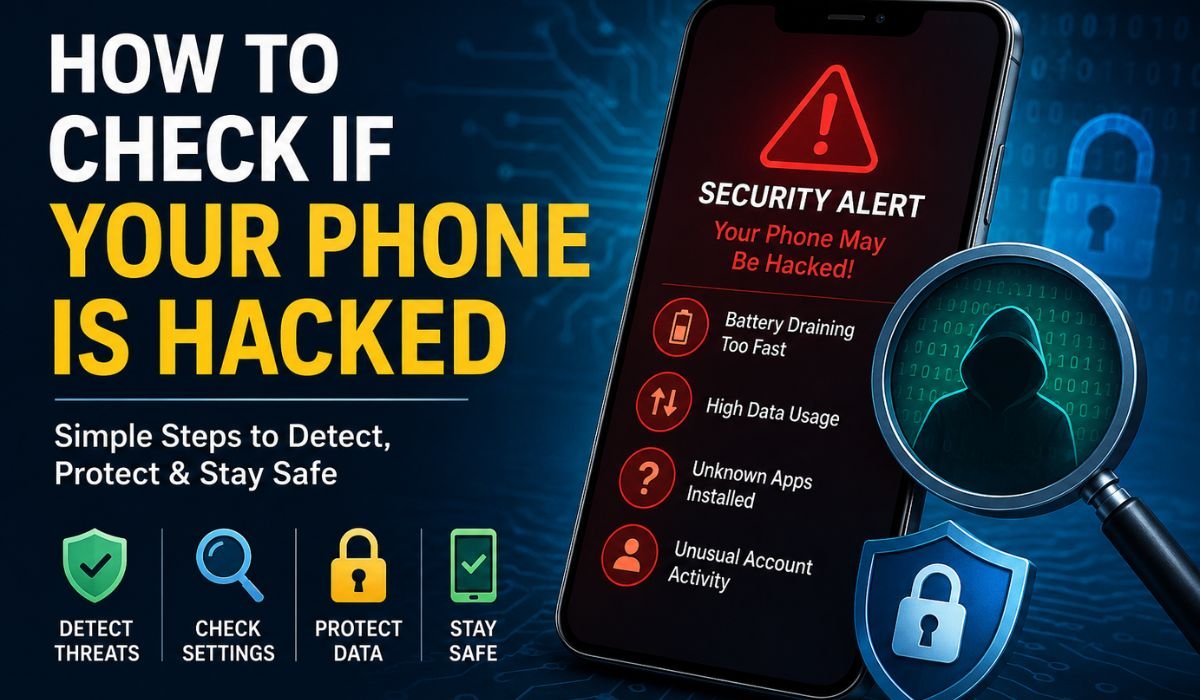
How To Check if Your Phone is Hacked: Smartphones have become a significant part of daily life. Everybody uses them to bank, shop, socialize, work and communicate. Hackers Love Phones: Because phones store one of our most explicit personal information. Personal photos, passwords, banking details—and perhaps your stomach-turning accounts—are revealed by a hacked phone.
Your phone might start behaving differently, and you immediately suspect someone is stalking your phone and has access to everything. However, not every issue means that a phone has been hacked. Symptoms can be relayed by battery issues, software bugs, or heavy app usage.
Reading How To Know If Your Phone Is Hacked will help you recognize real red flags and safeguard your data before it is too late.
This guide outlines the top warning signs, how to check your device, and what steps you can take to protect your phone.
What Does a Hacked Phone Mean?
A hacked phone means use of mobile by another person without the permission. In order to control a device, hackers can use malicious apps, phishing attacks, by redirecting people through fake links or exploiting vulnerabilities in the system of good software.
Once a device is compromised, hackers may:
- Steal passwords
- Access personal files
- Monitor activity
- Read messages
- Track location
- Install harmful software
- Use your accounts without permission
Understanding How To Check if Your Phone is Hacked starts with recognizing suspicious activity.
Common Signs Your Phone May Be Hacked
The table below shows common warning signs and possible reasons.
| Warning Sign | Possible Cause |
|---|---|
| Battery drains quickly | Background apps, malware, poor battery health |
| High data usage | Hidden activity or heavy app usage |
| Phone becomes slow | Too many apps, malware, low storage |
| Random pop-up ads | Adware or suspicious applications |
| Unknown apps appear | Unauthorized installations |
| Phone overheats frequently | Excessive background activity |
| Strange messages sent from your account | Unauthorized access |
| Unusual account login alerts | Someone attempting access |
One sign alone does not prove hacking. Multiple signs appearing together deserve attention.
Check Installed Apps Carefully
One of the easiest ways to identify suspicious activity is reviewing installed applications.
Follow these steps:
- Open phone settings.
- Go to Apps.
- View all installed applications.
- Look for apps you do not remember downloading.
Suspicious apps often:
- Have strange names
- Use generic icons
- Request unnecessary permissions
- Run continuously in the background
If you find unknown applications, remove them immediately.
This is an important step when learning How To Check if Your Phone is Hacked.
Review App Permissions
Some applications ask for permissions they do not actually need.
For example:
| App Type | Normal Permission | Suspicious Permission |
|---|---|---|
| Calculator app | Storage access | Camera, microphone, contacts |
| Flashlight app | Basic system functions | Messages and call logs |
| Photo editor | Storage and camera | Location tracking all the time |
Review permissions regularly.
Check:
Settings → Privacy → Permissions
Remove permissions that appear unnecessary.
Read More: HRMS Medicover / How to Use AI in Daily Life / The Future of AI Security
Monitor Battery Usage
Battery drain alone is not proof of hacking, but unusual battery consumption can reveal hidden activity.
To check battery usage:
Android
Settings → Battery → Battery Usage
iPhone
Settings → Battery
Look for:
- Unknown apps consuming large battery percentages
- Apps running continuously in the background
- Unexpected activity
Apps that use high resources without explanation should be investigated.
Monitor Data Usage
Hackers and malware may send information from your device to external servers.
Check your data usage:
Android
Settings → Network → Data Usage
iPhone
Settings → Cellular
Watch for:
- Sudden increases in internet use
- Background activity from unfamiliar apps
- High data use during periods when the phone was not used
Data spikes can indicate suspicious activity.
Check Account Security Activity
Many compromises happen through online accounts instead of direct phone hacking.
Check your accounts regularly for:
- Unknown login locations
- Devices you do not recognize
- Password reset requests
- Unfamiliar activity
Important accounts include:
- Email accounts
- Social media profiles
- Banking apps
- Cloud storage services
If something looks suspicious:
- Change passwords immediately
- Sign out from unknown devices
- Enable two-factor authentication
Keep Software Updated
Software updates fix security weaknesses that hackers may exploit.
Many users ignore updates because they appear inconvenient. However, updates are important for device protection.
Benefits of updates include:
- Security improvements
- Bug fixes
- Better performance
- Protection against known vulnerabilities
Enable automatic updates whenever possible.
Avoid Suspicious Links and Downloads
Phishing remains one of the biggest security risks.
Hackers often send:
- Fake delivery messages
- Prize notifications
- Bank alerts
- Social media messages
- Email attachments
Before clicking anything:
Ask yourself:
- Do I trust the sender?
- Does the message create urgency?
- Does it ask for personal information?
Never install applications from unknown sources.
Use Reliable Security Tools
Android users can use trusted mobile security applications for additional protection.
Security tools can help:
- Scan for known threats
- Detect harmful apps
- Warn about risky websites
Remember that security apps cannot detect every possible attack, but they add an extra layer of protection.
What To Do If Your Phone Is Hacked
If you strongly believe your device has been compromised, take action quickly.
Step 1: Disconnect from Networks
Temporarily disable:
- Wi-Fi
- Mobile data
- Bluetooth
This can reduce ongoing communication with suspicious services.
Step 2: Remove Suspicious Applications
Delete apps you do not recognize.
Restart the device afterward.
Step 3: Change Passwords
Use another trusted device and change passwords for:
- Banking
- Social media
- Shopping accounts
Choose strong passwords with:
- Uppercase letters
- Lowercase letters
- Numbers
- Symbols
Step 4: Enable Two-Factor Authentication
Two-factor authentication creates another security layer.
Even if someone steals a password, account access becomes more difficult.
Step 5: Reset the Phone if Necessary
If problems continue, a factory reset may help.
Before resetting:
- Backup important files
- Save contacts
- Remove unnecessary apps from backups
After resetting:
- Update the device
- Install trusted apps only
Tips to Prevent Phone Hacking
Use these simple habits to stay safe:
| Safety Tip | Benefit |
|---|---|
| Keep software updated | Fixes security issues |
| Use strong passwords | Reduces unauthorized access |
| Enable two-factor authentication | Adds extra protection |
| Install apps from official stores | Lowers malware risk |
| Review permissions regularly | Limits app access |
| Avoid suspicious links | Prevents phishing attacks |
| Use screen locks | Protects physical access |
Read More: AI in Rent Collection / AI Image Generator / Entrepreneurial Skills
Conclusion
Why Learning How To Check if Your Phone Is Hacked is Important, Smartphones today hold huge amounts of personal information. However, not all unusual behavior on your device is a sign of compromise in some form, but combining several symptoms should not be ignored.
Practical steps to identify risks are checking installed apps, reviewing permissions, battery and data usage monitoring, and even securing online accounts. Keeping the software updated and browsing carefully can lower the probability of these attacks.
When it comes to security, it is usually a lot better to prevent any damage than try to fix it later. A little vigilance can help make your phone and personal information more secure.
FAQs
Q. Can a phone be hacked without downloading anything?
Yes. Some attacks use phishing links, fake websites, or software vulnerabilities.
Q. Does fast battery drain always mean hacking?
No. Battery health, background apps, and software updates can also cause battery drain.
Q. Should I factory reset my phone immediately?
Not always. First check apps, permissions, and account activity.
Q. Can iPhones get hacked?
Yes. Although they have strong security features, no device is completely immune.
Q. How often should I check phone security settings?
Review security settings at least once every month.
Leave a Reply